Thanks for the feedback! Nice to know that variable creations are tracked on the audit trail. I was expecting there was a way in VB to send custom updates to the logging window or audit trail, but if I still need to rely on FC comments, so be it.
I believe there is a way to get comments from VB to write to the AuditTrail, although it may be more trouble than it’s worth and potentially not very customizable. From my manual (FC 3.4):
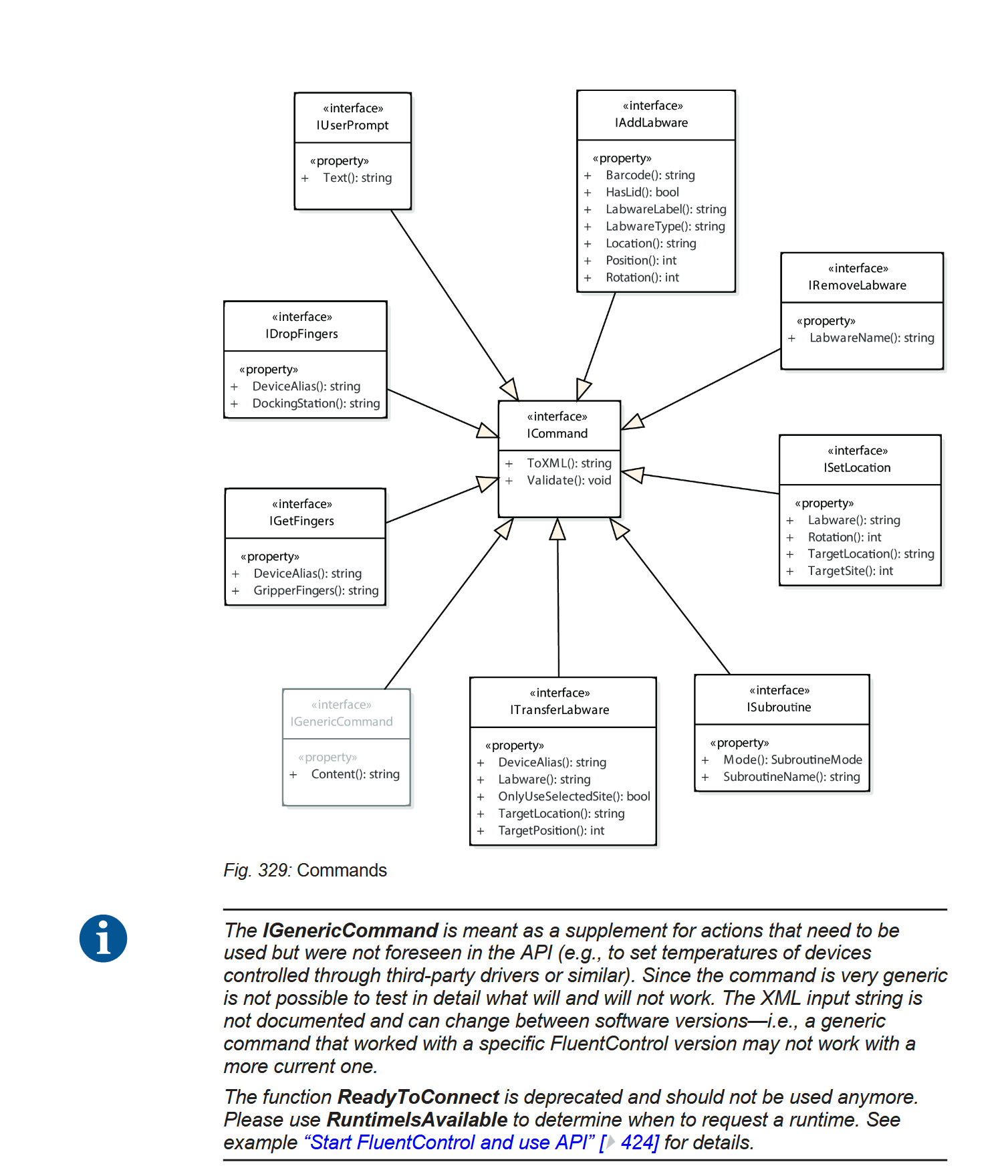
I currently use the GenericCommand interface to send almost any command that can be run directly from a FC script or method. First you make a script with the command you want to run through the API, save the script, and then you inspect the XML in the relevant script, which is usually (always?) saved in a .XSCR file in C:\ProgramData\Tecan\VisionX\DataBase.
Find your command under the tag , extract it into some appropriate function, parameterize the string as needed, and you’re off to the races. Fair warning, it can take some reverse engineering to figure out how to parameterize more complicated commands, and the exact XML might depend on your version of FC, so may need to be updated when you update FC.
Once you can output the desired XML, you’ll need to connect to FC and use an execution channel to run it. There are semi-complete instructions for that in the manual.
For your specific use case, I would use the Comment command, which has a check to write to the Audit Trail.
Here’s an example of what I do with a very simple command, in python, but you should be able to adapt it to VB: