Hey,
I am writing a method, where the Hamilton is pipetting, and while doing that it measures the height and writing that into the Excel file that was also used to get other informations (what wells to use etc.)
Now my problem are 2 things, first it writes always at the end where it stopped before. So for example, if I let it run once with 10 wells, it will write in row 2-11, but if I delete the data (even turn off everything) in the next run it will continue in row 12. Is there a way to tell the system to always start at row 2?
Second if I only use 4 wells it will write 8 points, where the last four are just zeros, is there a way to prevent this?
Hi @Heiko,
For the first question regarding always writing to the latest row of a file, there are two things going on:
- The File:Open command is set to “Mode: Append”, which means anytime the file being written to is opened, it will always start writing at the end of the file. The end of the file is always going to be the row after the last row containing data (in your example, the end of file would be row 11). If you switch this mode to “Write”, then the file will be overwritten each run and the data will start at the first row below the column headers (in your example, row 2).

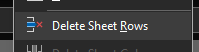
- When working with Excel, how you delete any existing data will affect the end of the file. If you only select the data in the cells then hit delete, the data gets emptied from the cells, but the file still considers those rows to contain “empty” data. This is what leads to the file writing to start at row 12. If you delete the rows themselves then the file recognizes those rows as removed and will begin writing at the beginning of the file.
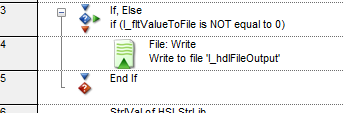
For your second question, there are a number of ways to go about only writing a set number of values to the file, but how to go about it depends on how your method is written. One option is to use a conditional statement (If, else) that checks the value being written to the file, and only write if it’s not equal to 0:
Thank you,
Dan
2 Likes
Hey Dan,
thank you for your answer, sadly that did not work, it still writes in the last used row.
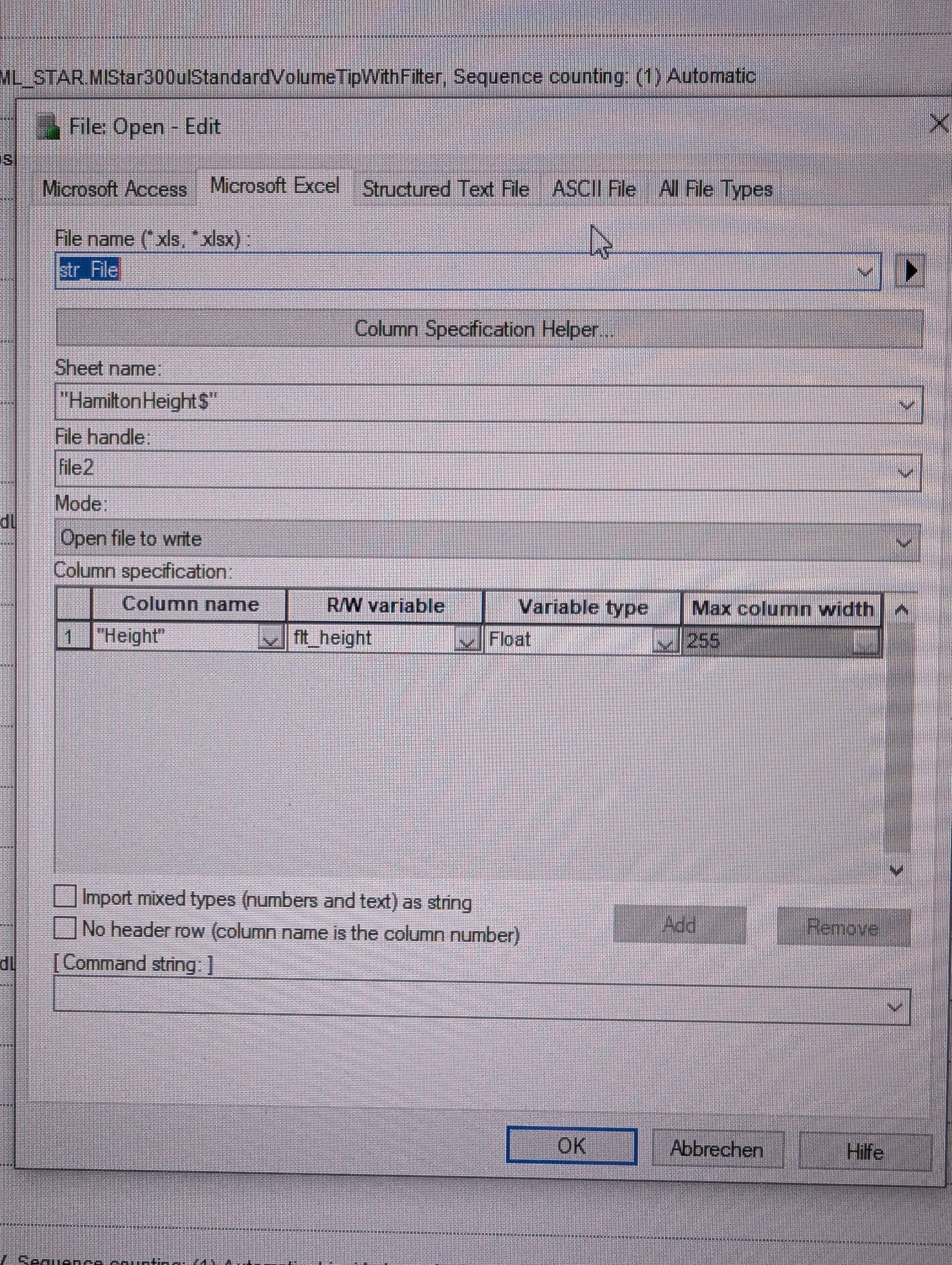
Here is the open method I am using (sorry it’s only a screenshot, our company blocks this website so I do everything in my cellphone)
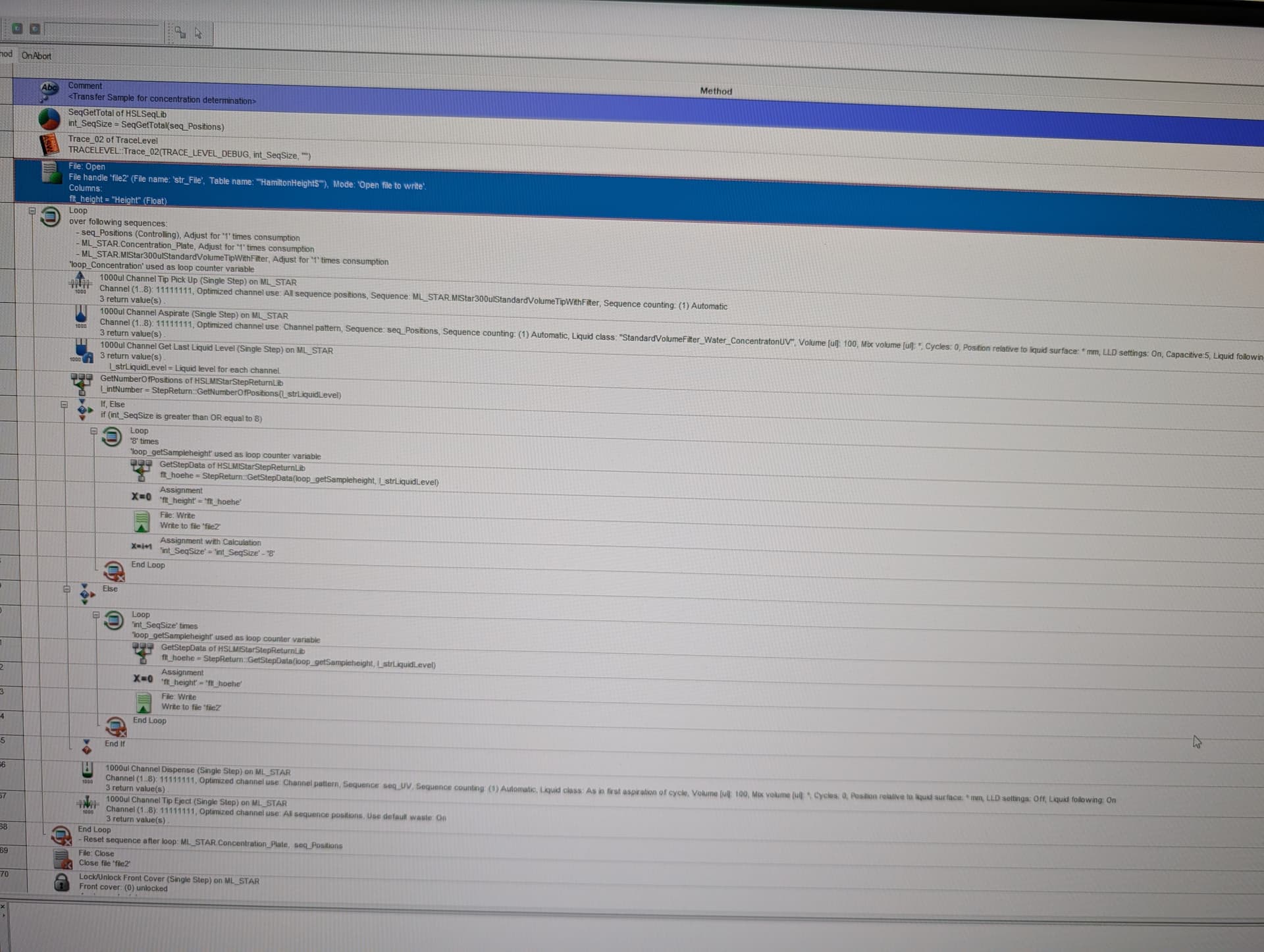
If it might help this is the rest of the block that writes the values:
Heiko
Can you try it again and place the open and close command for the file inside the loop?
Hey, no that did not change anything
Alternatively, if you’re familiar with SQL commands, you could use the UPDATE function.
Hi @Heiko,
Due to some changes in how the Jet Engine handles overwriting data, this technique will no longer work. I was unaware of this, so apologies for the incorrect information.
Sorro’s suggestion regarding use of SQL commands would work here, but there are other options as well:
- Delete the file at the start of each run using the HSLExtensions File Library, which contains a Delete function.
- Create a new file for reach run, which can be done by adding a unique identifier to the ‘str_File’ variable. Most common is a time/date, which can be retrieved at runtime using the default HSLTimLib. Another option is the run’s GUID (the code attached to a trace file name) which can be retrieved using the default HSLUtilLib’s ‘GetUniqueRunId’ function.
Thank you,
Dan
1 Like
Hey,
thanks both to @Sorro and @DanHartman_Hamilton, the suggestion with the SQL code finally did the trick. The suggestion with the deleting and creating sadly dies not work for us, since I need the data inside the Excel file which is also used to get all other informations like plate ID and positions.
Again thanks a lot!
Best regards
Heiko