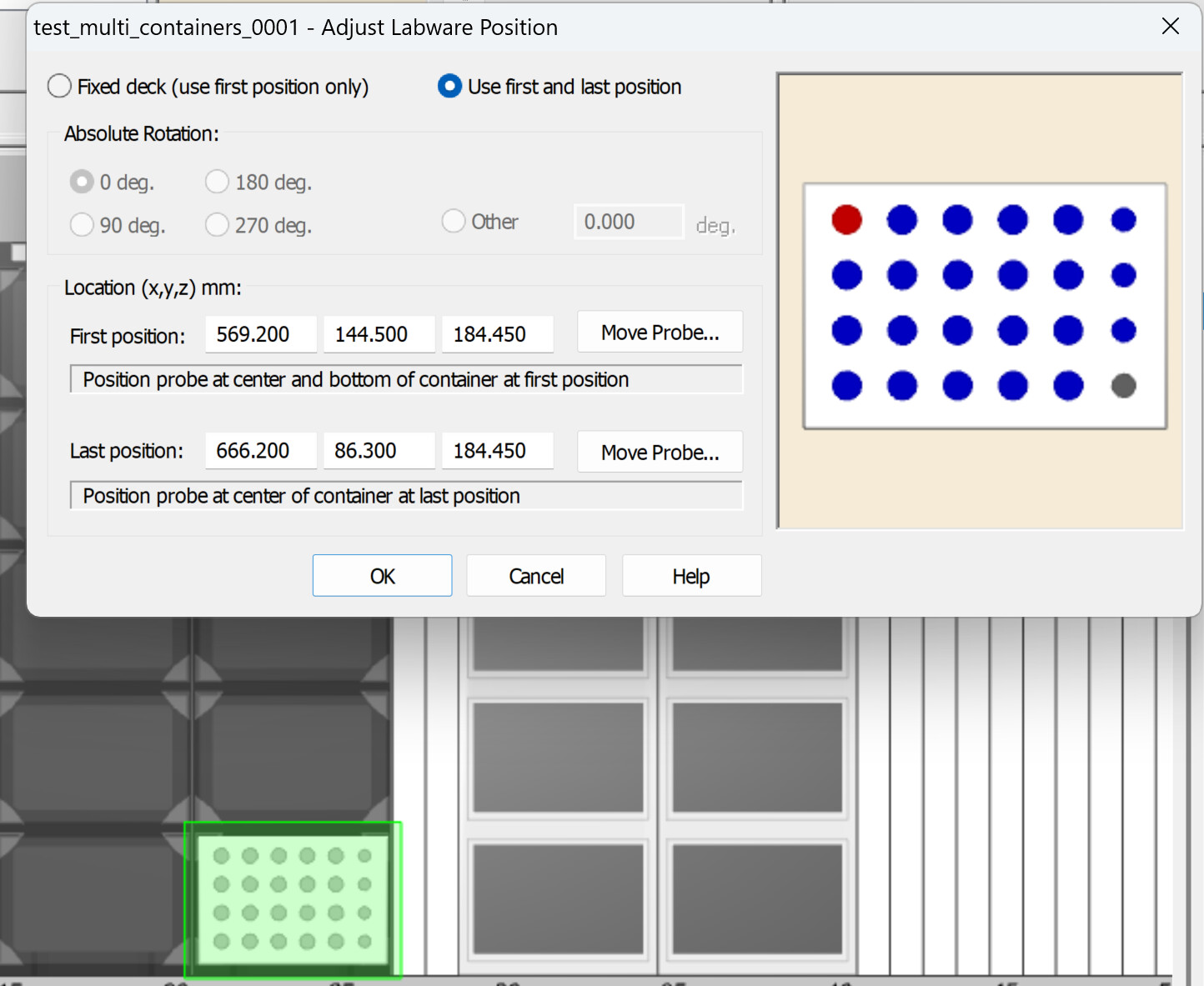
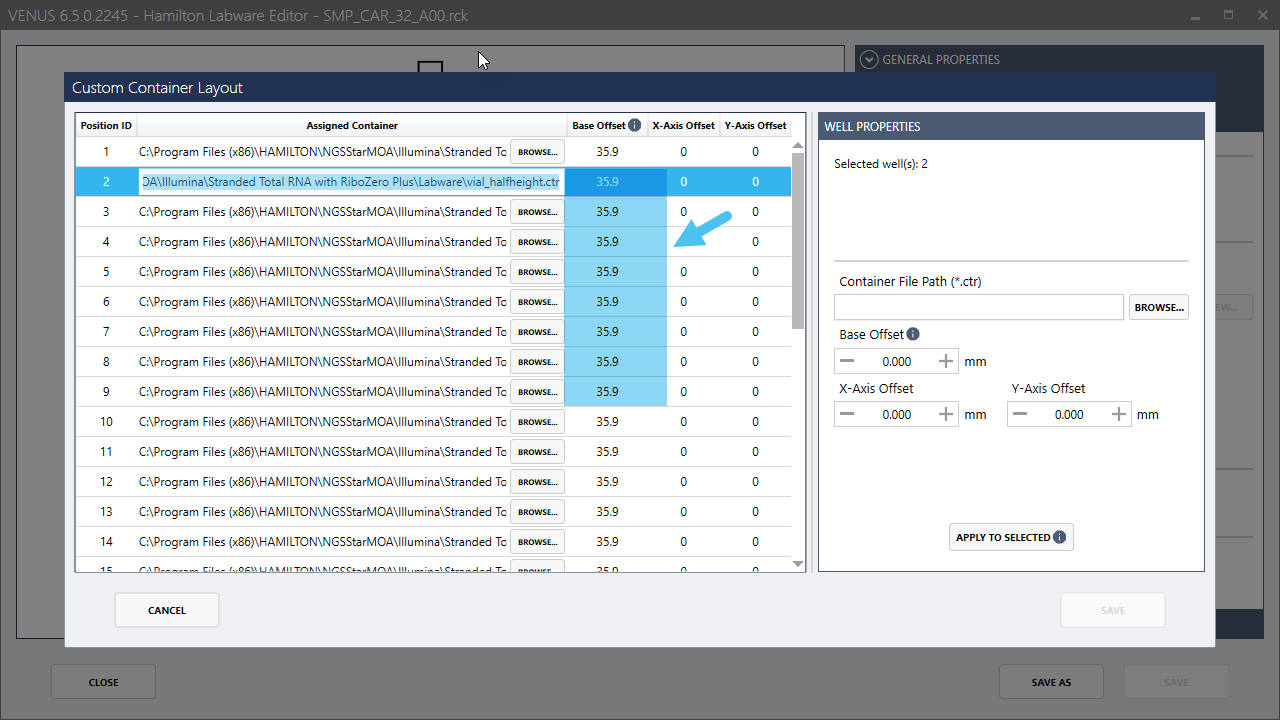
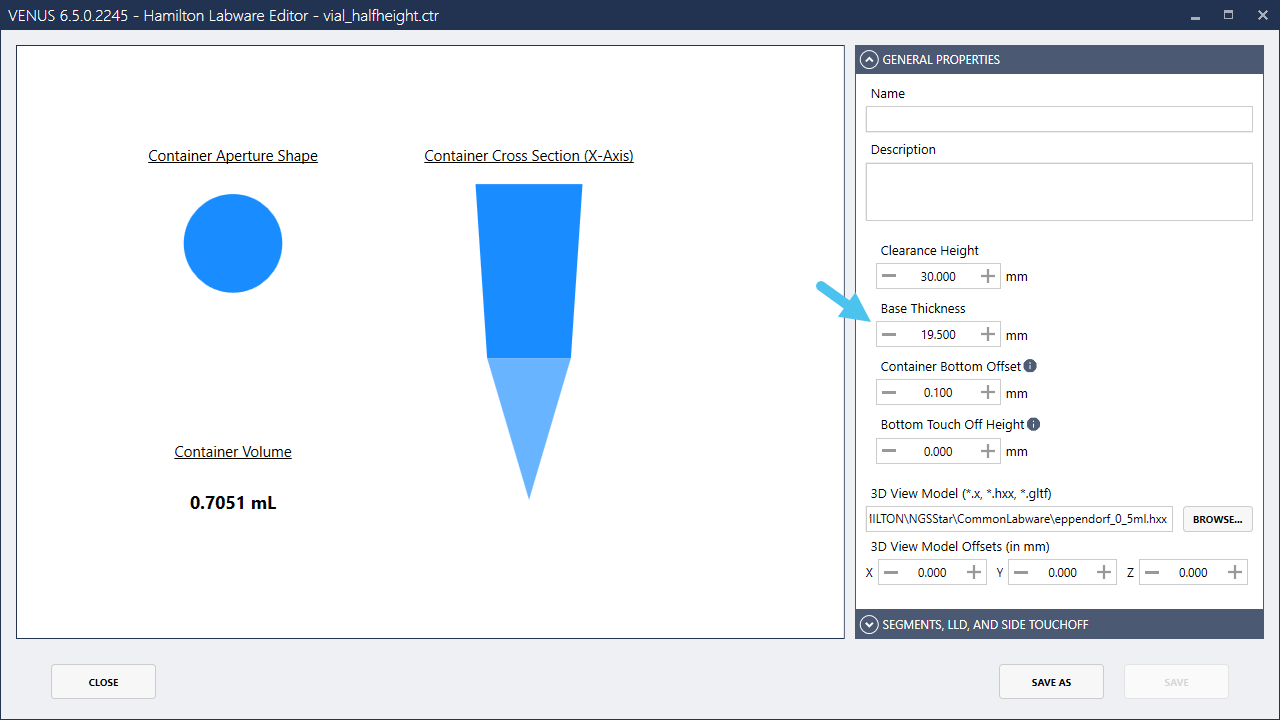
The last location has the same Z-height as the first, it should be drastically taller with that 15mm offset! Is this really taking into account the container offsets I had set, it seems like it is ignoring this!
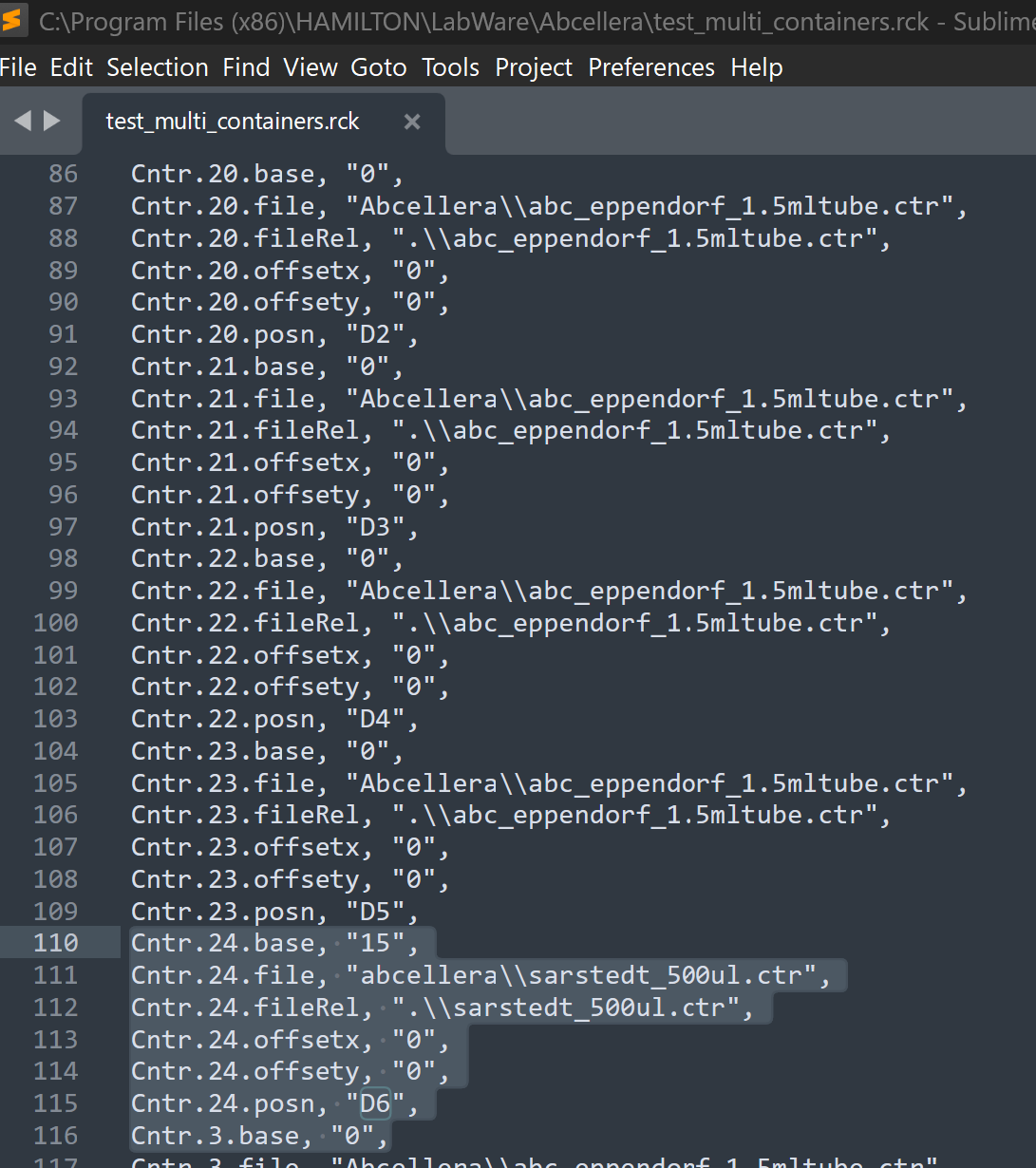
I converted the .rck to a ascii and confirmed that yes the offset does exist:
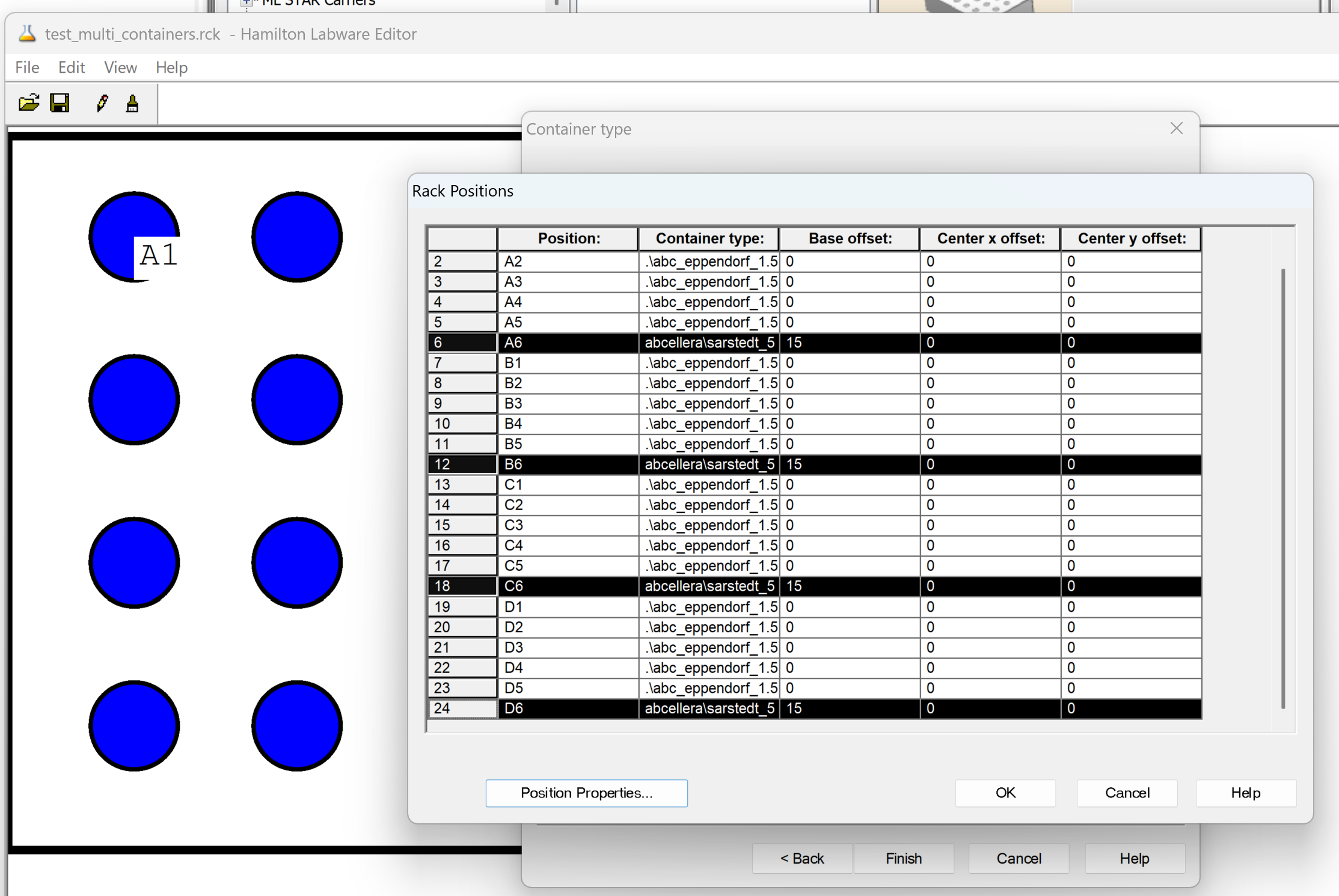
I am changing the last position and adding an offset of 15mm, D6, for a 24w plate. While keeping the first position A1 with a different container and 0mm for the offset.
The first position and the last position have different containers with different heights virtually in the labware file, they should be showing this in adjust location but they are not.
I confirmed on the instrument that they start pipetting at different heights, A1 very low as per my setting and D6 very high due to the 15mm offset. It seems as the adjust position is not looking up the offsets for plates with different containers.
I also ran into a bug where you can’t uncheck “(all)” positions contain the same container. Yes you can uncheck it, but inspecting the .ctr with ASCII it is not saving a container with varying offsets, its still an “(all)” file. Once a rack has been created with (all) you cannot go back and make this rack one with varying containers.
I had to create a new rack from scratch, though I do have a vague memory of this being known when I worked at Hamilton, the adjust labware not so much.
Apologies, I thought both sites would query, but it is very possible the dialog only looks at the site one and replicates it to the last position for the teaching. It is very low level so it doesn’t handle every iteration of how a labware can be configured unfortunately.
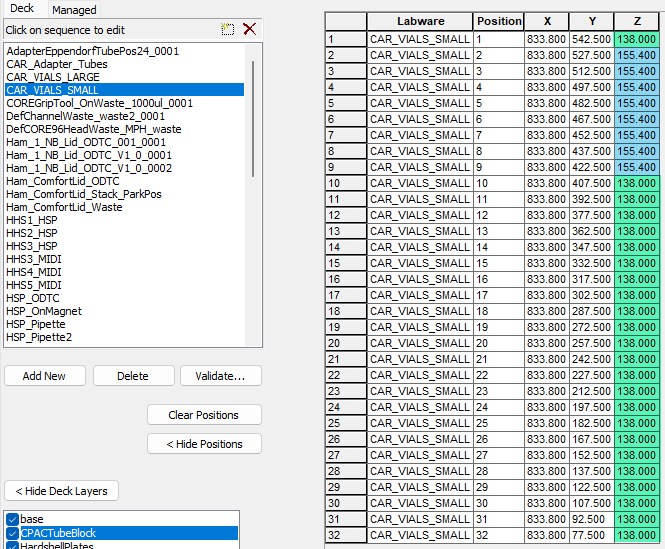
My typical strategy for teaching rcks with different containers is to put the odd tube in site 1 or the last and manually teach the z bottom but don’t save the coordinates. I either take a screen shot or write down the Z that I found. From there, I cancel the teaching and view the sequence for the coordinates that are currently set for the labware. See below:
In this example, I would put the blue tube in site 32 and measure the Z bottom. Once I have the actual Z coordinate, compare it to the value and then adjust the rck file. Say I measured 160.0 as the actual Z. I would go to the rack and increase the base offset by 4.6 mm
Afterwards, I save the deck, close and reopen it to refresh the labware. Then I re-snap the labware and double check that the Z positions adjusted to the correct location.
I’ve had a similar issue with HSLDevLib when trying to replace a container during runtime. I tried to use a mix of standard 2ml Sarstedt tubes and the raised bottom 0.5ml Sarstedt tubes. the z-offset is also about 15mm. Initially this worked fine, but the adjustment in y was out with about 0.5mm. After adjusting the y-teaching, the z-offsets wouldn’t apply with HSLDevLib. Fortunately I ran a test method first and it crashed a 50ul tip beyond recognition.
Also, after a day’s worth of troubleshooting I realized that the rack had to be snapped onto a template without any teaching for this to work. There’s a discourse post about this too, but the most Important thing seems to be that the rack needs to be snapped.
There is a property that gets set in the lay file when the labware is teaching dialog is opened (Carrier_ID_’.ZTrans). Once this is set, the only way to revert it is to snap the carrier back to the deck.
Perhaps give this a try and see if the z-offsets get properly applied if the labware is snapped.