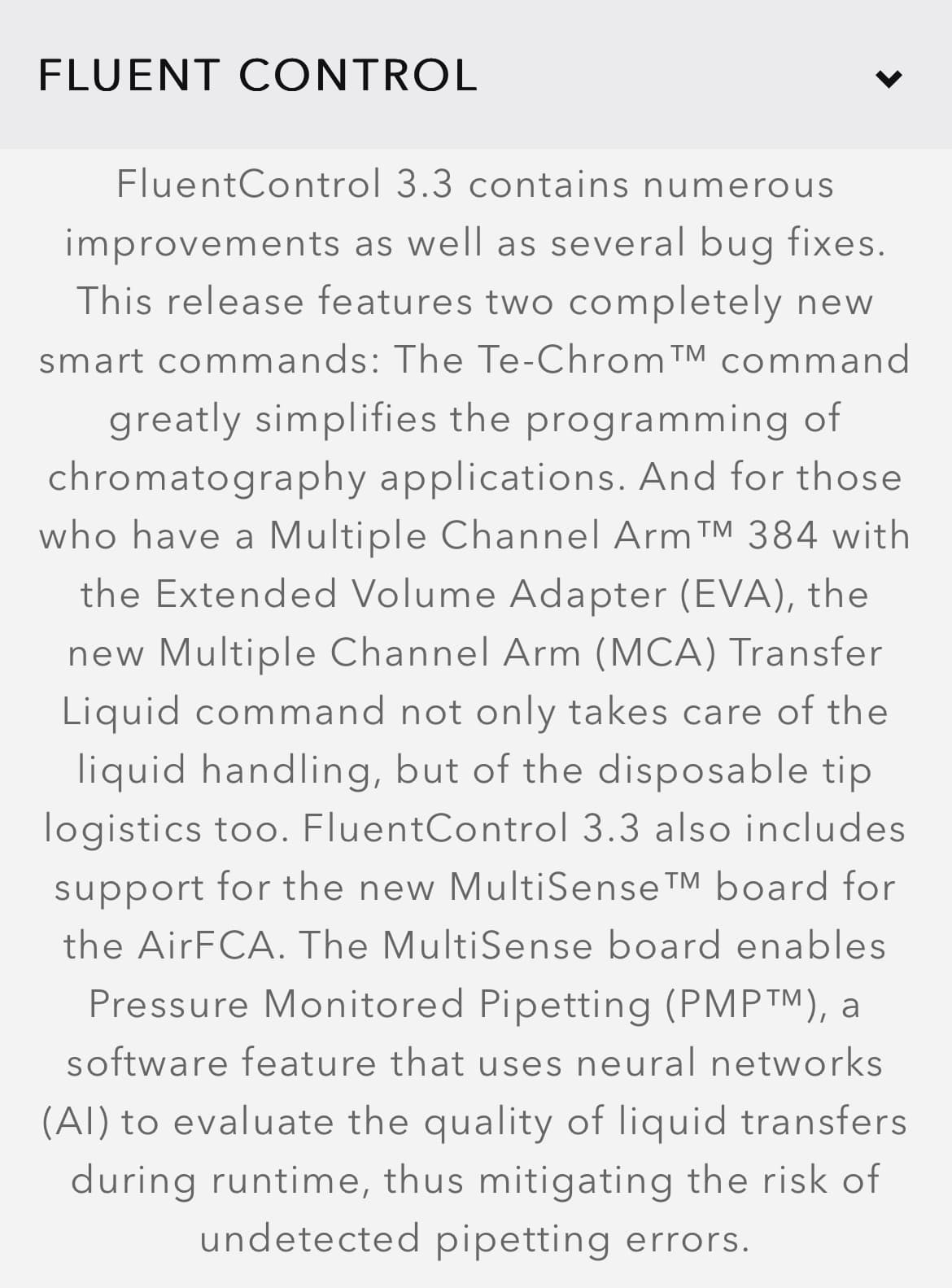
Tecan has a fairly new feature called PMP, to my knowledge, it is similar to Hamilton’s TADM, however, less used.
I’m looking into intergrading it into our new fluent system, and would like to hear if anyone has any experience using it, has any documentation on it, or any other insightful comment about it?
Tecan is actively recruiting early adopters, but a paid upgrade to both hardware and software is required. Your local sales representative should be able to connect you with someone on the software development team who can give you a detailed overview.
Yeah there was already the capability on the board for the Fluent FCA arm but it was just missing the hardware. When I did the Fluent hardware training back in the day (2018?) it was pointed out.
We have three systems with the PMP license. So far PMP is activated to record data on two critical transfers, 2µl transfer of sample and 18µl of PCR reagent.
At the moment we are manually checking if these transfers have been performed correctly (yes I know how stupid that sounds).
I would like us not to do that, and I think PMP would be a good option to make sure critical steps are performed correctly.
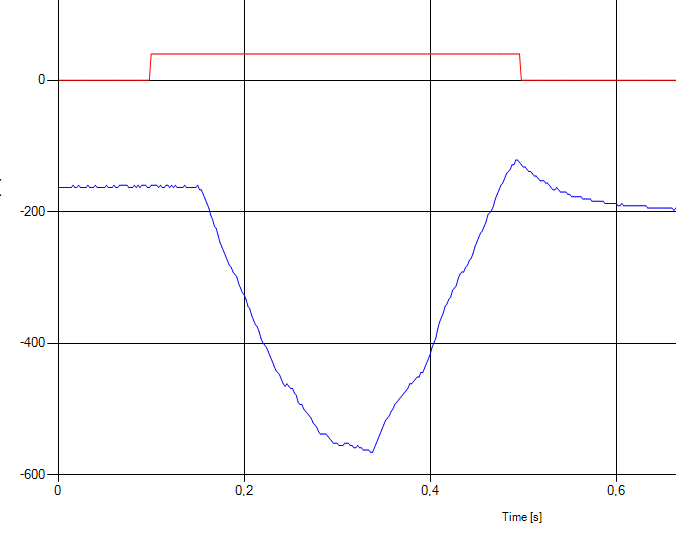
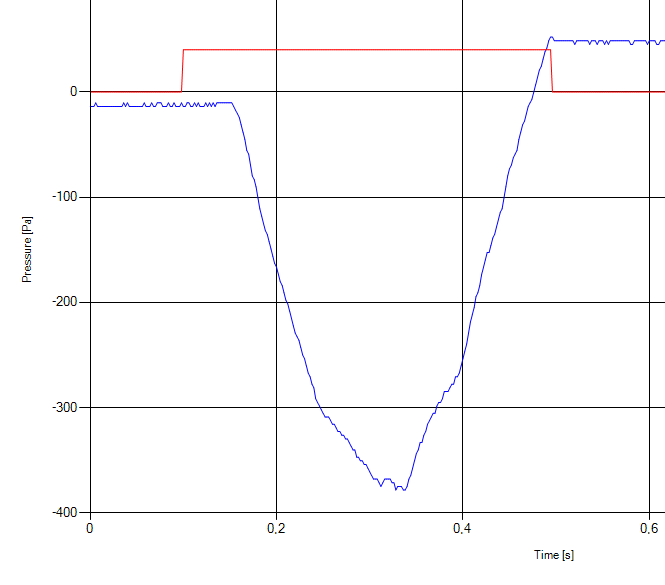
Here are some Aspiration graphs for 2µl sample
However, because incoming samples might have different DNA concentrations, viscosity, and more we need to do a period of monitoring so we don’t end up with a lot of false positives (positive for detection of error).
Unfortunately, we cannot get the data behind these graphs without signing an NDA, and due to that I might soon not be able to speak about it - great timing on your question btw!
Are you using the predefined neural nets with slight adjustments to the limits? if you’re making your own, are you starting with a detection and then modifying from there?
At this time we are not using the predefined NN, just storing the data for later. We have their NN models and could test and set thresholds on the dataset after the fact.
However, we do not have access to the actual data, only the graph (of the data) shown in their software.
The first job is to try to overlay all the data and “see what pops out”. After that we may want to do som ML ourselves.
Hi all, I’m looking to gain more recent insights into how performance differs between the Tecan Fluent and Hamilton STAR for liquid level and phase detection. Specifically, I’m curious if anyone has experience isolating plasma, buffy, and red cells from the same blood tube. Is one instrument more fit than the other for this task? Are there any relevant features that are only available to instruments released after a certain year?
the 2 x technologies are basically the same - react to a pressure delta configured in the software
Tecan ONLY offers the function on a specific FCA for the Fluent - so pretty new,
I recently integrated the Hamilton Liquid Fractionation methodology onto a 20 year old Starlet,
i would focus on other steps of the process & automation e.g. barcode scanning, centrifugation, decapping of primary tubes, decapping of secondary tubes, 2D/1D scanning of barcodes, sample tracking, system speed, system size, ownership costs, complexity of process on each software
these will yield greater disparities in results for consideration
Since the separation is pressure, i.e. physics-based, performance is pretty much agnostic (neither Tecan nor Hamilton are exactly skimping on the pressure sensors).
If you want to be really precise you may want to go for the easyBlood workflow. That’s working with optics and performs quite well once set up.
Im currently working on Hamilton Venus 6 and have zero clue on how Pressure monitoring works. Regardless of what i do or how i set up my PCR plates (with zero volume are volumes way below the required volume), i cant get pressure monitoring to trigger. Any help would be greatly appreciated.
To keep this brief to give enough info to try things on your system but not derail the discussion in the Tecan section: @Kayoss
There are different ways to monitor pressure on the Hamilton system.
The way you have set up is referred to as Monitored Air Displacement (MAD), which is a firmware-level check on the pressure when aspirating. There is a command for setting the pressure threshold in the same library, but the threshold value doesn’t have great documentation on what exactly the number means. Ultimately - in my experience - it is a magic number that sets sensitivity to clot detections. I haven’t gotten it to work with air aspiration.
Released with Venus 6 is TADM - Total Aspiration and Dispense Monitoring. This feature is available for Venus 4 instruments as a separate purchase. This feature is what you most likely want to use for your system. The use of TADM follows the liquid class you desire. In the liquid class editor, go to your liquid class and enable TADM; TADM usage is disabled by default. (You also have to use a non-default liquid class, so just right click the default and select “create” to make a copy). Additionally, in the system configuration editor, you need to go to the ML_STAR tab and set TADM to “record” or “monitoring”. "Record” will only record pressure data on the TADM-enabled liquid classes - it will not flag an error. “Monitoring” will record the pressure, but also require any used TADM liquid classes to have tolerance bands set in the liquid class editor window. I would recommend setting the instrument to “Record” to set up your bands and perform initial testing, then swap to “Monitor” when you need to utilize any actual error handling. “Monitoring” will be necessary to flag any aspiration or dispense errors.
Note: Utilizing MAD and TADM are mutually exclusive - so you need to turn off the aspiration monitoring steps that you have posted in the picture before using TADM. There is nothing you have to set up in the method editor for TADM to happen - it is driven by the system configuration and liquid class editor.
There are other posts on the forums in the Hamilton VENUS section that goes into more depth on the liquid handling guide and utilizing TADM, so I would look that way for more specific guidance.