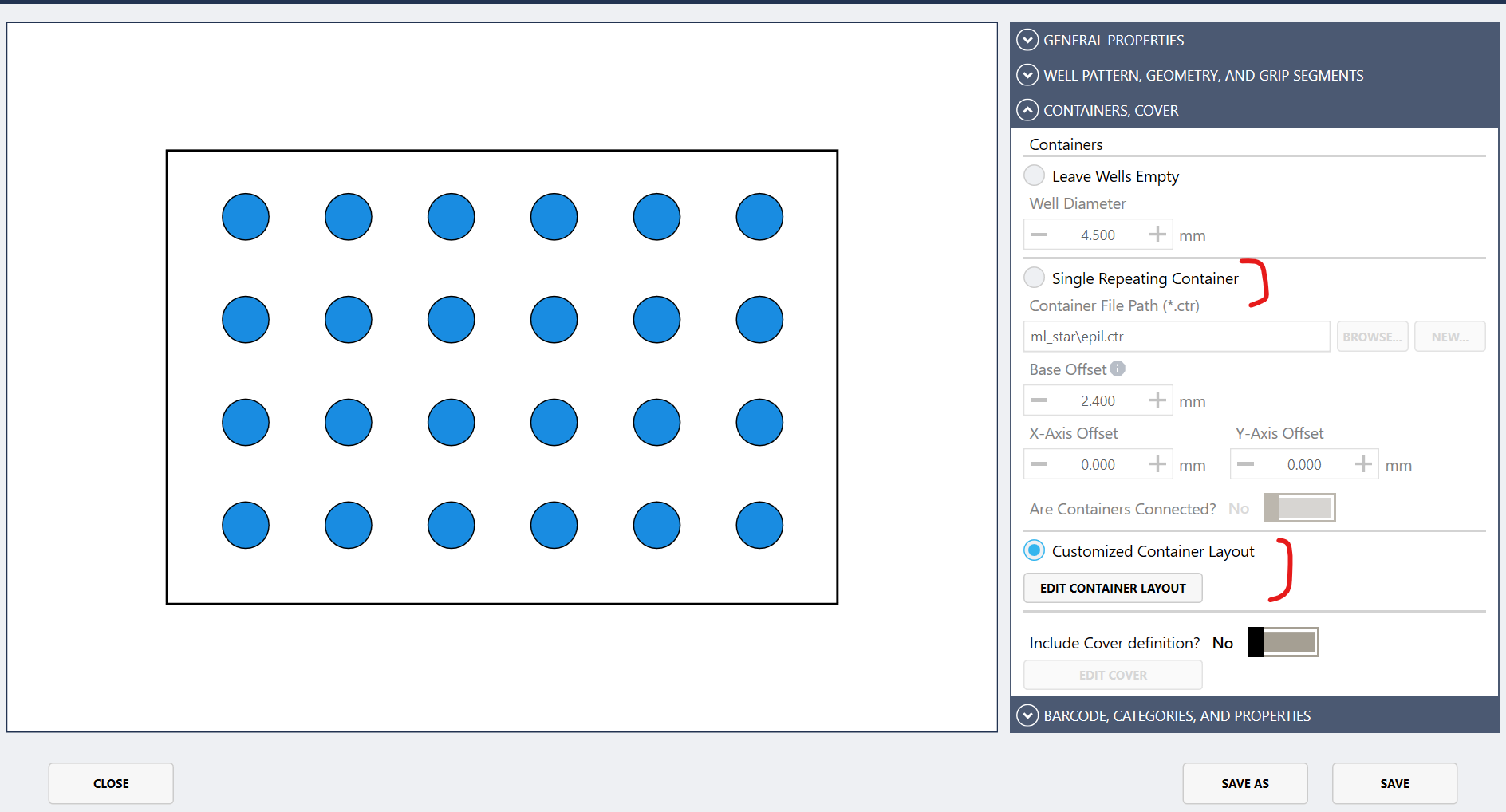
There is a bug present in the new Labware editor, that was also present in the old labware editor in Venus4.
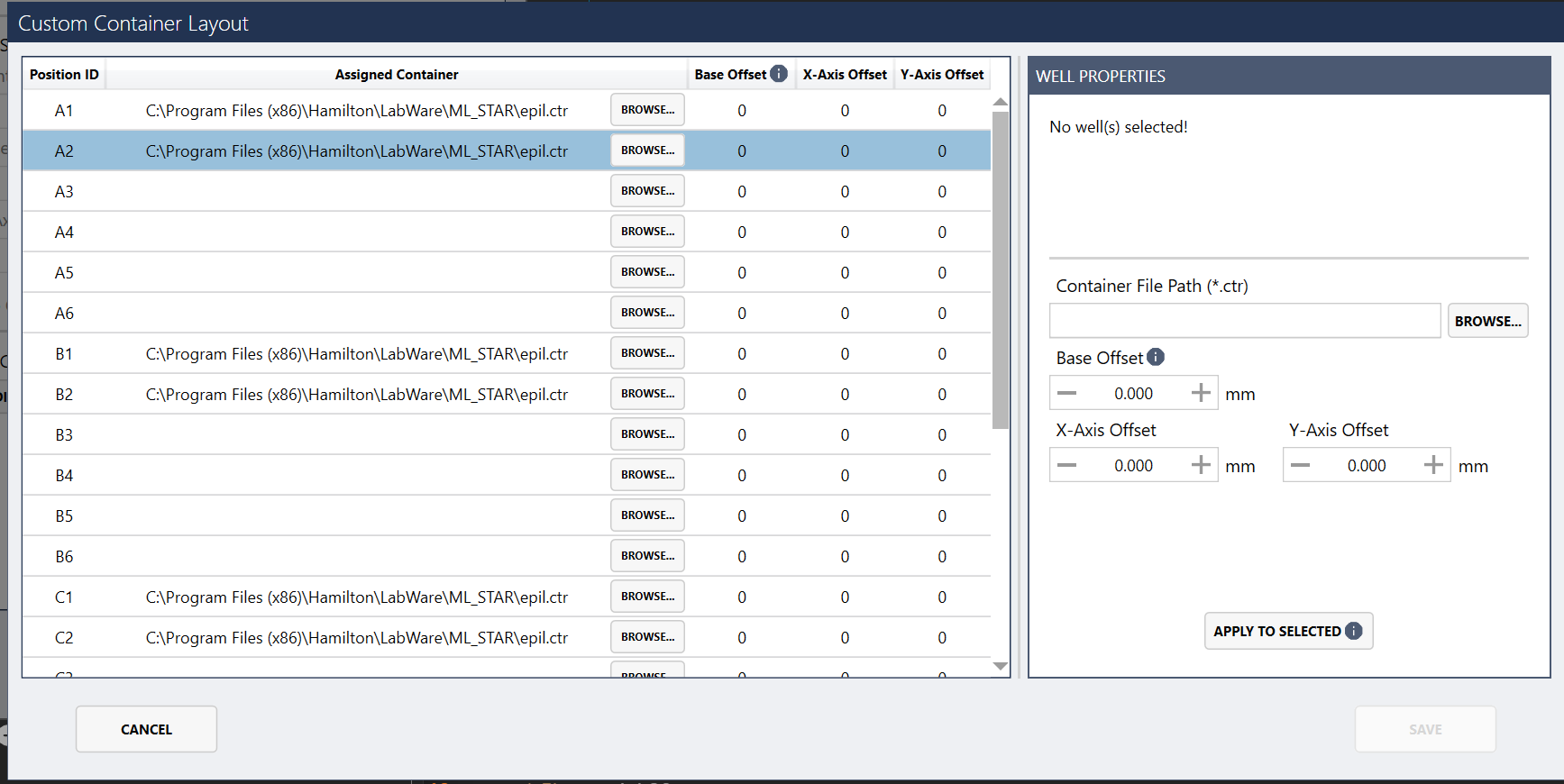
If you make a labware with all containers the same “Single repeating container”, save. Then edit an individual position to have a new container “customized container layout”, it does not save. All the old containers are still present and it is still a rack with a single repeating container.
You can convert the labware to ascii and confirm it does not change the binary to a customized labware.
2 Likes
The solution you have to do is make and entirely new labware and select “Customized Container Layout” from the beginning. You cannot convert a “Single Repeating Container” to a “Customized Container Layout”.
Hoping this saves someone else some time…. as this is a silent error
2 Likes
Alright this seems more broken than Venus4.
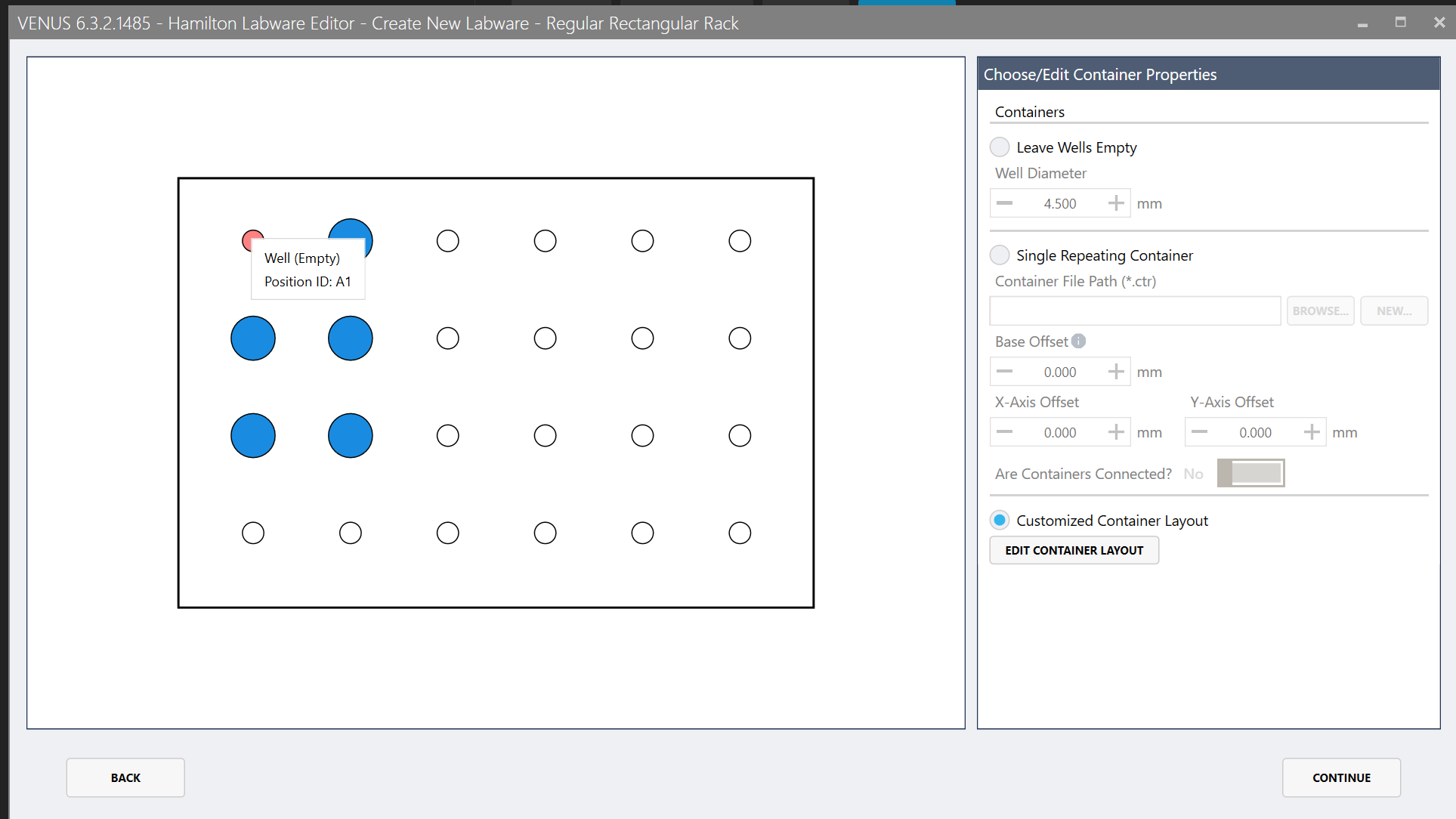
- When selecting tubes they do not visually show correctly. Note I have labware selected in A1. Visually it is not showing it.
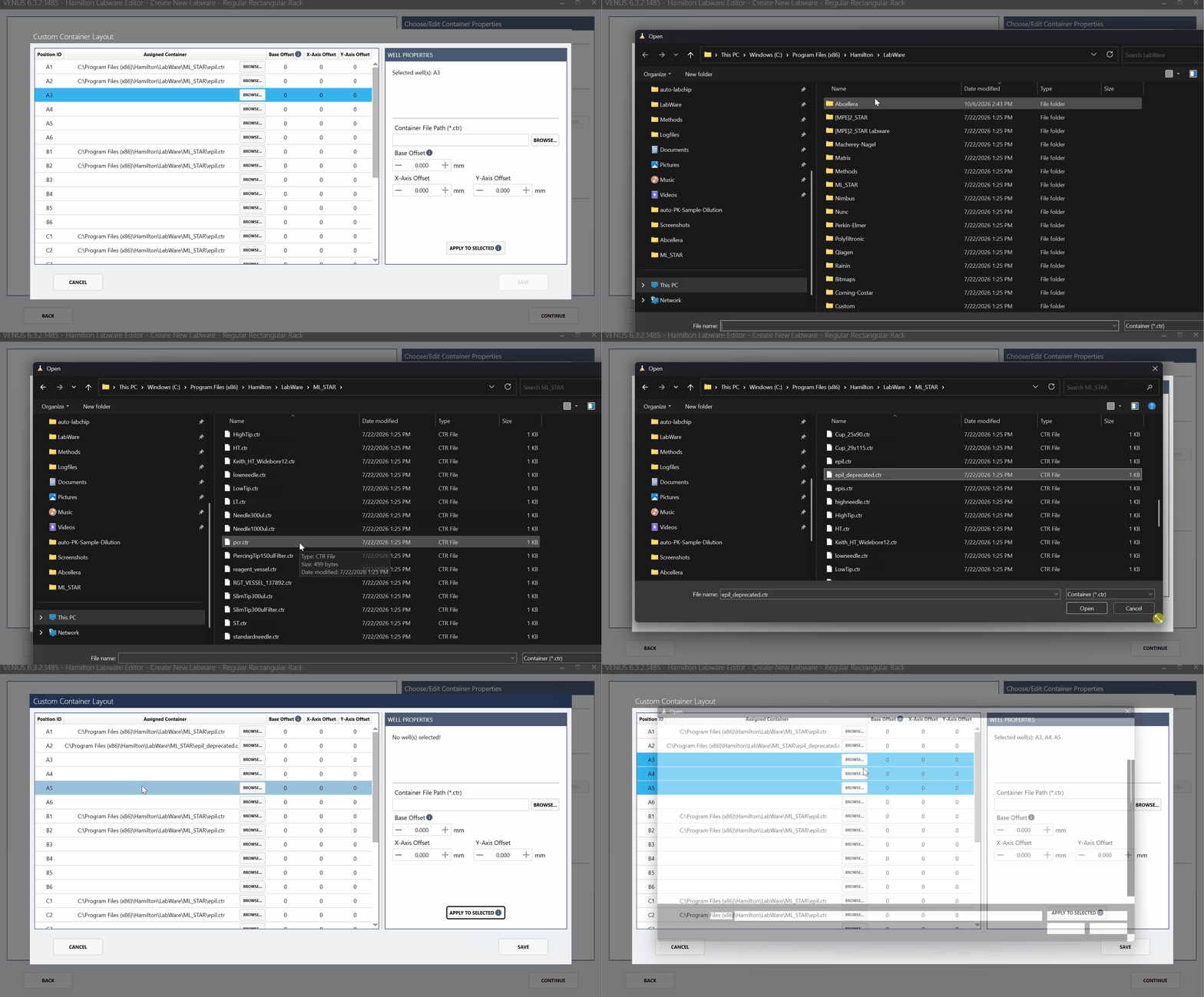
- None of the selections actually stay when you click “Apply Selected”. Note I want to apply to 4 wells, they even say they are selected in the dialog, after you click it only applies to one well. Making a mixed labware in this interface is near impossible
3 Likes