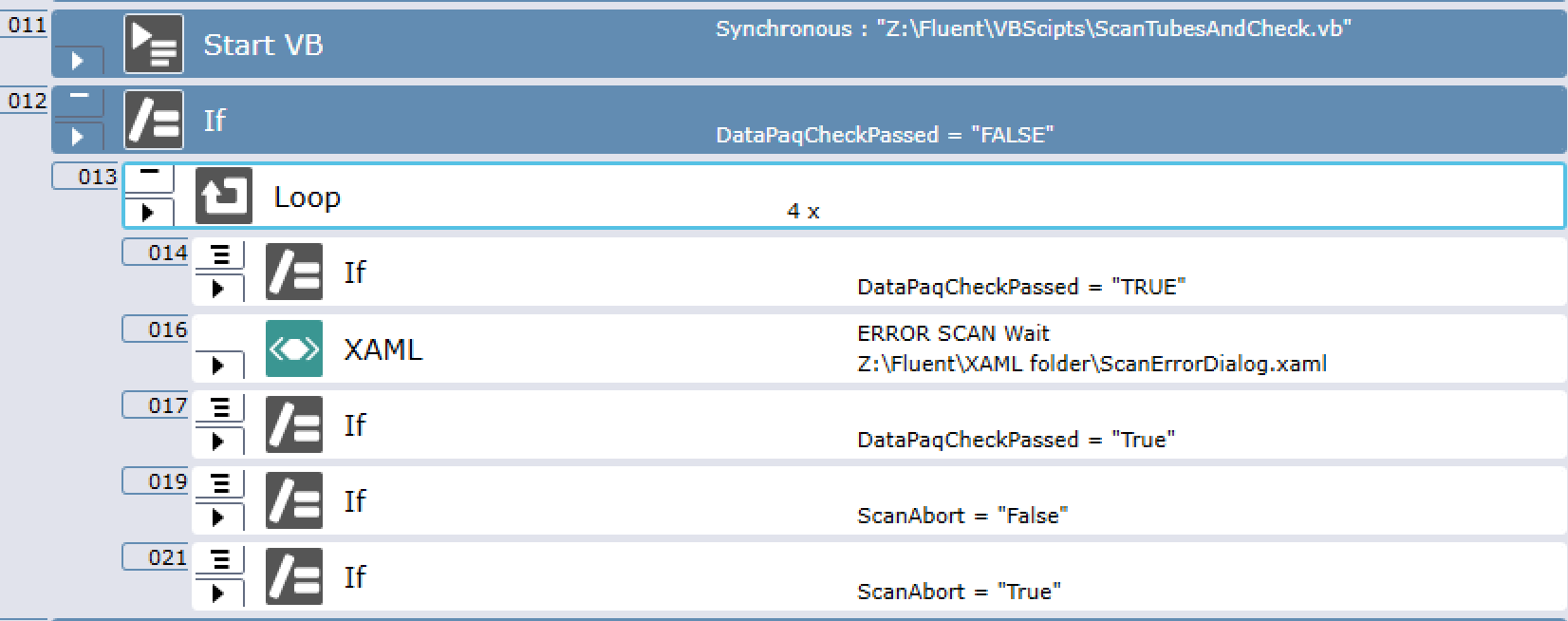
I would need a simple barcode compare filter built into a Fluent Control protocol. At the start of the protocol I give a barcode via a sample sheet, then the protocol prompts to add a sample plate and scan it’s barcode, that needs to be verified against the sample sheet barcode, then abort or continue the protocol.
Is VB.NET the only way to accomplish this kind of logic in FC? Also, there is the “Manually Scan Labware” - command that seems to scan but nowhere does it tell under which variable it stores that info?
Hi, you could do this directly into FluentControl. You could use import variable to read in your barcodes from the sample sheet, potentially storing them in an array, and then use the Get Attribute to read the scanned barcode. Then use the If statement to run a comparison between the scanned barcode and the barcode from your sheet. Put it all in a loop and should be able to iterate over everything.
Alternatively, you could also do this in Python using pd.read_csv or pd._read_excel and set the return code as something you could use as a decision branch with the Run Application command in Fluent Control. Launch your Python script from a .bat file in FluentControl.
I did something like that to scan a full Matrix plate using a Ziath 2D scanner. Usually I tend to stay out of Fluent control as much as possible so the way I implemented it is the following :
In FC I place the plate on the scanner and the rest is done outside.
I use a VB script to launch the scanner, grab the output (stdout) and compare that with a JSON that recap my experiment.
Finally I write to an FC variable if the check is ok or not. If not, I display a XAML on the touch tool to describe the error to the users and let them decide if it’s normal or not.
You can definitely do that in Fluent Control. I have done so, but it turned out to be very slow, so I ended up not using it. My logic was comparing the barcodes in a worklist against the tube barcodes scanned by Fluent ID, then creating one error array for BC in the worklist not present in the scan and another error array for the scanned barcodes not present in the worklist, to show them as errors on screen if needed.
This double comparison may have contributed to it being too slow, but in any case this is something that if done in vb.net or python would speed up both development and testing, and eventually run time.
I’ve worked on various methods to handle this type of logic,
FluentControl Native is relatively easy, but gets to be very slow when running (especially if you want to add logging for traceability),
Python is also simple & definitely has speed benefits - but you then need to re-import the Python generated information back into FluentControl to visualize
VB.net has a more integrated level into FluentControl where variables/arrays can be used bidirectionally, plus accessing the labware attribute properties
my approach has been to utilize vb.net functions to read data in, perform various checks/validations & then write output data e.g. Touchtools plate map files to provide the user with runtime data/errors with text descriptions, colour coding etc
the difference in speed between FluentControl for comparing 96 barcodes against a target list VERSUS vb.net to do the same is significant,