Is there a library/command that checks the presence of a carrier without having to unload and reload the carrier?
1 Like
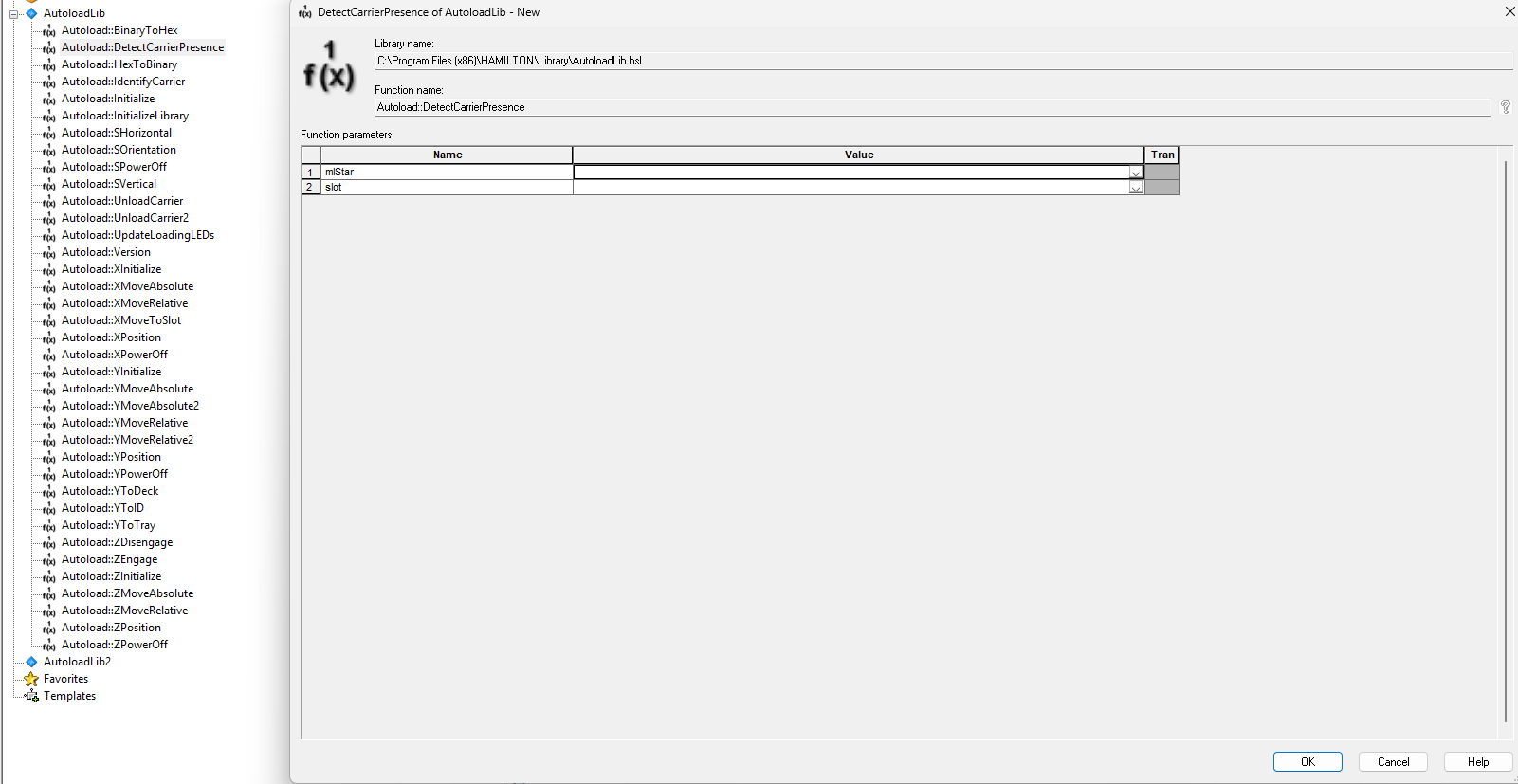
The Autoload Library returns true / false if the carrier is detected on the load tray. Here’s a link to the check carrier presence library that can return if a carrier is already loaded on the deck.
2 Likes
Thank you! This is what I was looking for.
3 Likes
Hey! Maybe you can help me out with this. I was wondering if there was a library where I can move the Carrier Presence Check up or down on the Vantage? For example when I call a load labware, I can see that the Carrier Presence Checker move upwards and back down once the import is completed.
Hi @jlam036,
I do not know of a library that moves the carrier presence sensor up and down on a VANTAGE. The sensor that I believe you are referring to is a laser reflex light sensor behind the VANTAGE power button and it serves two main purposes:
- Scan for the presence of labware located on the various sites of a carrier being loaded.
- Scan to see if carriers are in breach of the loading tray when the loading tray goes to close.
The VANTAGE system by default (without a prior “unlock” command) runs with the loading tray in the up position. This means that carriers should not typically stay resting out on the loading tray. For example, you cannot call an “unload” command in VENUS and then a “load” command for the same carrier. Instead you just call a single “load” command and the IDL will both unload and reload that carrier. And it is within the load command that you have the ability to control a single position where that reflex sensor moves to:
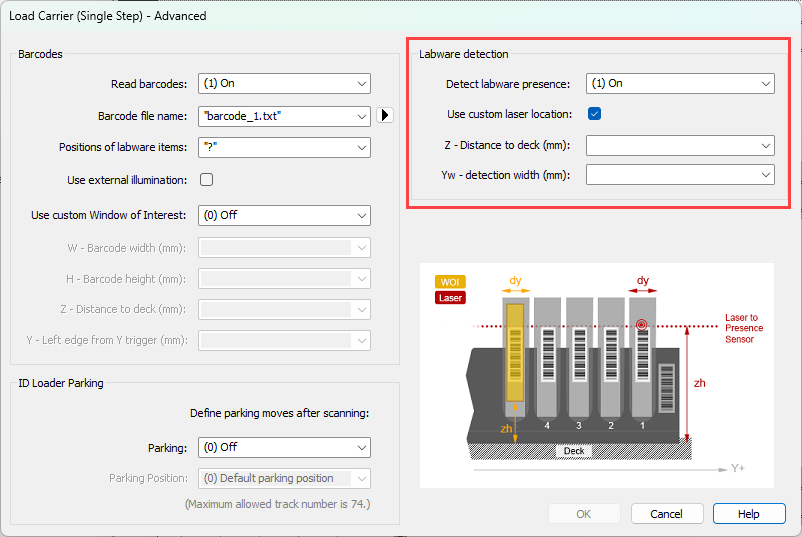
Highlighted in the red box in the image above, you have Detect set to On, check the box for a custom location, and then you pick a z-height for the laser to go to and a scan width that is applied to each site of the carrier. The help menu here can also direct you in picking acceptable values.
Is there anything additional that you would like to use this sensor for?
Matt