Hi @BrandonBare_Hamilton - I’m wondering if you can send a .x file and template definition for this MFX module (6605486-01). I just purchased a handful of these and am not seeing it in the labware assistant by default. I was able to find the definition & 3D model for the Alpaqua Magnum FLX itself in this site’s labware archive, but not for this particular module. Thank you in advance!!
Hi @desert_platypus ,
MFX modules need to be built based on the configuration that they are set up on the carrier. VENUS 6 has an option to build these carriers from a selection list at each site. Unfortunately, we don’t have a specific module for part number 6605486-01, but we do have one that is very close to this module.
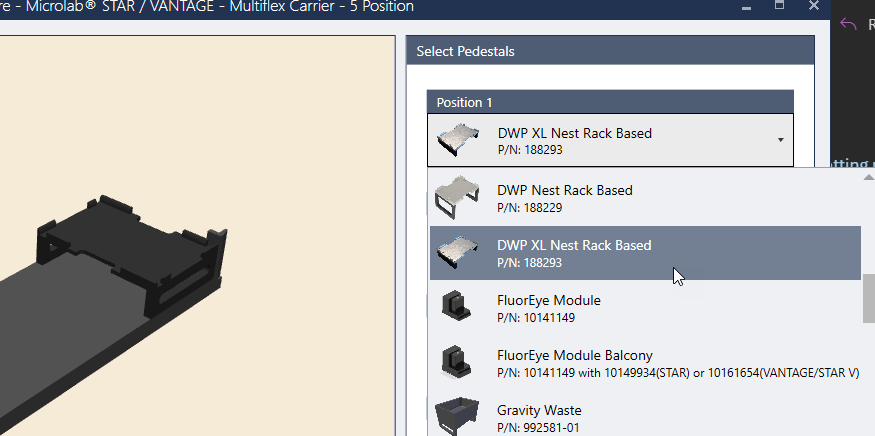
You can add the Alpaqua carrier definition on top of the module on the deck layout (template on a template) which then allows you to stack a plate on that for the stacked module.
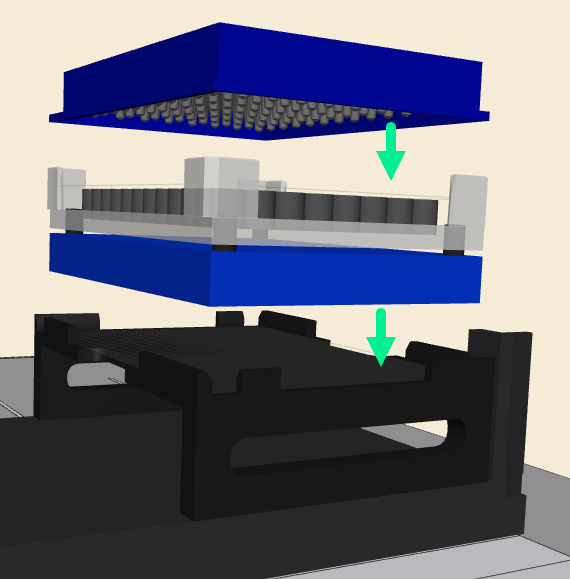
If you have VENUS 6 installed, I recommend building the carrier from the labware editor tool. If not, I can build the carrier for you, but I need to know the configuration of your carrier first.
1 Like
Thanks much for getting back to me! I should clarify that I’m running Venus 4 still (validated/clinical) so using the labware assistant to build the base carrier + labware editor for the racks (and in this case additional template).
I don’t have an issue actually creating the template/carrier myself - the 3d model would be a nice to have though. But if you want to send over the 188293 template and corresponding .x file I can use as a starting point that would be appreciated! I can just adjust the height if needed and drop it in.
Hi @desert_platypus ,
If you can share a picture of your carrier, I can build it for you. Keep in mind for VENUS 4, template on template isn’t directly supported. That was added in VENUS 5, but you can get around it by adding the Alpaqua Template to the yellow space off of a carrier in space (let go of the left click) and then drag it from there to the template site that it is resting on.
Note: Sample tracking will be broken from that particular site. This is not an issue from VENUS 5 and up. I know that won’t help you in this scenario but just letting you know this feature was added.
1 Like
Got it - thanks. Here is my setup right now. I’ve got a precision tab base on position 3, this is where I’d like to set 6605486-01 (with the magnet on top of course). The HHS and DWP module can remain in the same positions. So:
Base - 55574-01 (7 slot fixed carrier)
Position 1 - HHS 2mm NuncDWP
Position 2 - Empty
Position 3 - 6605486-01 (Alpaqua module + magnet)
Position 4 - MFX DWP module
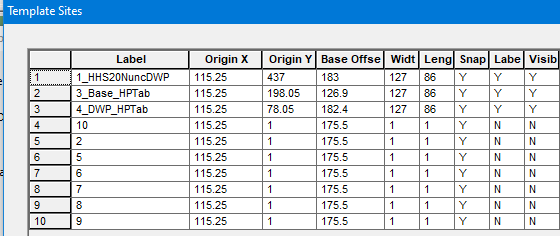
From deck layout (has racks on pos 3/4):
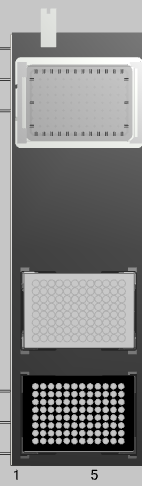
Hi @desert_platypus ,
Here is the carrier with the magnet added:
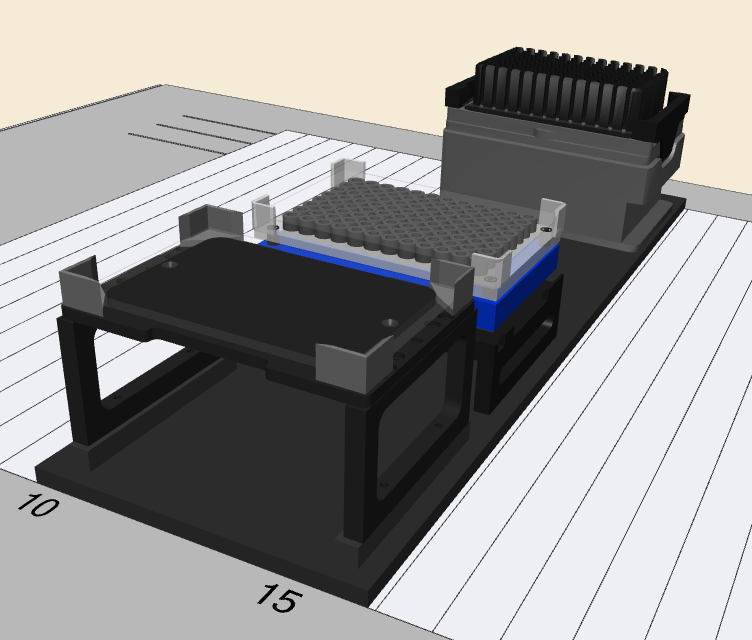
Here is the carrier with the magnet removed:
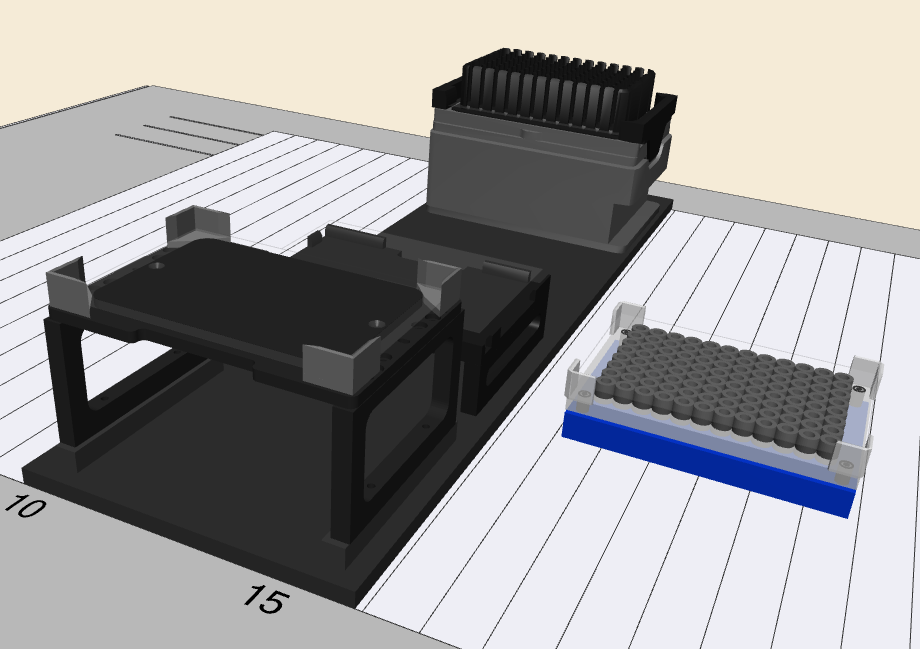
Both the tml and the .x file can be downloaded from the link below:
MFX_CAR_HHS_MagPosition_DWP.zip
Password: Hamilton2026
4 Likes
Thank you!
1 Like
Thanks for posting this. I am new to Hamilton Venus and was wondering where to get the Alpaqua Magnum FLX template from?
Hi @infy ,
This labware definition is uploaded to a repository that can be accessed from the post below under the this link web link. :
It says Library Downloads, but it has labware uploaded as well.
1 Like