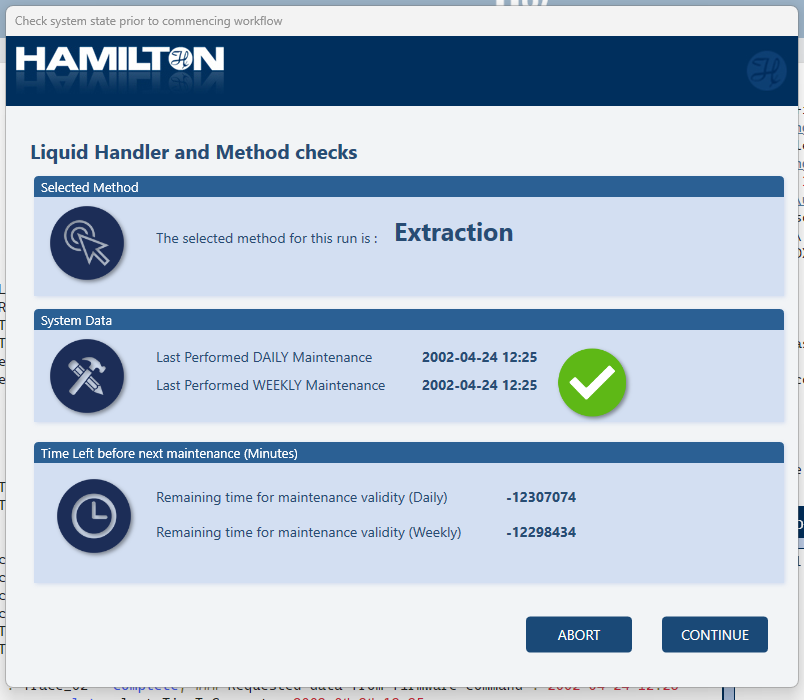
I am looking for a wait to retrieve the time and date for the last executed Daily/Weekly maintenance. Currently we enabled the flagging to “Mandatory” but I would like to provide a dialog to my users with an overview of the system health and for them a way to see in on go if this system is usable of needs maintenance.
I’m not aware of a specific library that retrieves this info, but as part of your custom method init procedure you can use shell command to invoke the Hamilton.HxStarMainAndVerRun.exe, which will open the maintenance program. This program displays maintenance status/ last executed dates, result of maintenance etc.
You could use the latest HxUsbComm trace file and retrieve the C0AV entry. It will give you information for date and time (“vdYYYY-MM-DD HH:MM”) and also the state (“vs1/0” completed or not)
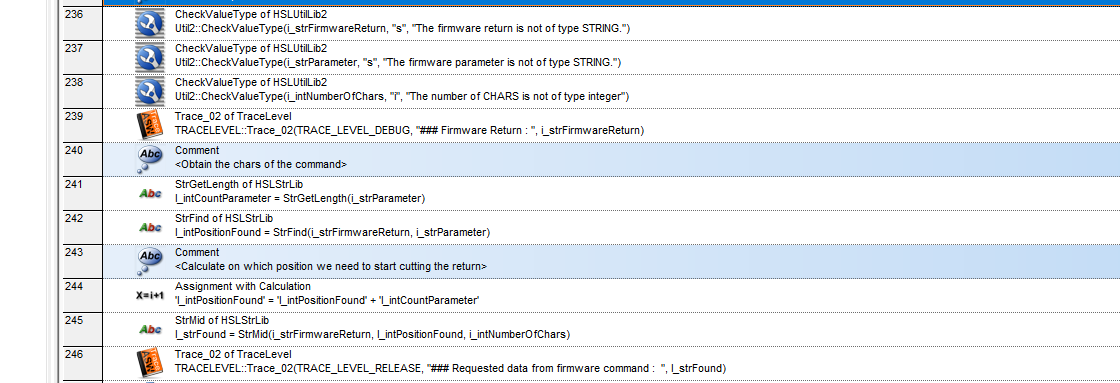
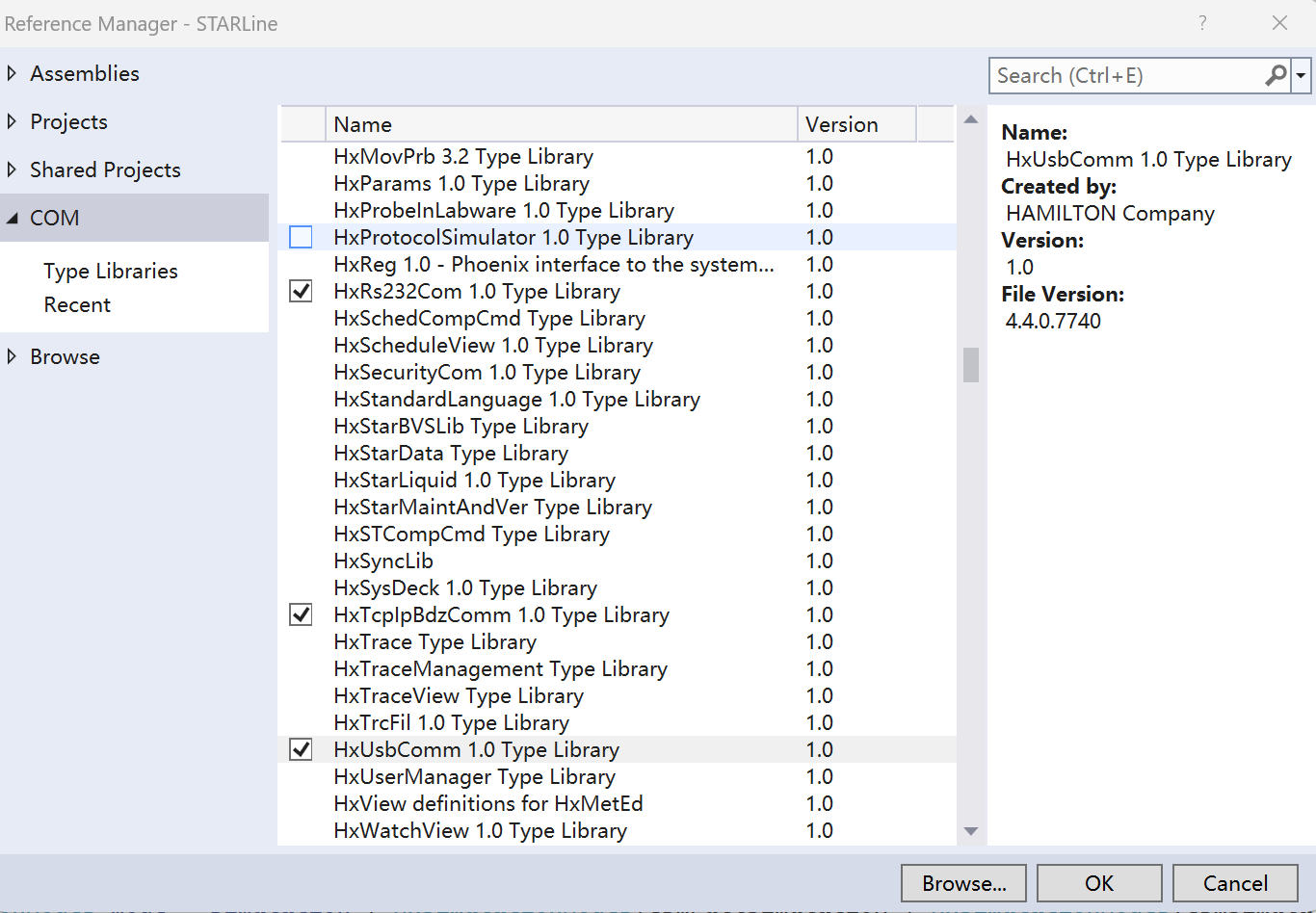
We did thing of this kind before, we use C# to achieve this function (check maintanence date and status, perform maintanence), with following code
                    con = new HxUsbComm();
                    con.OnConnect += new _IHxProtocolEvents_OnConnectEventHandler(con_OnConnect);
                    con.OnDisconnect += new _IHxProtocolEvents_OnDisconnectEventHandler(con_OnDisconnect);
                    con.OnReceive += new _IHxProtocolEvents_OnReceiveEventHandler(con_OnReceive);
                    HxRegistry reg = new HxRegistry();
                    string cfgFile = "";
                    reg.InstCfgFile("ML_STAR", ref cfgFile);
                    HxCfgFile cfg = new HxCfgFile();
                    cfg.LoadFile(reg.ConfigPath + "\\" + cfgFile);
                    con.InitFromCfgFil(cfg);
In the OnConnect event, you can send firmware to STAR, inOnReceive event you will get response from STAR, with which you can get all the information you want.
        void con_OnReceive(object receiveInfo, int receiveCount)
        {
            replyStar = receiveInfo + "";
            _readEvent.Set();
        }
        void con_OnConnect()
        {
                replyStar = null;
                _readEvent.Reset();
                con.Send("C0RVid0102vo00");
                _readEvent.WaitOne(5000);
                if (!string.IsNullOrEmpty(replyStar))
                {
                    int index = replyStar.IndexOf("vd");
                    LastDailyMaintenanceDate = replyStar.Substring(index + 2, 16);
                    index = replyStar.IndexOf("vs");
                    int vs = int.Parse(replyStar.Substring(index + 2, 1));
                    DateTime dm = DateTime.Parse(LastDailyMaintenanceDate);
                }
       }
command for daily maintenance: C0RVid0102vo00
command for weekly maintenance: C0RVid0102vo01
command for preventive maintenance: C0RVid0102vo04
After get things you need, you must close the connection
                            con.OnConnect -= new _IHxProtocolEvents_OnConnectEventHandler(con_OnConnect);
                            con.OnDisconnect -= new _IHxProtocolEvents_OnDisconnectEventHandler(con_OnDisconnect);
                            con.OnReceive -= new _IHxProtocolEvents_OnReceiveEventHandler(con_OnReceive);

                            Marshal.FinalReleaseComObject(con);
                            con = null;
Thanks for the suggestion @Huajiang@Sorro and @Automashe but those options Ive retrieved via a firmware command, the return from this command reflects the verification date and the status of verification.
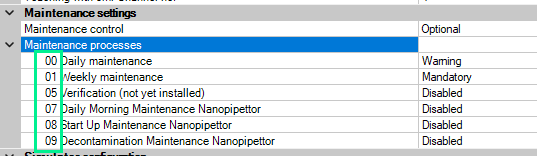
If you send parameter vo00, it will return the date, time, and state for Daily Maintenance. The numeric values for this parameter can be found within the system configuration editor under the Maintenance settings:
The 24 values for vo are only there for additional maintenances to be added in the future. The only ones that will give you meaningful return values are the ones listed in system config editor under Maintenance Settings. Daily, Weekly, etc…
Yes, one can argue that we can prevent this from happening by setting the flag to mandatory, however. this will not trigger <24 hours and <7 days and I don’t want my operators to launch a method with a system that is close to DM. Therefore I added also the remaining time. It calculates the time left in minutes for this action (In simulation it is a weird ass number anyway )
Looks great! I’d recommend changing the time units to hours and adding in some sort of warning threshold to reiterate your statement that operators should be hesitant to start a method when (for example) one hour remains until the system is technically overdue for weekly maintenance.
This makes me want to add something just like this to my systems as well. It’s a great visual sanity check and good data for logging regardless of user visibility.
Hi @evwolfson this is actually what I changed recently.
The general idea behind this is just a small nudge to the operator. Informing that the system is either in a correct state or needs some attention soon. If I want to do it really good, I should not allow the user to run within 5 hours of the ending of the timer because the longest process I run is 5 hours (the shortest 5 minutes).