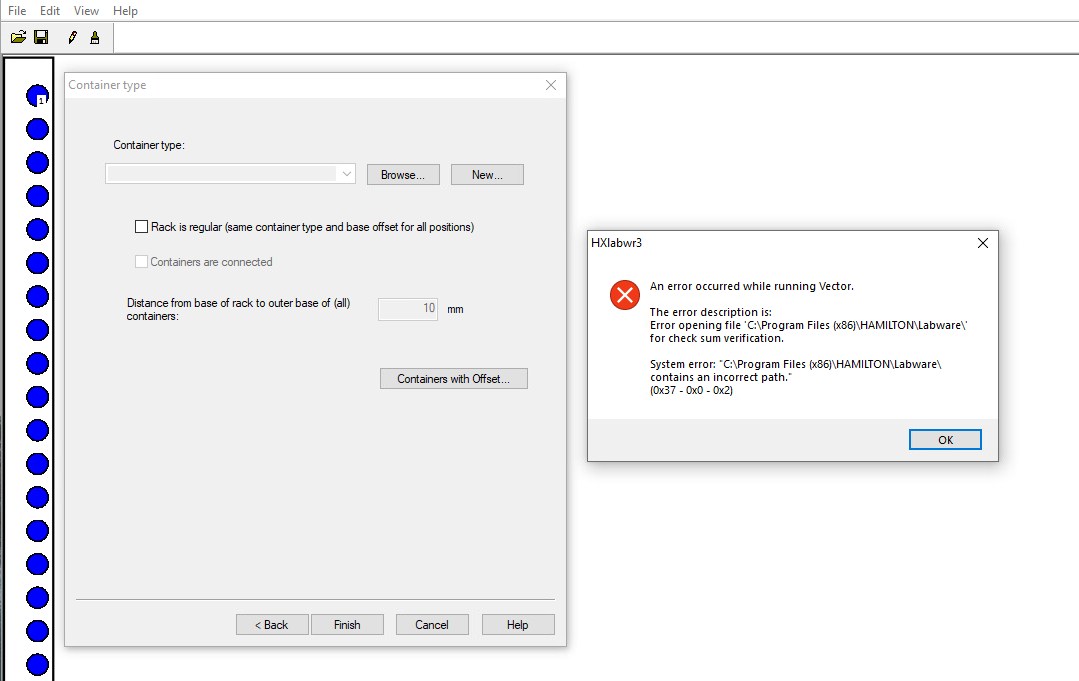
Since I only add the rack and container files to the deck at runtime, I would like to create the rack file without predefined containers. When I save the rack file, I get the following error, but the file is saved anyway.
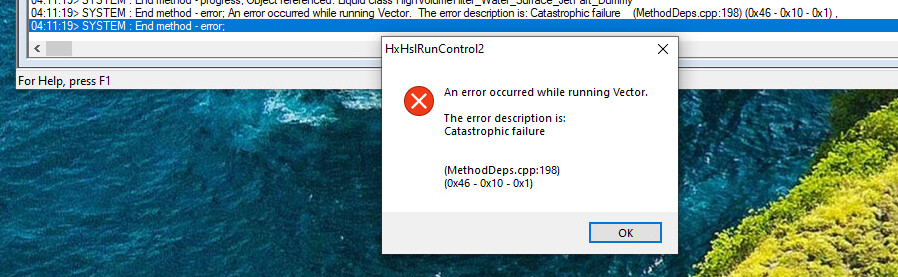
When I start my method, the rack file and the loaded containers are added to the deck without any problems. All containers are used without errors. However, after completing the method, I get the following error.
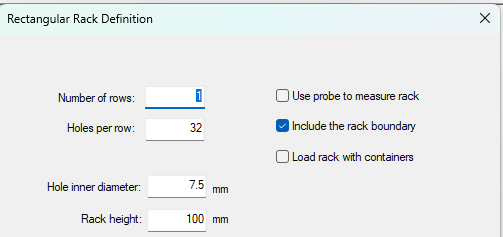
In one of the earlier prompts during the Edit Labware Definition wizard, there is a checkbox that toggles whether to “Load Rack with Containers”, see below. This box is checked by default. Unchecking this box will skip the final prompt displayed in your first image, which should prevent the two errors from popping up.
@DanHartman_Hamilton
I managed to create the rack without predefined containers.
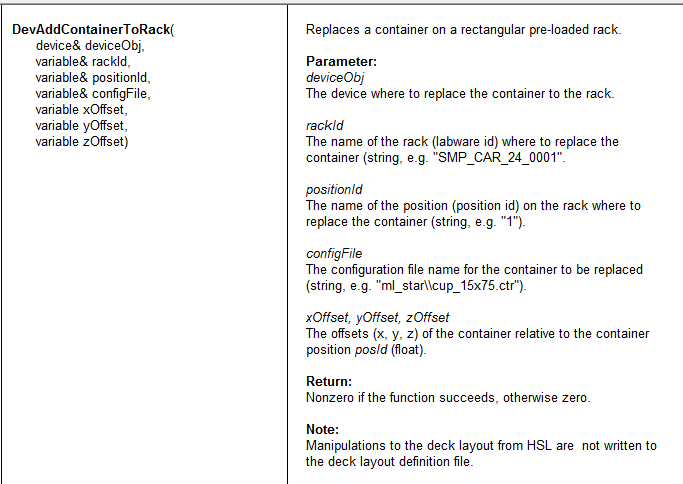
I tried to add containers at runtime using the “DevAddContainerToRack” of HSLDevLib library. But the return of the function is 0. The description says “Replaces a container on a rectangular pre-loaded rack.”
Does “replace” mean that there must be a predefined container that can be replaced?
Are there other options to add containers to specific positions on an empty rack?
Using “DevAddLabware” I can’t specify the Position, and using the coordinates does not seem that easy.
DevAddContainerToRack does add the container to the labware, however it doesn’t adjust some of the internal labware properties that are set when a labware is marked as “container less”. This means when pipetting, the aspiration/dispense step isn’t seeing the necessary properties and throws the error that there is no container.
Our recommendation would be to use a standard labware that has the container pre-loaded and either swap all of the positions with the desired container or to swap only the containers that differ from what is currently loaded.
You could make a sample tube carrier that has a dummy container in it with a 0,0,10 X,Y,Z offset to mimic an empty tube rack. 10 mm is the height from the deck to the bottom of the carrier, so it mimics the base of the inside of the carrier.
I have a followup question regarding the properties of a template file.
Is it possible to query the z-offset of a site? I tried using the “GetTemplateOrigin1/2” of the LabwarePropertyQuery library, but i only get the offset of the template itselfe (in my case 100).
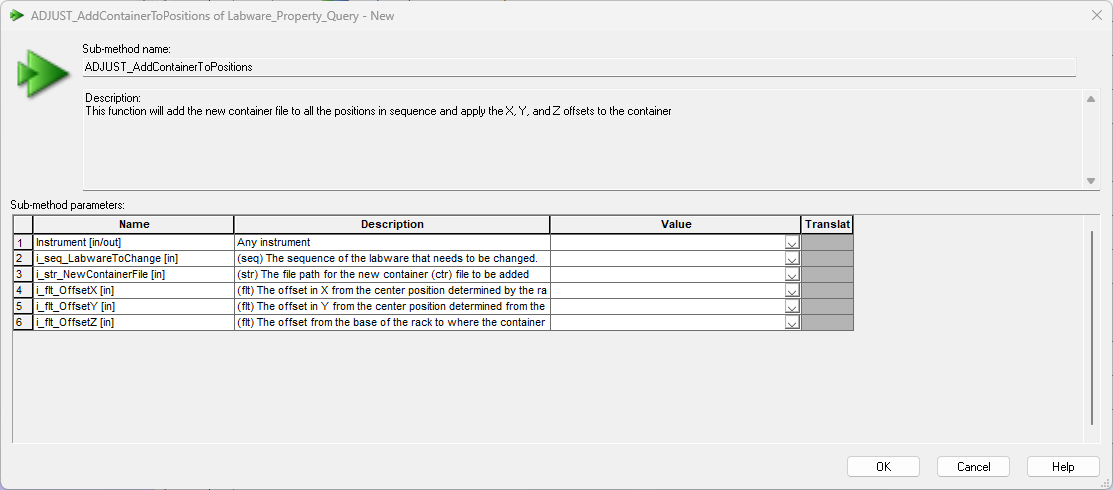
The ADJUST_AddContainerToPositions function from Labware_Prooperty_Query will query the X,Y, and Z offsets prior to adding the container to the sequence positions and apply the offset in addition to what the labware definition is using. For example: If the base offset = 10 mm and you use a Z offset of -1 in the parameters, it will change the base offset to 9 mm.
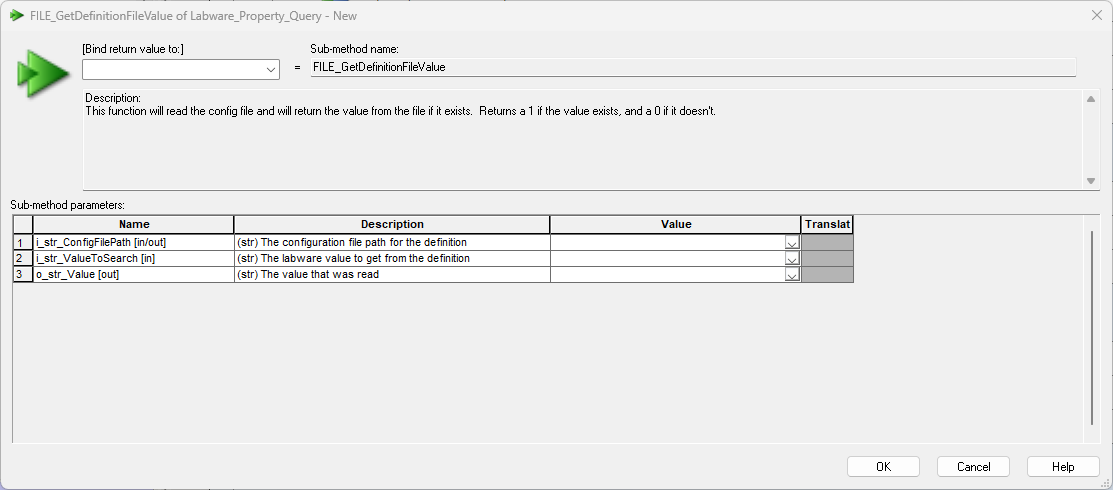
If you want to query this value yourself, you can use the FILE_GetDefinitionFileValue function and feed in the file path for the labware and use the input parameter of “Cntr.1.base” to get the base offset for the first index position. If your labware has the same container for all positions, then this is the value you will need to reference. Make sure to convert the return value from string to float after querying it.