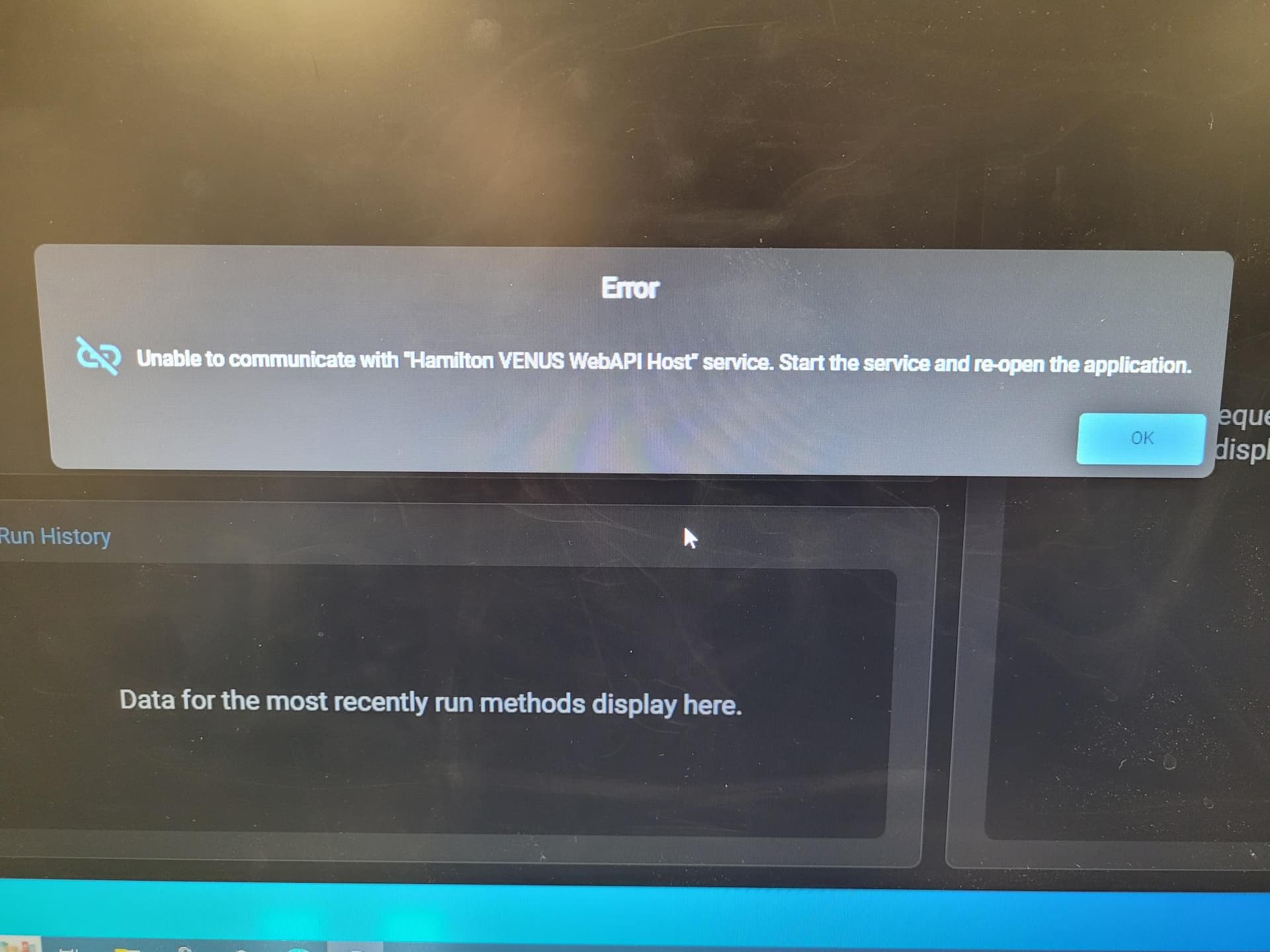
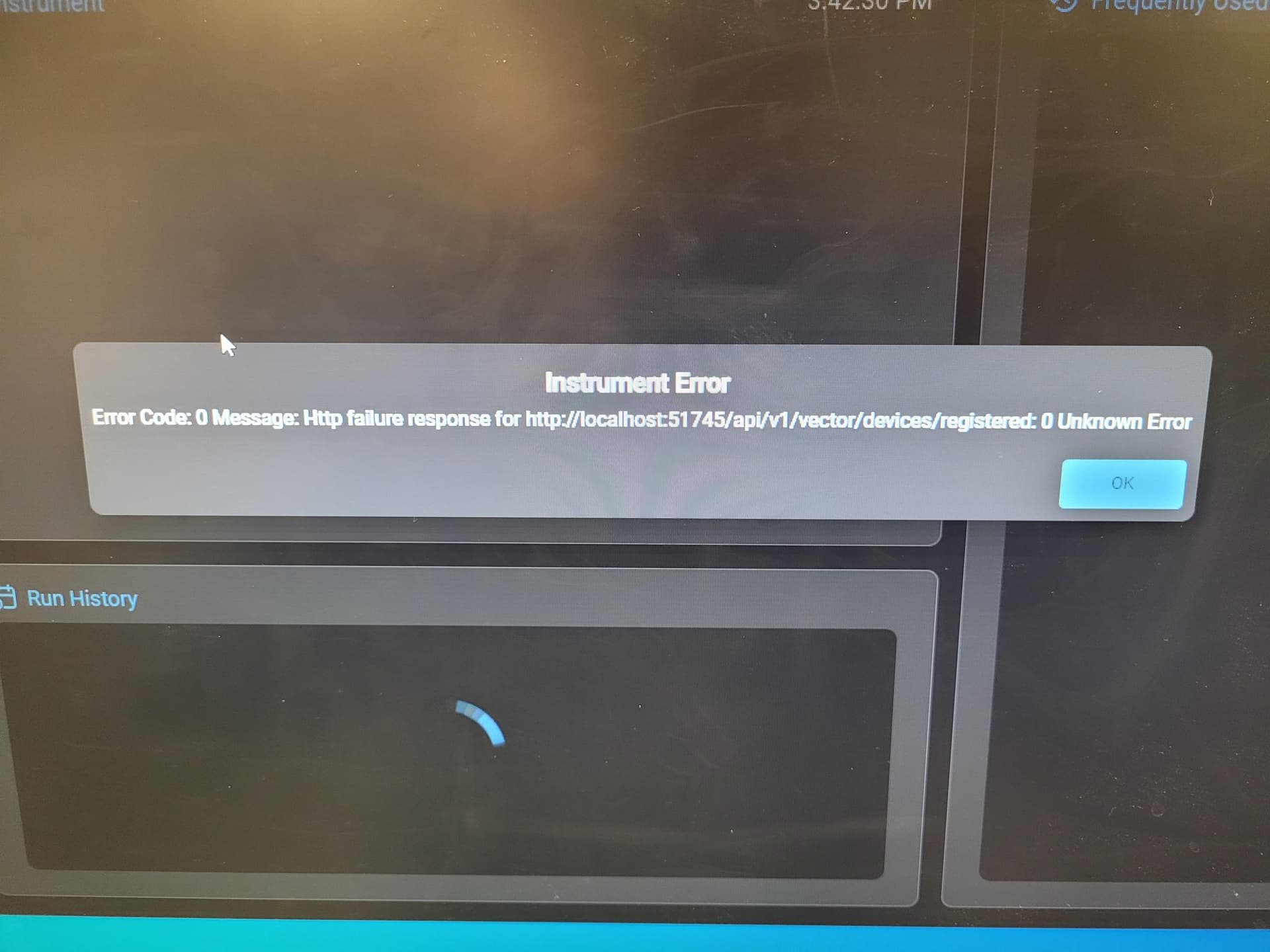
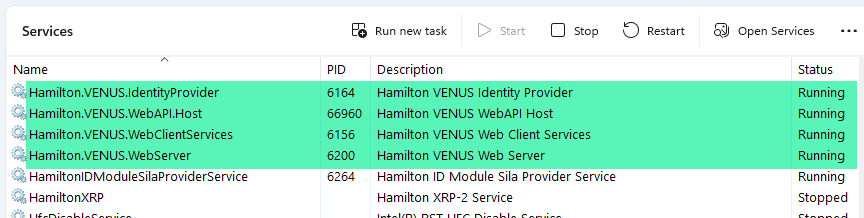
I am consistently getting two errors when I start Venus: An instrument error and a communication error with the Venus WebAPI Host. I’ve found a resolution, which is to just blanket restart all of the Hamilton services (Web Client, Web Server, and WebAPI Host) and then restarting Venus 6.
This is more of a nuisance problem than anything else at the moment. I’m not sure if this situation is stemming from something with our IT or Hamilton’s software. I’m generally curious to know if anyone else has experienced this before I submit a ticket to either group.
Did you figure out what was causing this? I can’t seem to start Venus either and am getting the same errors. However, your fix isn’t working for me - I tried restarting all of the Hamilton services and still can’t open Venus. I also can’t get to the swagger docs, and nothing shows up in the event logs.
I’m sorry to hear you are having issues starting the software. Can you confirm which version of VENUS you have installed? Has it never started since installation? Or is this a new occurrence?
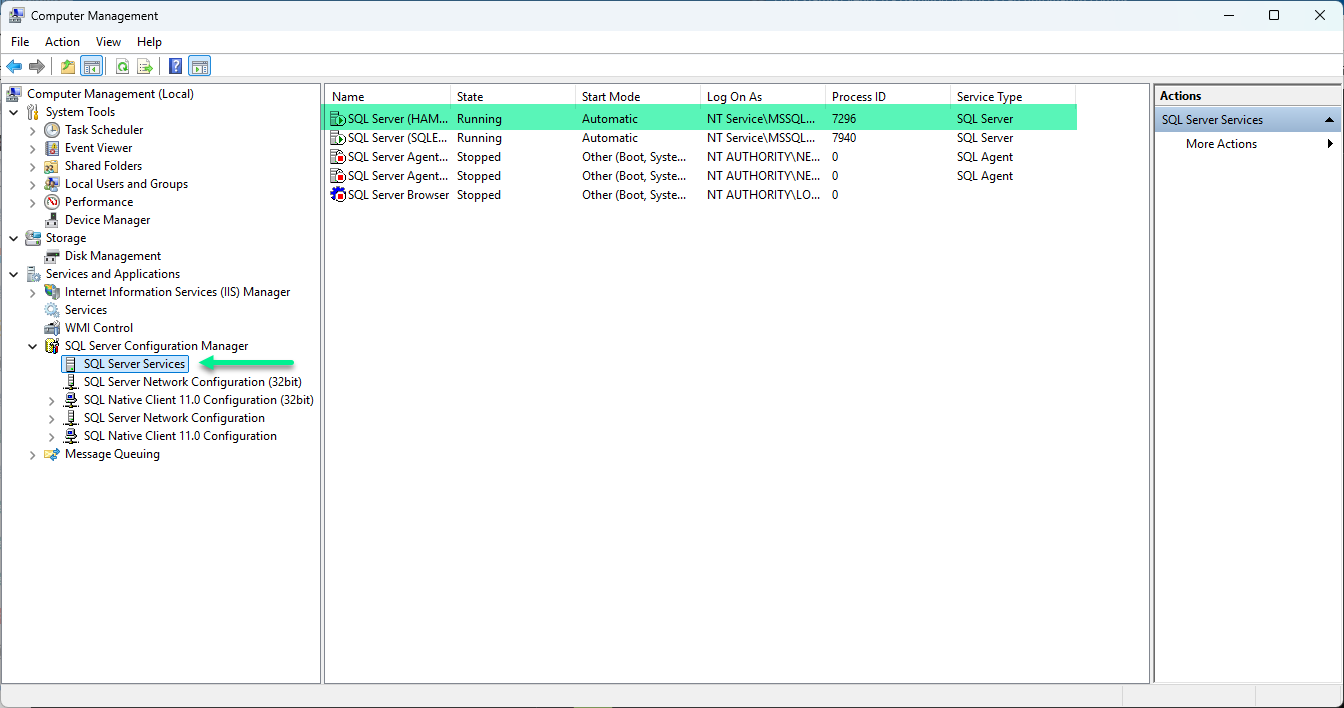
Sometimes the SQL Server fails to start which can block the UI from loading. Confirm in Computer Management that the SQL Server (HAMILTON) is currently running. If it is not, then right click it and choose Start.
I did not ever find the root cause (or resolution) for this issue. I actually haven’t even touched our Starlet since I originally made the post. I would be curious to know if the suggestion that Brandon made works for you. Good luck!
I only have 3 Hamilton Services running (Web Server, Web Client Services, and WebAPI Host) - looks like the identity provider one is missing. I also get an error when starting up the System Configuration Editor…
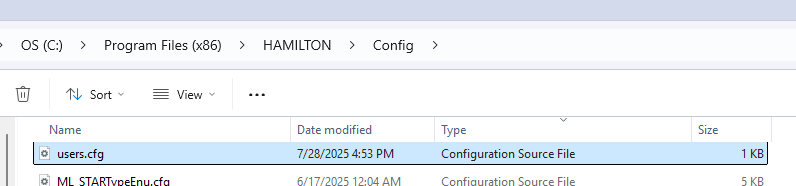
“The file “users.cfg” is not signed for this system”
@BrandonBare_Hamilton, do you know how I can install the identity provider? Thanks again for your help.
We’ve just been running this system through Method Editor - so I’m not sure if the Venus UI was ever loading properly.
Hey there @RKeyser
This happened to me on all our instruments after updating to Venus 6. The only remedy to this was going into Windows services and manually restarting the WebAPIHost service. Are you on 6.0.2 or 6.2.1?
In the windows services you can try to have set to automatically restarting and also tell it to retry upon failure. Sometimes that helped. Otherwise I had to remote in to each system every morning and start the service before ops started processing samples for the day
Apologies for the confusion. I have a test version of the next VENUS build installed on my computer. You should only have the 3 services that you listed. The fact that your users.cfg file is throwing an error suggests the installation was not complete in some way or another. You should be able to delete the users.cfg file (back it up just in case) and it should automatically recreate it when you attempt to open system configuration editor.
This can become corrupted if an OS change has occurred (Win10 → Win11). If this is the case, deleting the file and it being created should correct that.
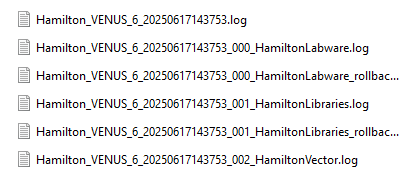
Would you be able to upload the installation logs to the link below:
Password: Hamilton2025
They are located in your local temp folder. This can be accessed by typing %temp% in your file explorer. The logs should look like this:
Thanks again Brandon. The user.cfg file was re-created and there is no longer an error message when opening the System Configuration Editor.
I didn’t have any of the install files in the temp folder. I clicked around a bit and didn’t see them in any of the other PC user folders or anywhere else. This system was installed in Sept / Oct of 2024. Anywhere else I could look?
Ah ok then the installation logs would be long gone. So, is this a recent issue? Has any windows related updates happened?
I would recommend having a local FAS come in to lay eyes on the computer. Send me a DM with your serial number and I’ll help you get in touch with your local FAS.
We’ve only been running this system through Method Editor, so I don’t know if it ever worked. I was looking into the API and that’s when we noticed it.
We put in a request to have someone come on-site to take a look. Thanks again for your help Brandon.
I had this issue pop up on a couple of Windows 10 LTSC PCs that I’m using for simulation purposes.
I had someone on my IT team help troubleshoot this, and we looked at the Windows Event Viewer. We found:
Description: A .NET application failed.
Application: Hamilton.WebAPI.Host.exe
Path: C:\Program Files (x86)\Hamilton\Bin\WebAPI\Hamilton.WebAPI.Host.exe
Message: You must install .NET to run this application.
App: C:\Program Files (x86)\Hamilton\Bin\WebAPI\Hamilton.WebAPI.Host.exe
Architecture: x86
App host version: 6.0.15
.NET location: Not found
“”“”“”“”“”“”“”“”“”"
It was strange because Venus was working just fine on these, and randomly stopped working. I suspected that a standard update patch from our IT team broke something. To resolve the issue, we had to install(from
I had this issue pop up again, and wanted to provide some additional context that may help others. My IT department patches the computer I use for simulation once a month, and after every patch I would have the “Unable to communicate with “Hamilton VENUS WebAPU Host” service” error.
Turns out that the .NET 6.0 packages that were missing officially reached end of life on November 24, 2024. Because of this, the software patch would automatically remove it. I needed to get a special exemption from IT to stop this automatic deletion.
Note that is only valid for versions of Venus <6.3.2, which are hardcoded to use .NET 6.0 (I was using 6.0.2). Venus 6.3.2 can use >NET 8, which is still currently updated by Microsoft. Having said that, Microsoft is only officially updating/supporting .NET 8 until November 10, 2026. So once that rolls around, unless Venus is updated to support .NET 10, then people who have strict IT teams on institution patched PCs may need to request exemptions to run .NET 8 as well.
We’ve been having this issue too on 6.3.2. Typically it’s due to us power-cycling the Hamilton before existing the Hamilton Venus software. Maybe Hamilton can just try restarting those services a few time before having that error pop up.