Hey everyone,
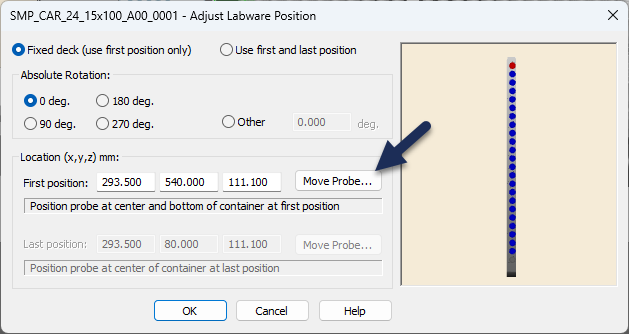
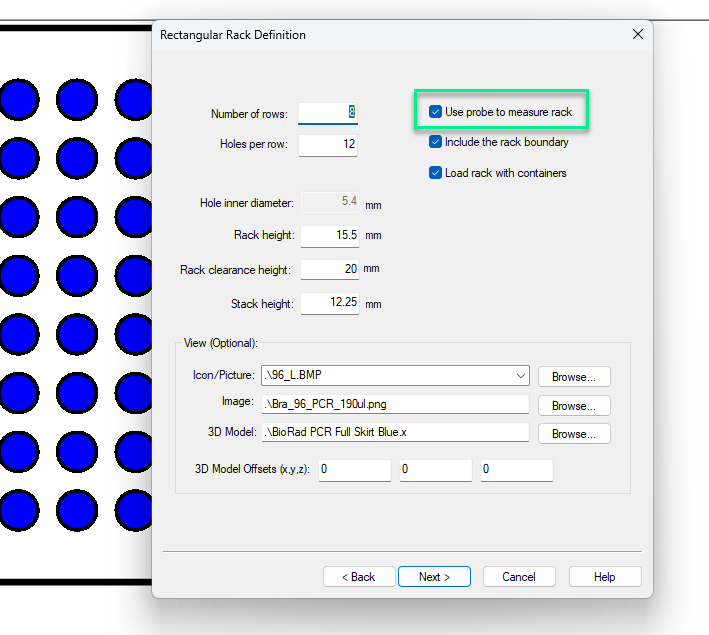
So I’m trying to teach the STAR a new rack using the “Use Probe” feature in the Hamilton Labware Editor, and every time I click “Move Probe”, it throws an error telling me that the default waste for the CO-RE 96 Head is missing. If the labware editor is using the deck layout that is currently loaded on my method editor, this shouldn’t be a problem since the waste is definitely there. The “Move Probe” works if I do it from the method editor with the containers pre-loaded in it, I was just trying to measure the rack without the containers using the labware editor. Is there something I’m missing? Thanks!
Hi @InnerKK ,
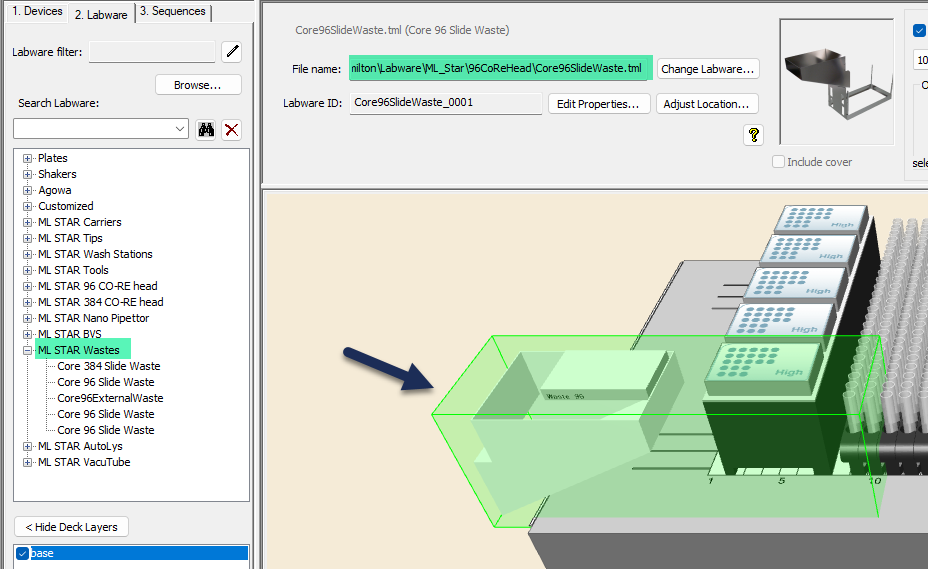
You receive that error whenever the deck layout is missing side waste that the MPH96/384 uses to eject tips. This position is also where the MPH will initialize so you will get that error immediately upon method start up, or in this case teaching.
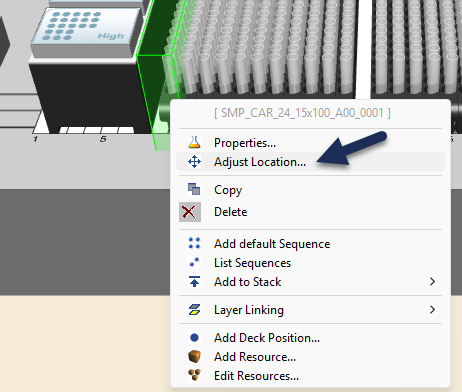
Can you confirm how you are getting to the move to probe button? Is it by right clicking on the labware, selecting Adjust Location… then selecting Move Probe…?
Hi @InnerKK ,
If you are using the move to probe option within the labware editor, same issue as before but the MPH waste needs to be added to the template deck.
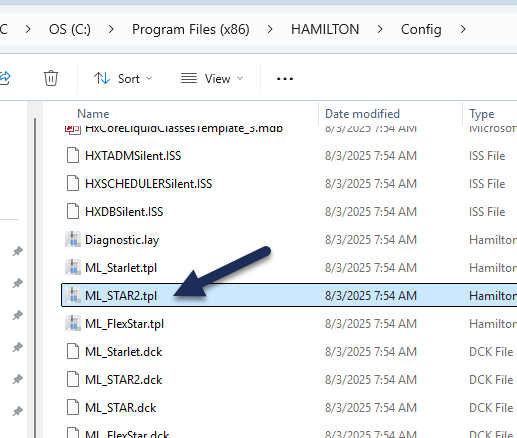
Open the ML_STAR2.tpl file in the Hamilton\Config folder.
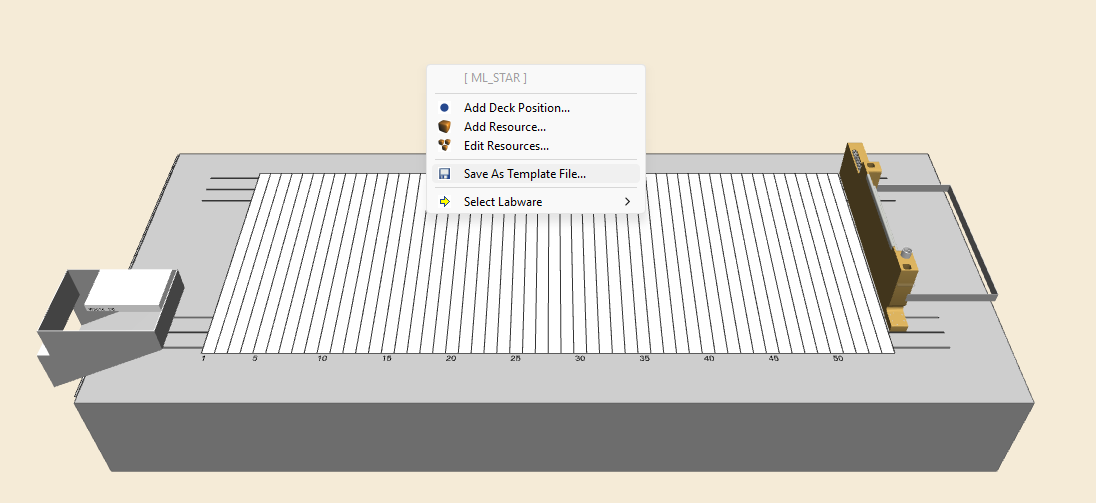
Add the waste to the deck and then right click on the yellow area and select Save As Template File… Then overwrite the ML_STAR2.tpl file.
2 Likes
That was the problem, thanks Brandon!! I added the waste to the template file and now it works perfectly.
2 Likes
@BrandonBare_Hamilton for measuring racks with the probe, is the front left hole of the plate considered A1 or H1?
Hi @InnerKK ,
The front left hole would be H1. All of the measurements for row and column raster start with H1 for an 8x12 plate.
That’s what I did the first time around, but when I was done the plate image showed H1 being in the A1 position, and all the other rows were outside of the rack bounds. Then I switched it to A1 being the front left hole and now the plate image looks normal.