I’m rather new at this so it might be a stupid question. I’m in simulation mode here if that matters. How do i use fixed tips with using the Load worklist command?
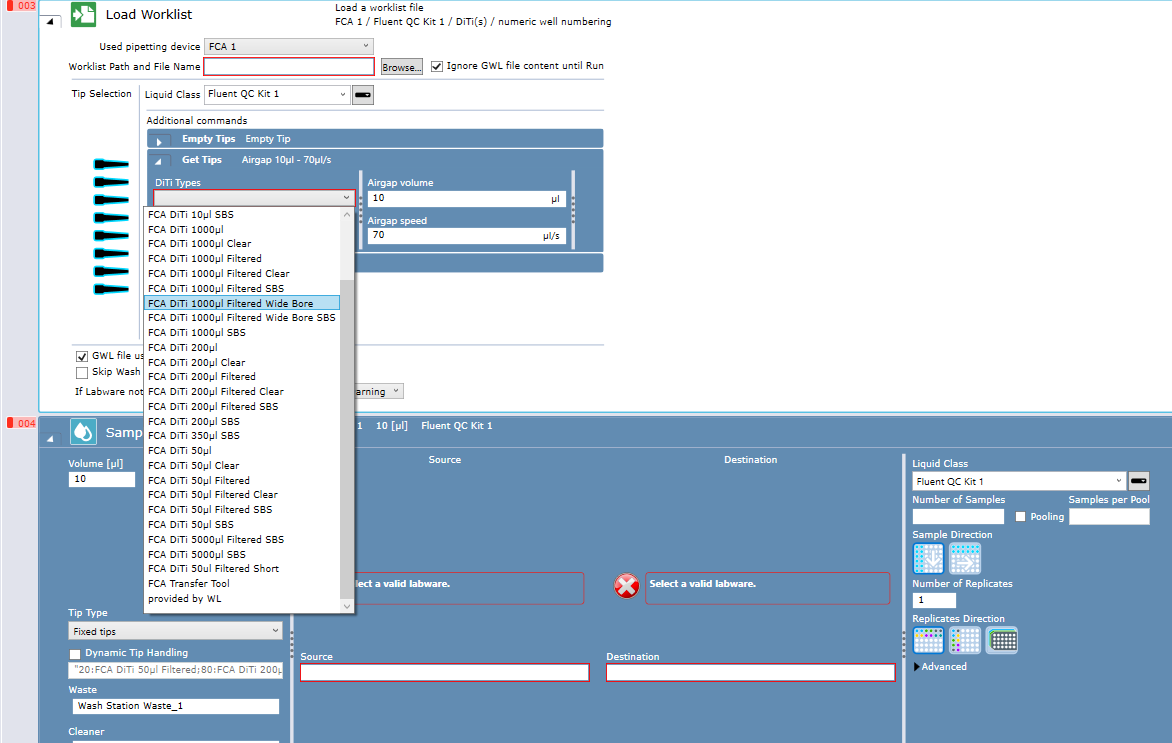
i have set fixed tips in the liquid class and i can see the option when using the sample transfer but not in the load worklist? Do i have to set it to “Provided by WL” and then set it in the actual worklist?
Hi @kalle ,
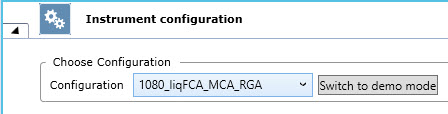
What instrument configuration do you simulate? Do you see fixed tips or DiTi cones when you open the 3D Simulator window? The options you have available at some script commands depends on the connected (real or simulated) hardware
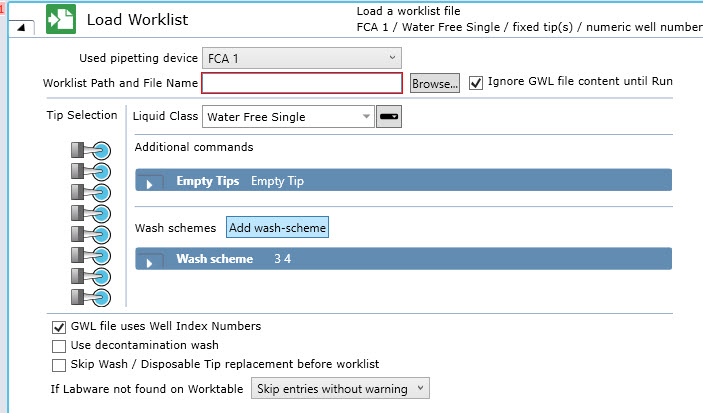
With fixed tips the Load Worklist command shall display Wash options instead of Get DiTi options. Also check out at the tip graphics at the Tip Selection, the tip icons looks slightly different for fixed tips
Best option is to simulate with the same instrument configuration data as your real instrument, select the dropdown item with the serial number of your Fluent or copy the file with the real instrument’s data over from the computer of the real instrument to the computer you use for simulation purpose if these are two different computers. More details here: How to apply the instrument configuration from a real instrument to the 3D Simulator of a separate computer
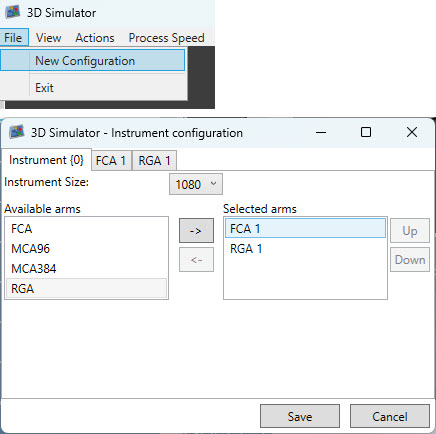
Second best option, fpr simulation purpose create your own instrument configuration with fixed tips via 3D Simulator → File → New Configuration
Thanks a lot! It is weird, I exported everything from the instrument but maybe something was missing. This helped and i can now see the wash scheme instead. Just need to check if the setup with the real instrument is correctly configured or not. But this should solve it for me