Hello all, we are running Venus 6.2.3.4706 on Vantage in our lab. We have 2 instruments that are displaying the same unusual behavior – during MPH actions, the instrument will pause for variable amounts of time (sometimes over 3 minutes), before proceeding to the next action. This pause can happen after picking up tips, before aspirating/dispensing, after aspirating/dispensing (once MPH has retracted to traverse height), and before moving to eject tips. There doesn’t seem to be a pattern to which action it pauses after, and the time that it pauses doesn’t seem to have a pattern either. In nearly all cases there is no code being executed in between tip pickup/aspirate/dispense/tip eject commands.
Our instrument has 8 1000uL CORE2 channels, IPG, MPH and an 8 channel magpip arm. We had service look at it once, and their recommendation was to make sure our display was connected to our PC’s dedicated GPU rather than the motherboard GPU, with the explanation that the delays can be caused by graphics/memory related to run control attempting to stay in sync with instrument actions. I didn’t have a lot of confidence in this diagnosis but still tried it, and there hasn’t been any improvement. If it is relevant, we run our methods through legacy run control.
I’m at a loss on this one. The only theory I have is perhaps the instrument is struggling to confirm the magpip arm’s position between MPH actions and this causes the delay because it doesn’t want to move until it’s sure it’s safe, but I don’t really have a way to test this. The comm trace doesn’t show anything happening during the pause either. Has anyone else seen this issue or have any recommendations?
4 Likes
Hi @Automashe ,
Could you post a diagnostic file from a run where you are experiencing this delay? The first thing that comes to mind is your liquid class settings. If the swap speed or flow rates are set low enough, the delay can simply be the blowout / air gap taking a while to aspirate. The COM trace files would help pinpoint this if it is the case.
Hi Brandon, thanks for getting back to me. I ran a test today that shows the issue nicely. The method picks up tips, aspirates from a source plate, dispenses to a target plate, aspirates from the target plate (tip touch to remove droplets) and then ejects tips. It loops 8 times over 8 different target plates, using the same liquid class each time. I’ve added lines in the trace file to separate the process for each plate for legibility. Looking at the timing of each step, what is expected is the following:
Tip Pickup: ~15s
Asp1: ~16s
Disp: ~12s
Asp2: ~22s
Tip Eject: ~12s
Most cycles line up with this, however for plate 5 we have the following:
Tip Pickup: 13s (good)
Asp1: 54s (bad)
Disp: 102s (bad)
Asp2: 21s (good)
Tip Eject: 12s (good)
For the steps that took much longer than normal, the instrument just sat there with nothing new displayed on run control. Link to trace file, comm trace and a picture of the timings of each cycle here. Please let me know if you have trouble with the link.
Hi @Automashe ,
I can confirm that the delay is happening, but unfortunately, I can’t see anything else in the COM trace that would imply delay.
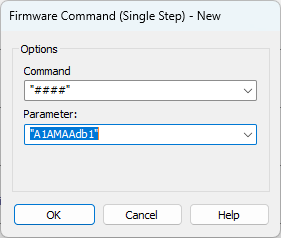
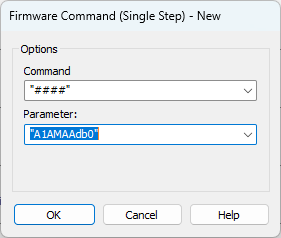
Could you repeat the test using debug mode prior?
Debug mode on:
Debug mode off:
And send the trace, com trace and translator? Could you also check the size of your log folder?
Hey Brandon, apologies for the long delay in getting back to you. I can confirm that even after archiving the logfiles folder (which admittedly was getting pretty big) we see the same freezing behavior during MPH activity.
We can execute a run with debug mode active this week, however can you give any insight on whether this impacts total processing speed? Does this result in more data being traced at run time, or does it only expand the information traced in the comm log?
Hi @Automashe ,
You won’t notice any difference in your run time. The data within the com trace file will be the only part that is affected.
Thanks Brandon, I will give this a try this week. I can pass along the relevant files and point out the time frames where the issue was observed.
I experienced something similar previously, though on Venus 4.6 / Windows 10 and not necessary with the MPH.
During these freezes, is your CPU at 100%? This is what we were seeing. Check next time it happens.
We tried deleting some unneeded Dell programs, uninstalling/re-installing SQL, etc. and not much seemed to work to fix the issue.
Ultimately, we found what was happening was multiple (5-10) instances of “ComLinkLogger” were running on the PC, each taking up a chunk of CPU power, and ultimately maxing out the PC, leading to pauses, long pauses or even mid-method aborts.
If this is the case on your PC, end all of the extra ComLinkLogger instances to free that CPU back up and your run should immediately unfreeze. I’m not sure what ComLinkLogger is (though Hamilton related), but ending those processes didn’t seem to affect anything other than speeding things up.
Very late to reply here. We did do a lot of CPU usage digging, we sometimes found extra Hx services/apps running but didn’t find any connection with that and the freezing behavior.
I implemented Brandon’s request to enable debug comm trace and wouldn’t you know it, any time that is active the freezing behavior is completely eliminated. When I disable debug mode, it comes back.
So for now we just start all methods with debug turned on, but we were never able to get to the root cause
1 Like