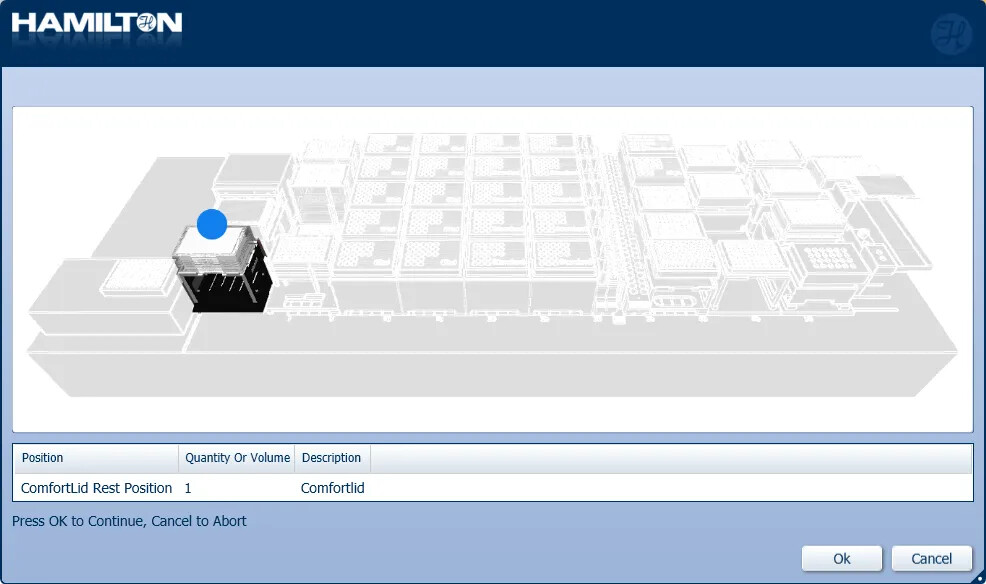
Posting my first question to the forum I am hoping to create a custom dialog with a deck layout image only highlighting the labware for the loading step, for example, like this image below. Is there a way to generate this type of rendering within Venus? Or I need to use some kind of imaging editing software?
That is an image from the NGS ARW workstation. Unfortunately that image is edited by a user entirely outside of Venus and is in a simple .png format. There are multiple options out there for an image editing software that is better than the default “Paint” that Windows provides. Some users really enjoy SnagIt for image editing and a free option would be paint.net that you could try.
@LindaL12358 are your deck loading prompts going to be static or are they going to be variable? For example will it always be the same number of plates being loaded or will it based on the number of reagents/samples loaded more plates will need to be added? Based on that their are multiple ways to visualize what needs to be loaded where.
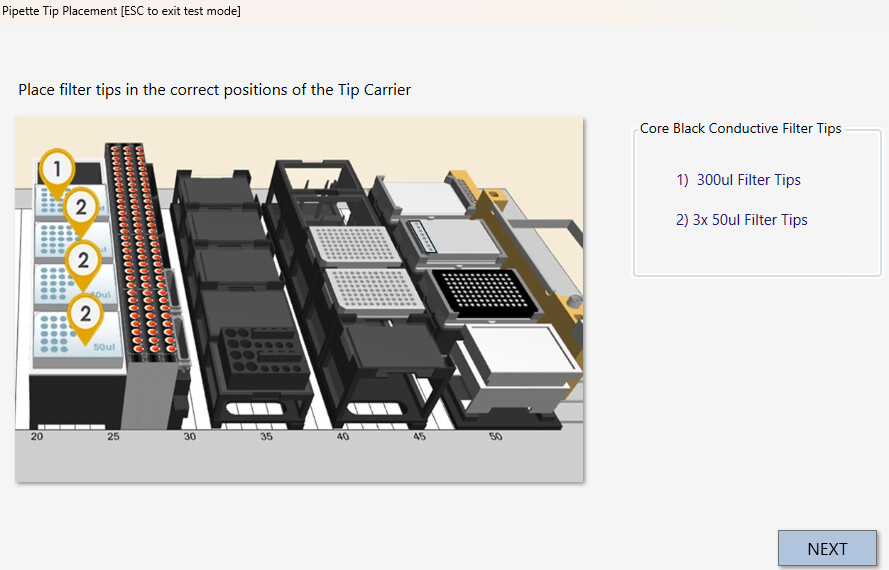
I know this is a bit different from what you want, but I saw @EricSindelar_Hamilton demonstrate the use of these numbered arrows in another post and I’ve been using them ever since, (you can download the image files in the downloads section of this forum). Creating a bunch of dialog boxes like this has been the easiest way for me to communicate what to put where with images.
I create these images in PowerPoint then screenshot to create a complete .jpeg for upload.
Thanks Matt! Good to confirm that I didn’t miss any function that Venus has already. I think Christina suggested below sounds like an easy to implement method for me just to point out the loading positions.
 I am hoping to create a custom dialog with a deck layout image only highlighting the labware for the loading step, for example, like this image below. Is there a way to generate this type of rendering within Venus? Or I need to use some kind of imaging editing software?