Hello Everyone! I am currently using VENUS 4 (currently a student driver) and I want to rename a variable without changing it individually through out the whole method. Is there a quick way to do that without breaking anything? TYIA!!
1 Like
Based on what i heard so far its not possible. At least the bookmarks its working well!
2 Likes
Can you assign the variable you want to rename to a new name and use the new name where you intend to use the new name while still not breaking the references to the old name where you don’t want to use the new variable.
1 Like
Hello thetoly! Thanks for the suggestion and i will try that!
I understand that for Hamilton, it would be difficult to make a completely new editor because of the technical debt in Venus, but I do hope that going forward there will be an attempt to improve the DX within Venus. Things like refactoring, debugging, source control… In this instance, the .med->.hsl compiler should know the usage of a variable across the method so why can’t there be a way to rename a variable across a method?
3 Likes
Hi,
As far as I’m aware there isn’t a straightforward way to do this. However, there is a way to do it that reduces the pain involved somewhat.
In Method Editor, within the Variables and Constants pane, select and delete the variable that you’re wanting to change the name of. Don’t worry, this won’t delete anywhere in your method that the variable is referenced - it just un-declares it. Save your method (make sure to tick “Delete Unused Variables” from the Tools menu). This will generate a list of errors in the Analyzer Output tab of the Output pane referencing everywhere in your method where the now missing/undeclared variable is used. All steps using the variable will also be highlighted in the method. You can now go through and change the variable used in all highlighted steps. As you save your method the list of errors will reduce. In this way you can make sure that you don’t miss a reference to the old variable name by mistake.
Hope that helps!
Will
1 Like
Bulk renaming is possible with text editors. First make a backup of your method files. Close everything in method editor first. Convert the .med file to ascii with the HxCfgFilConverter.exe then open the .med and .sub files and find and replace the variables with the new names. convert the .med back to binary and open your method with the ne variable names. If you want to change from local to task local, change the names first, then change the variable type in Venus. You could probably change where and how it’s defined in the text editors too, but that becomes tricky quickly.
3 Likes
The variable is not only used in .med and .sub files, also used in .stp file. There is no easy way to do these refactoring thing as modern code editor like vs code. Besides refactoring, we also need other features like OOP, data structure and version control. It is really hard to write the code, in which all the data stored in array. This is why we control STAR directly with python or C#, and this can help to write much more complex code.
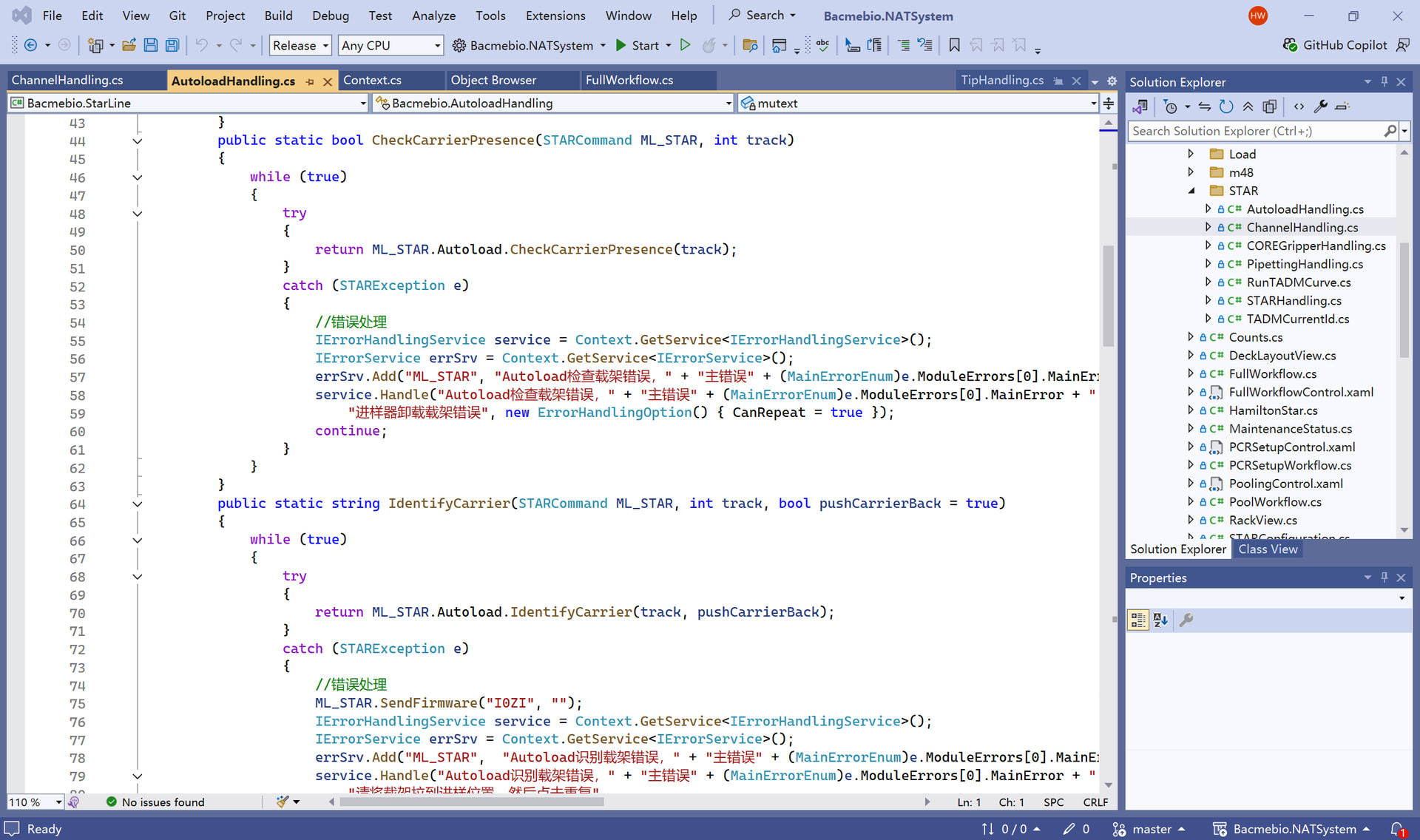
Actually Hamilton should do more works to venus, which I think are not hard in current time. I also do some work to add version control, C# script and 3D simulation run
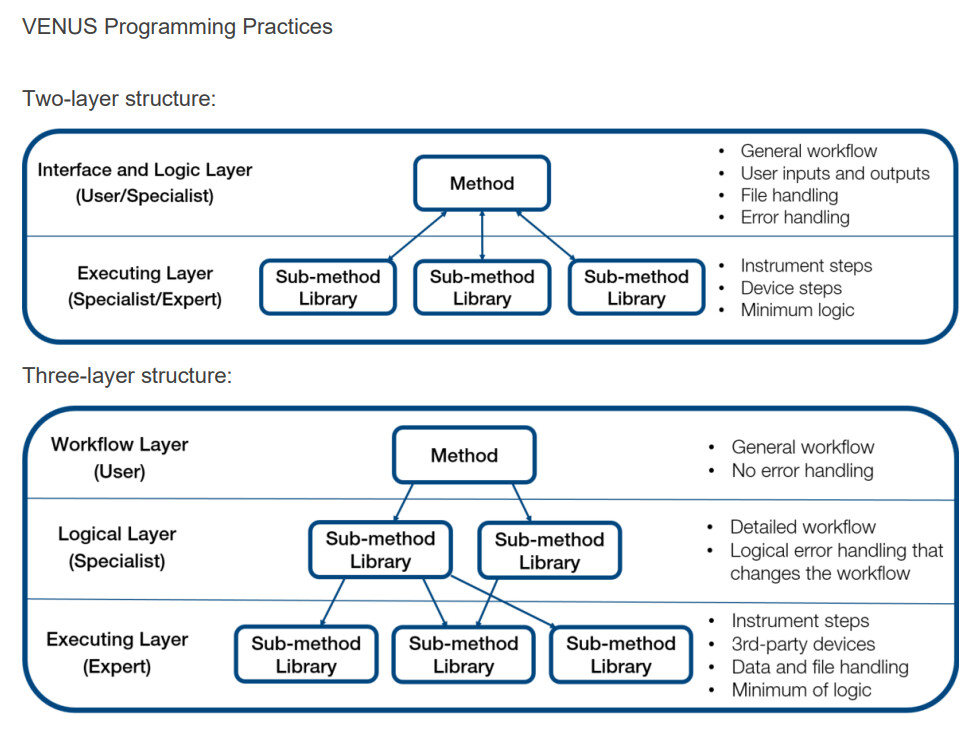
This is true, however, if you don’t have any variables in your single steps, there wouldn’t be any in the .stp file either. Also, according Hamilton’s VENUS Programming Practices you should not have single steps in your main method:
However, I have tested the same approach with the *.stp files by converting them to ASCII, finding and replacing the variables, and then converting back to binary. This seems to work fine for me. I suppose this could be tricky if you have the same variable name in multiple submethods and you only want to rename certain instances. in this case, this should rather be done in Venus one change at a time.
I wrote a quick internal CLI script to automate this process sometime last year. Unfortunately I can’t share the tool directly, but it does the process Emile mentioned at a larger scale and with some scoping safeguards.
It works well. With some effort you can isolate to single submethods as opposed to a global find and replace. This requires mapping all of the DataDef blocks to submethods and then do the scoped refactor.