Hi everyone!
I’m relatively new to the Biomek world and am currently developing a protocol in Biomek 5. We’re implementing a workflow with a user-defined transfer pattern followed by dispensing into replicates. Since the destination wells are determined dynamically during the run, we need a way to track each sample from its source position to its final destination on a 384-well plate.
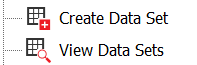
I started exploring the View Dataset functionality, hoping to use it to record where each sample ends up. However, I’m struggling to figure out how to create or populate a destination column when the destination positions aren’t predefined in the dataset but are instead generated during execution.
Has anyone implemented something similar? Is it possible to achieve this using the dataset functionality alone, or is there a better approach for tracking dynamically generated destination wells? If you’ve tackled a similar workflow, I’d really appreciate hearing how you approached it.
Thanks in advance!