I get a syntax error when adding HSLAppsLib to a method which I am currently developing. When I remove the library I can run the method without problems.
When I perform a syntax check on the method I get 0 errors.
I have used the library in other methods and it works just fine there.
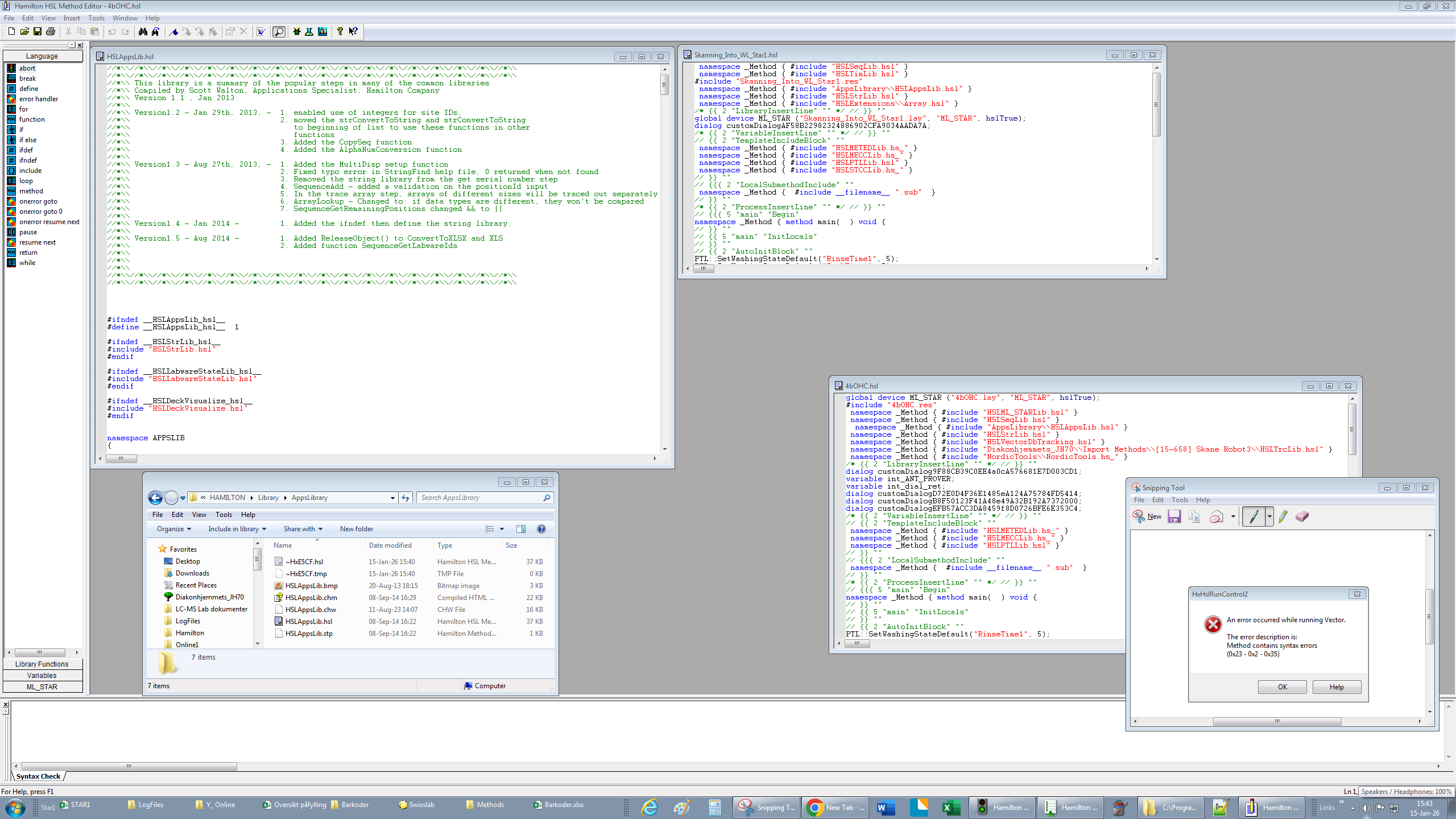
See this screenshot for more information:
up left: HSLAppsLib
down left: location/file path of HSLAppsLib
up right: old method with HSLAppsLib working fine
down right: new method with HSLAppsLib throws syntax error (0x23 - 0x2 - 0x35) → removing the library fixes the problem, but I think I need it → checking the hsl-code for syntax errors shows 0 errors
Even though the run does not proceed, there should still be a trace file generated which shows the specifics of the file/location where the syntax error is occurring. If you can share that file, or a screenshot from the Run Control, that will assist in determining the error’s cause.
Nja, there is not really much in the trace-file (apart from the get serial number?):
2026-01-15 15:37:06> SYSTEM : Analyze method - start; Method file C:\Program Files (x86)\HAMILTON\Methods\Diakonhjemmets_JH70\Forskningsmetoder\4bOHC\4bOHC.hsl
2026-01-15 15:37:06> Microlab® STAR : Communication - progress; Connection to instrument is created.
2026-01-15 15:37:08> SYSTEM : Analyze method - progress; C:\Program Files (x86)\HAMILTON\Library\AppsLibrary\HSLAppsLib.hsl(881) : error 1303: identifier ‘GetSerialNumber’ has already been defined
2026-01-15 15:37:08> SYSTEM : Analyze method - error; An error occurred while running Vector. The error description is: Method contains syntax errors (0x23 - 0x2 - 0x35) ,
2026-01-15 15:37:08> SYSTEM : Analyze method - complete with error;
2026-01-15 15:37:11> SYSTEM : File checksum - written; $$author=Micromass$$valid=0$$time=2026-01-15 15:37$$checksum=9e205ca8$$length=138$$
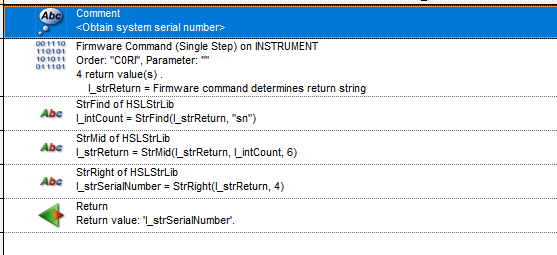
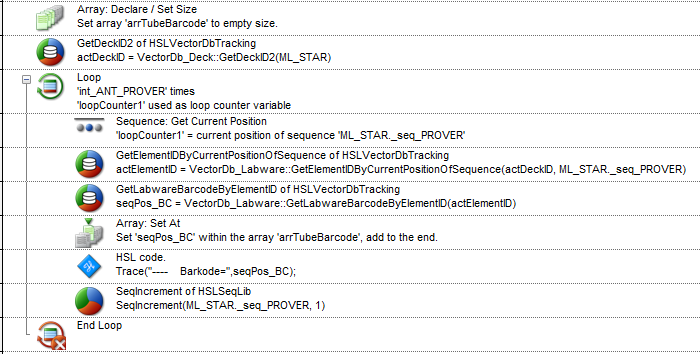
Since I just want to get the barcode I found another approach which might be usefull for other users out there in the future:
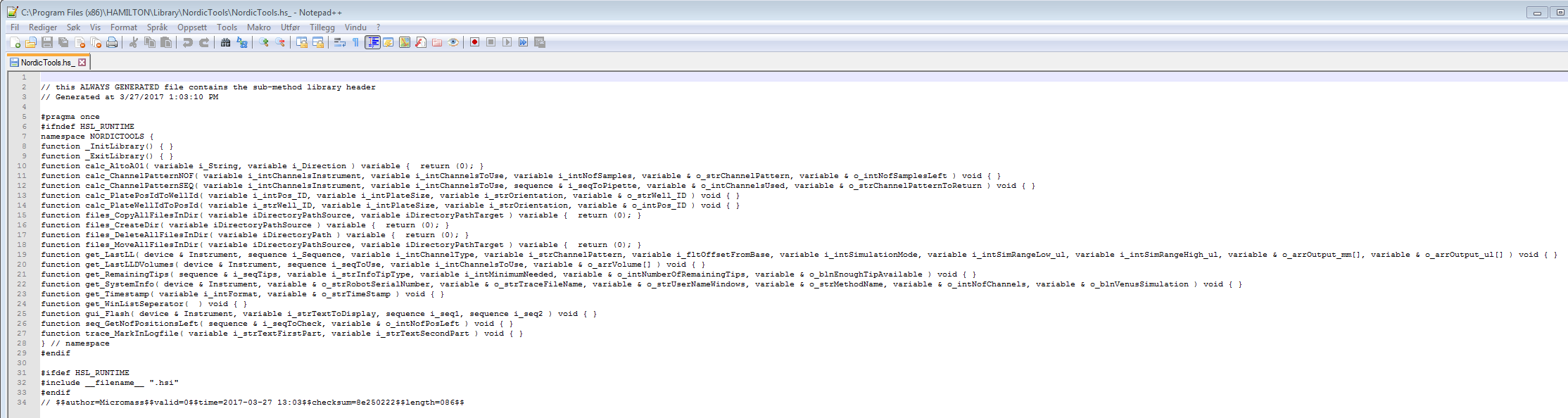
This is the information we’re looking for, as it tells us that the function having an issue is GetSerialNumber, which is being defined in more than one location. Based on what I’m seeing in the HSL file images, it’s likely the NordicTools library, which is the only one I am unfamiliar with. Can you share a screenshot of the library references in “NordicTools.hs_”?
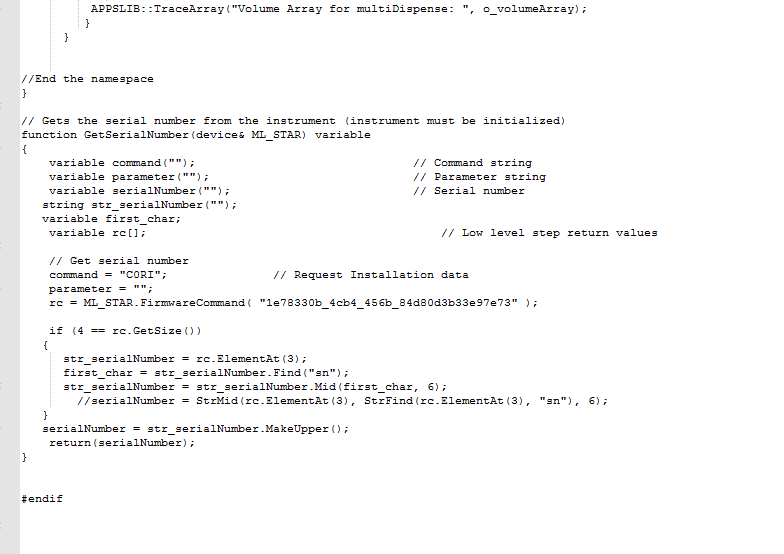
Also, looking at the HSLAppsLib, the GetSerialNumber function exists outside the APPSLIB namespace, so it’s possible that another library has a function with the same name (also likely outside a namespace) which would interfere.
I will provide a screenshot of the library references in the NordicTools library when I’m back at work.
The Nordics library is provided by Hamilton Nordics btw. (might seem obvious though).
Ok so basically different libs have a function with the same name and that is (obviously ) not allowed?
Two different libraries are allowed to have a function with the same name, but only if at least one of those functions is wrapped into a namespace with a different name. The reasoning for this is the namespace tags a prefix to the function’s name, giving a unique identifier that separates it from other functions with the same name. My guess is that NordicTools also has a GetSerialNumber function which lives outside the NordicTools (or similar) namespace.
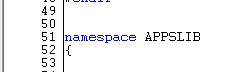
To best envision this, the HSLAppsLib has a namespace called APPSLIB, seen below:
If the ‘GetSerialNumber’ function were wrapped into this namespace, then when it gets analyzed at runtime, it would be seen as ‘APPSLIB::GetSerialNumber’. Since the library does not include it in the APPSLIB namespace, the analyzer sees it as ‘GetSerialNumber’. This means another library exists that is being referenced by a this method in which the ‘GetSerialNumber’ function lives outside any namespace, so it gets analyzed as ‘GetSerialNumber’, causing the error.
To take this one step further, a library can contain more than one namespace, and two functions with the same name can exist in the same library, as long as they are wrapped into different namespaces.
It’s very likely that the Nordics library is already using the AppsLib or another library that uses GetSerialNumber, which causes a conflict. This is a general problem with “catch-all” libraries/frameworks, which is why they should rarely be used by people outside of the organisation that has created them. Not because they are bad, but there are very often unspoken or barely documented rules for using them that leave these organisations not as easy as the libraries themselves.
As a general rule: You never need the AppsLib. Not because it is bad, but because it is a collection of functionalities from other libraries, an attempt to combine frequently used functions in one place. So any function will have an equivalent in another library.
Your solution is quite good, the VectorDbTracking library has loads of functionalities for barcoding (you can also look up labwares by their barcodes with it). If you are only interested in the barcode of a labware (or container) within a known sequence, you could also use GetLabwareBarcode from the LabwareState library, which is a default Venus library.
These screenshots confirm that the GetSerialNumber function in the HSLAppsLib does exist outside the APPSLIB namespace, however, they don’t confirm that another copy of the function exists in NordicTools (though it could still exist either in the .hsl or .hsi files or futher into the .hs_ file). You could make modifications to either library by moving the GetSerialNumber function into the main namespace, putting it into its own namespace, or deleting the function, but any of these options would cause issues in which the libraries are currently added and the GetSerialNumber function is being used. It also risks potential library version overwriting in the future with method import/exports. As such, the recommended course of action would be to avoid using NordicTools and AppsLib in the same method or its dependencies.

 ) not allowed?