DearAll,
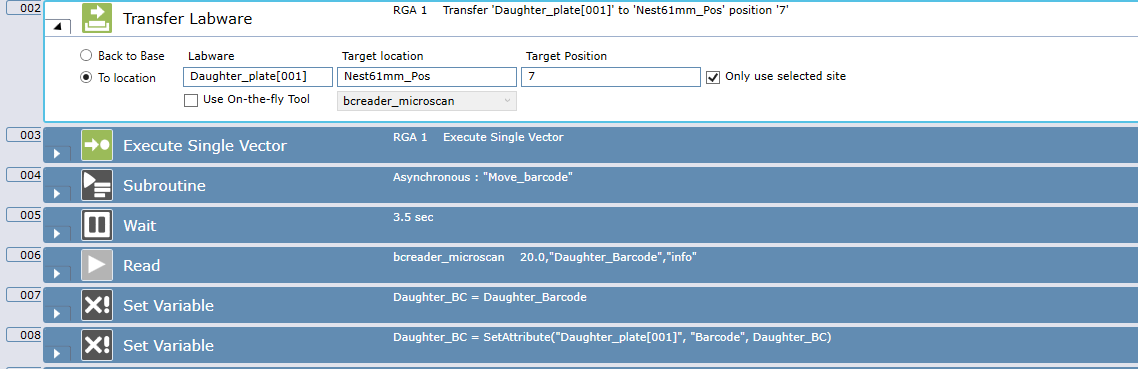
I am fairly new to FluentControl and I can’t make the OnTheFly tool work when I am transfering a labware from a hotel to a nest.
When I check the OnTheFly, the RGA takes the plate, goes out of the hotel, The the scanner turns on, the RGA does not move at all… When the scanner stops scanning, the RGA move to the nest location to place the microplate…
This means that I have to pick up the plate again using “Execute single vector”
I tried many things but to no avail…
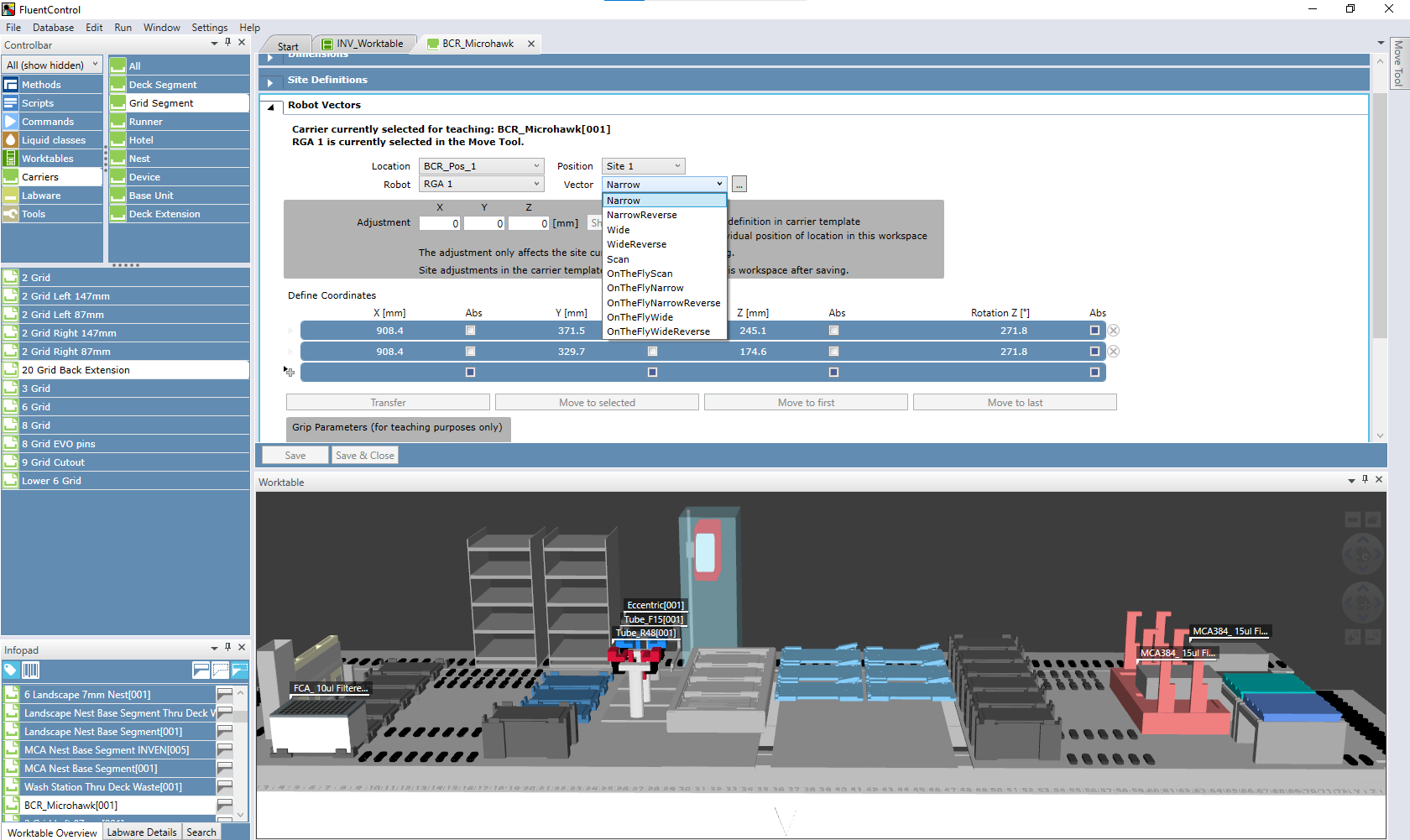
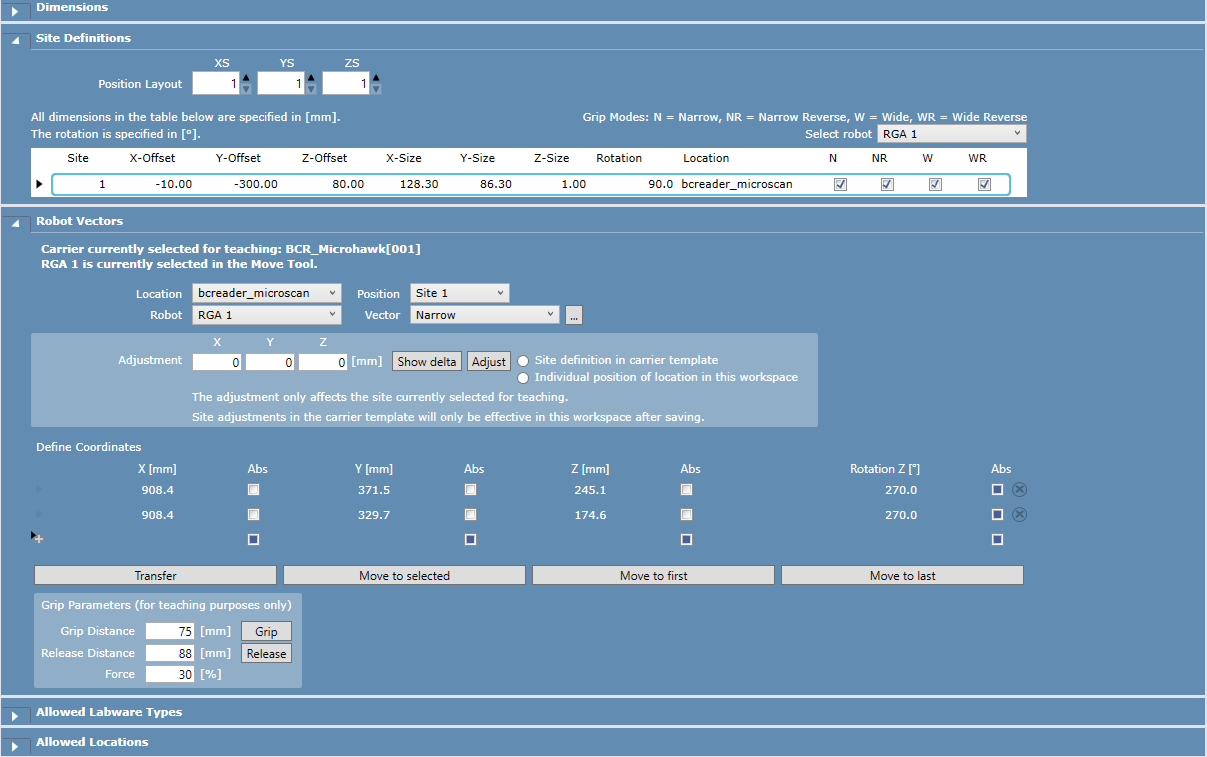
I link the “Edit” tab of the scanner in question to give as many information as possible :
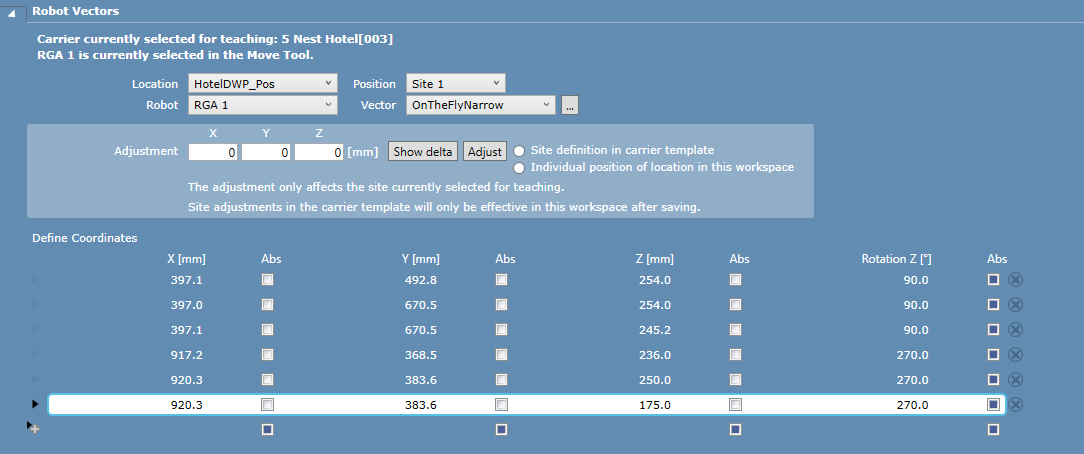
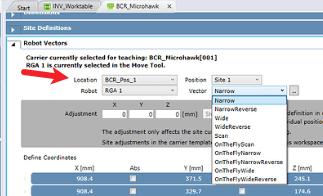
I tried creating a vector in the hotel itself, that goes from site number 1 to the scanner, then scans the plate :
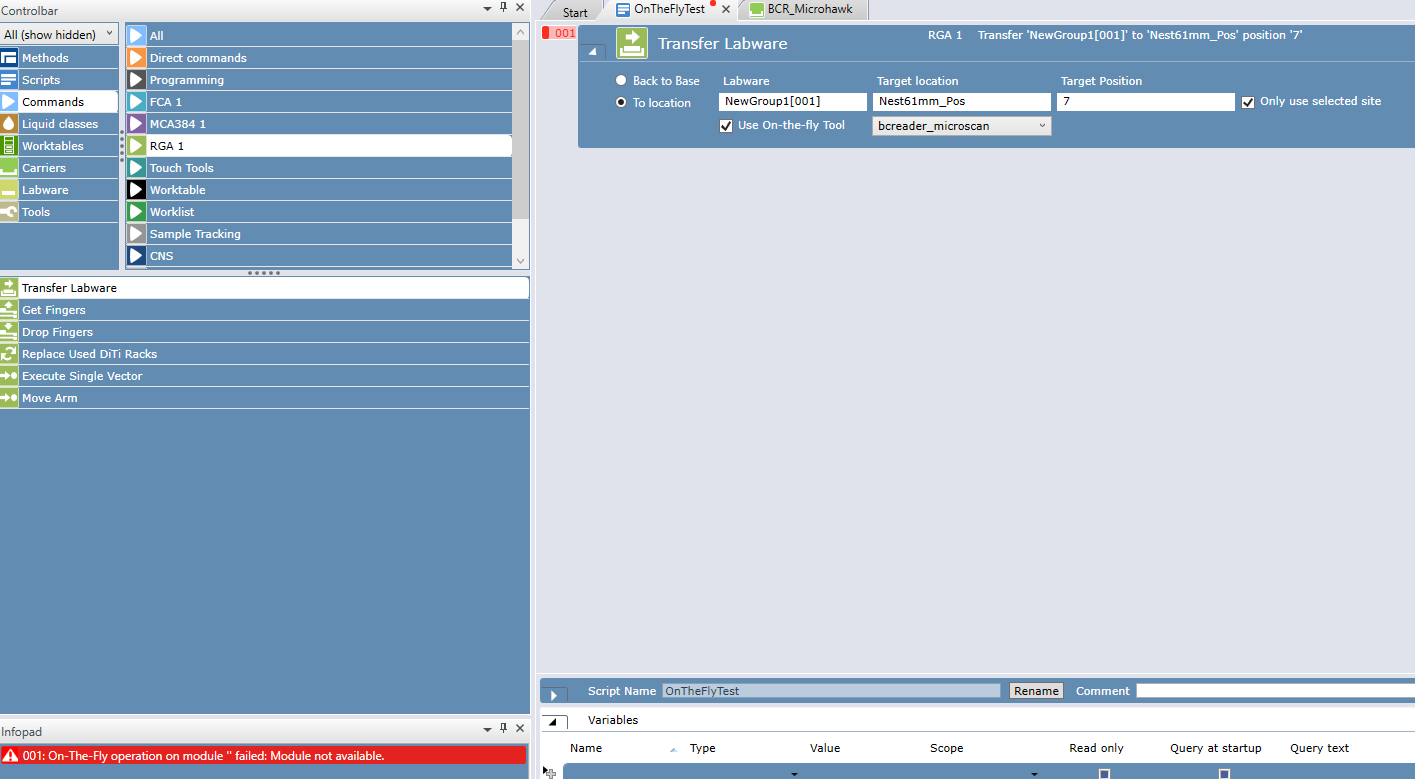
And this is the error when I use the ontefly tool during a transfer labware :
If anyone can guide me on what I am doing wrong, it would be greatly appreciated !
Thanks in advance !
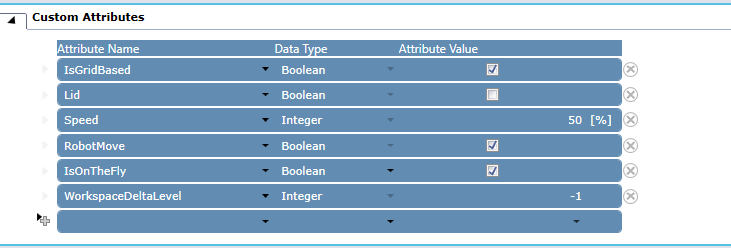
Did you activate the custom attribute for the bcreader_microscan for “IsOnTheFly” to be true ??
Hi thanks for your reply,
It was not, but now it is with the same result :
I’m most likely missing something but I can’t figure out what.
Try the following:
The On-The-Fly Tool name ‘bcreader_microscan’

shall match the location name (= name of used vector)
Meaning that vector name needs to be ‘bcreader_microscan’ instead ‘BCR_Pos_1’. This can be changed at the Location name for the carrier site of the scanner (at Site Definitions section just above)
1 Like
Hi !
Thanks for your suggestion.
I modified the site location as you said :
However, now I get an error telling me that the OnTheFly module is not available  :
:
I have run into similar things and resolved this at multiple customer sites recently. A few things to check…
-
Does your barcode scanner have the box checked for “is a device” and also has the field below that populated and not blank? In a few cases I have seen systems where “is a device” may be checked but the field below is blank which can cause problems.
-
On another system, and potentially this is specific to the version of FluentControl you are working with, I got it moving to the scanner using the “Narrow” vector rather than “OnTheFlyNarrow”. The example documentation indicates it should be “OnTheFlyNarrow” and I’ve seen that work on some systems but on one I did recently, setting up the vector coordinates in “Narrow” (or “NarrowReverse” or what you are using) is what I found experimentally got it working.
If after trying these things it still isn’t working, let me know and we can take a look at it over TeamViewer.
Mike Mueller
Nucleus Automation Partners LLC
mike dot mueller at nucleus dash automation dot com.
2 Likes
OMG it worked !!
Thanks a lot for the help !
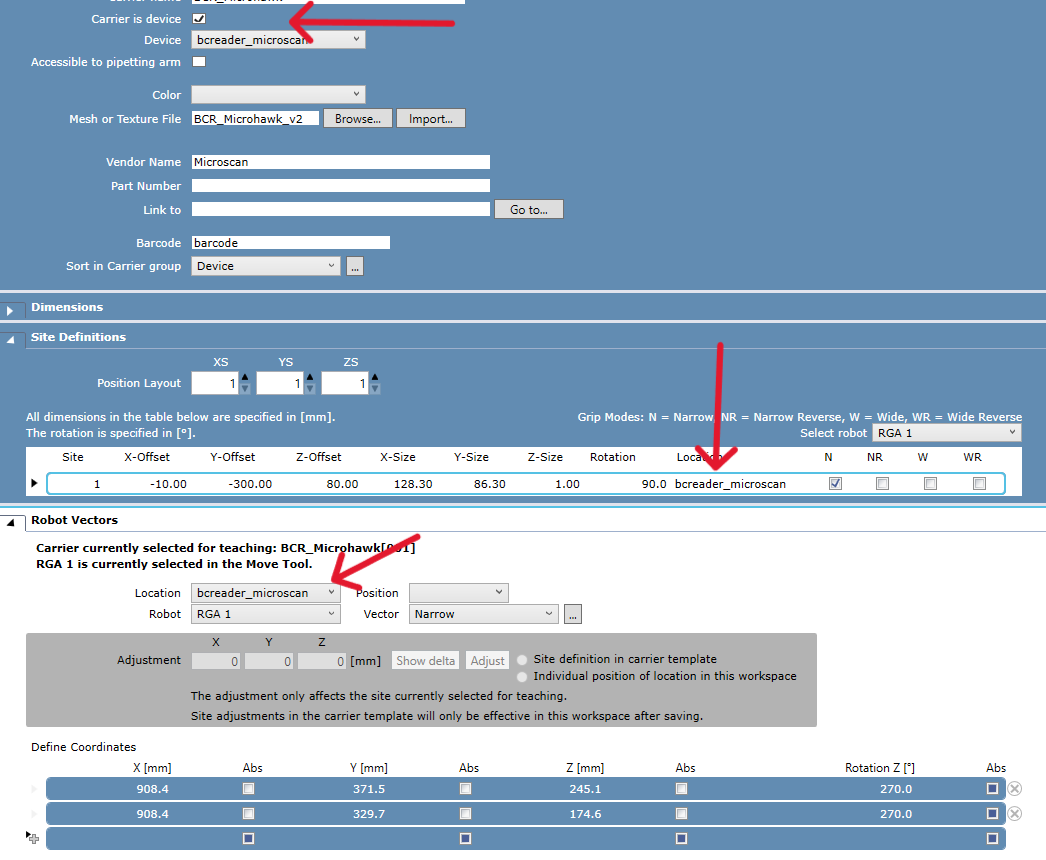
For future references, here is the setting in the carrier (Barcode reader) for the OnTheFly tool to be function :
With this, it is using the Narrow vector by default which is perfectly fine for me.
All the best !
7 Likes