Hi Lab Automation Forums,
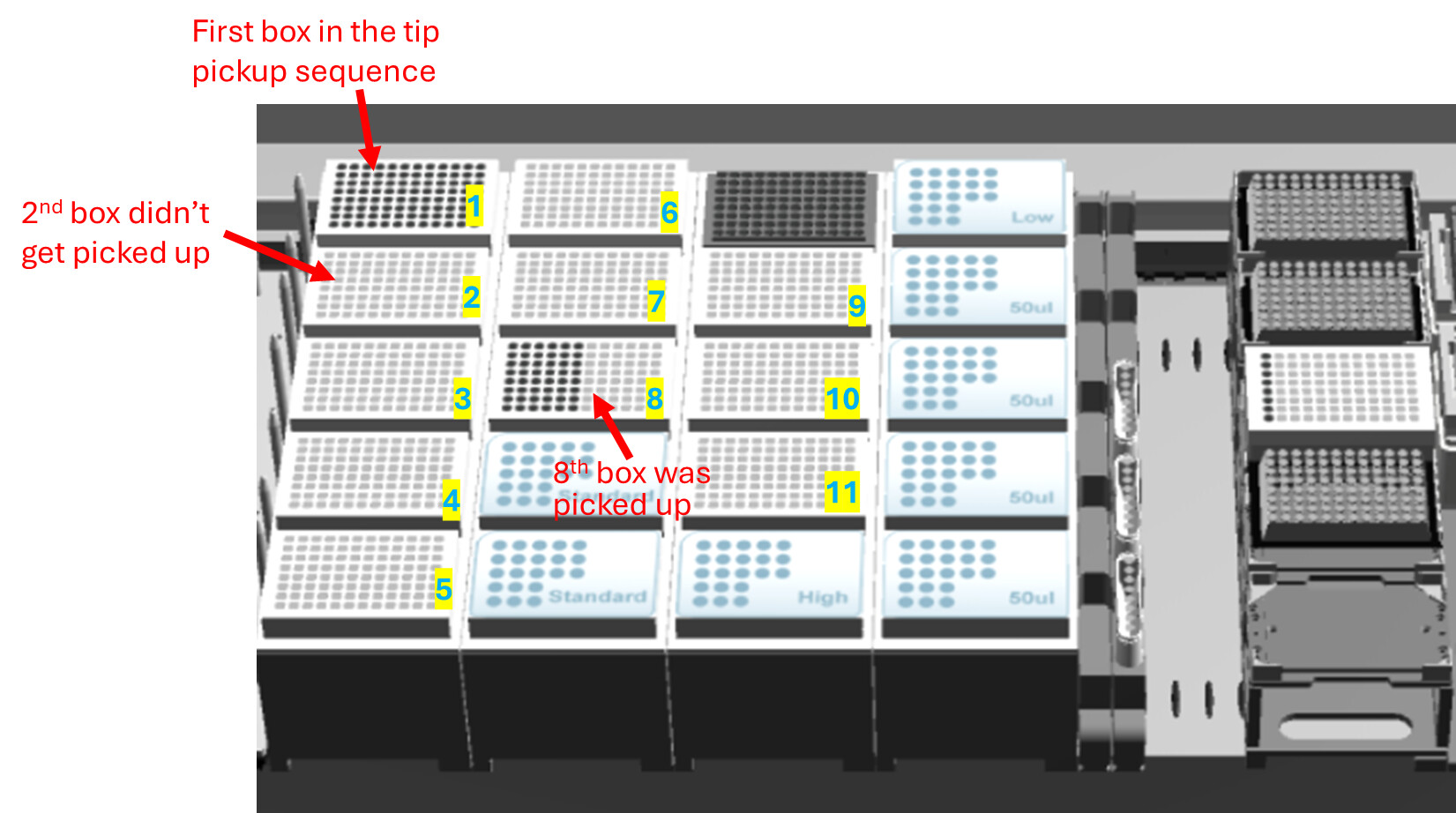
I am trying to use the tip adapter for the CORE96 head to pick up tips by columns on ML_STAR, but have run into an issue. After the first tip box was used, the system did not proceed to the next box as expected. Instead, it skipped ahead and picked up tips from a box several positions later (about 6 boxes ahead). Additionally, the tip counter indicated that all the intermediate tips were used, even though they were not physically picked up. Does anyone know what might have caused this issue and how to fix it?
Thank you very much 
Screenshot from my run control:
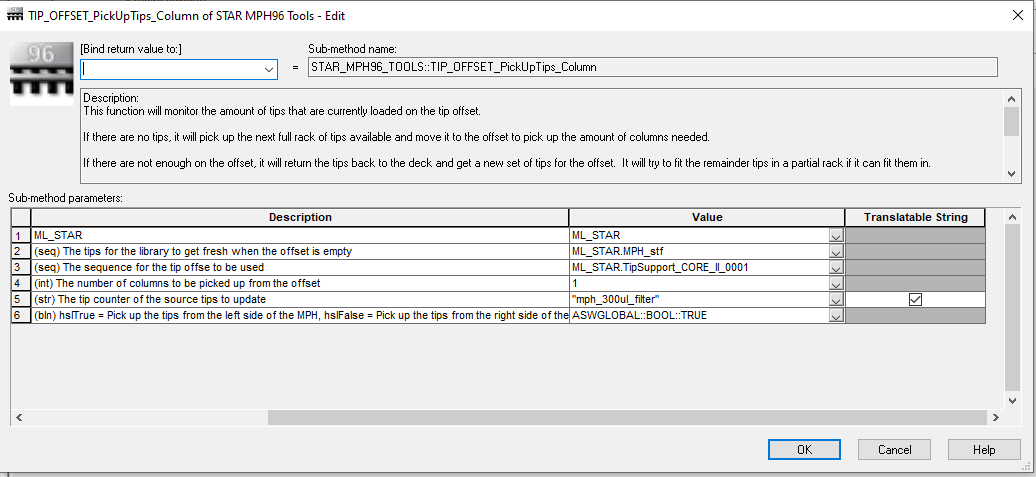
My settings for the TIP_OFFSET_PickUpTips_Column step:
Hi @LindaL12358 ,
Was an Edit Tip Counter function called at the beginning of the method? If so, were the tips all reset to tell the method the carriers were full?
If you please upload a diagnostic file, that would be helpful to diagnose.
Based purely on the visual, it looks like the state of the tip counter was the racks that were skipped are empty. If the tip counter was not updated from a previous run, that would explain this.
MPH Tools uses the Tip Tools tip counting functions in the background to know exactly where all the tips are to perform the steps.
Thank you, @BrandonBare_Hamilton
Here is the diagnostic file. I couldn’t upload .zip files. Could you please try if this link works: https://drive.google.com/file/d/1OyG4cQ8GKVBgbxYLBClXeK112Y2Bnq4O/view?usp=sharing
I did have an Edit Tip Counter function and I reset the tips before the run. I’m really curious about what could be the problem…
Thanks a lot
1 Like
Hi @LindaL12358 ,
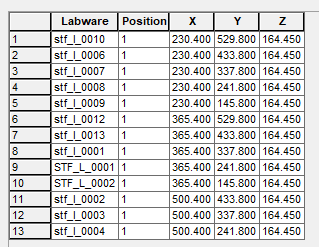
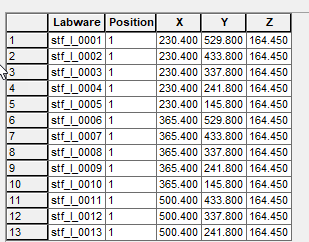
Thank you for sharing the Diagnostics file. I was able to reproduce this issue on my end. What is happening is the naming of your tip racks is affecting the sorting of the tips. When the library is sorting to find the next 96 filled rack to pick up the tips, it does sort by Labware ID first, then follows with a X asc, Y desc. The problem is you have the labware in an odd order on the deck and have a mixture of upper case and lower case labware. In Venus’s logic stf_l_0001 comes before STF_L_0001. Below is the list of your labware in the order from left to right that the labware is loaded:
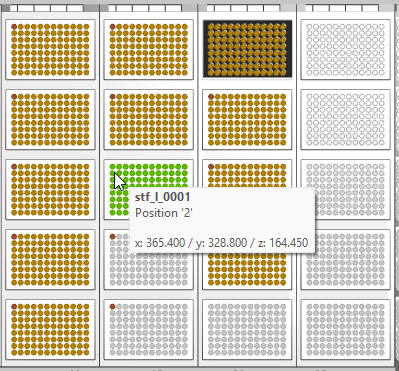
The first pickup successfully goes to top right because the sequence already has 96 full racks and therefore does not need to sort. The second pickup jumps to stf_l_0001 because that would be the next order due to the sorting but that is located several tip racks later:
The correction for this would be to remove all your tip racks and then reload them on the deck in the order that you want them to pull from, so top to bottom and left to right with consistent labware naming. You could also move the racks so that they are in labware order on the deck as well and resort the tip sequence afterwards.
Using the managed tip sequence instead of a custom tip sequence will also help:
3 Likes
Hi @BrandonBare_Hamilton ,
I see! Thank you so much for helping look into this! It makes a lot of sense now. This is something I completely overlooked. I will regenerate the tip sequence with consistent labware naming.