Hi, I am working on an application pipetting patient samples and to the extent possible, we would like to avoid having the tips hovering over tubes that are not the desired source/destination location. We have certain steps of the workflow that do not use all channels. When this occurs, the unused channels condense very close to the adjacent channel. For example, if we are not using channel 2, it will position itself very close to channel 1, whereas I would rather try to keep it having the spacing matched to the pitch between the tubes (ideally even spacing of the channels aligned to the spacing between the tubes. If there a means of overriding this default behavior? What approaches would you recommend?
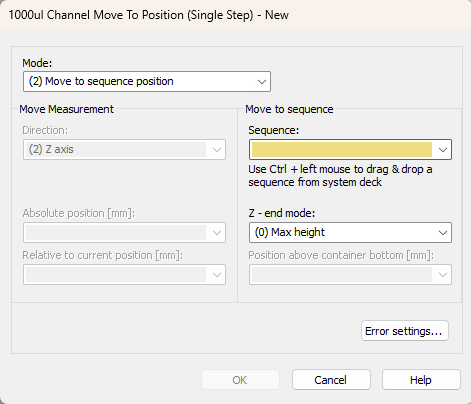
I haven’t tried it, but before the aspirate step you could try using the 1000ul Channel Move To Position command and have it move to a sequence corresponding to your tubes where the active channel is over the target tube in the sequence
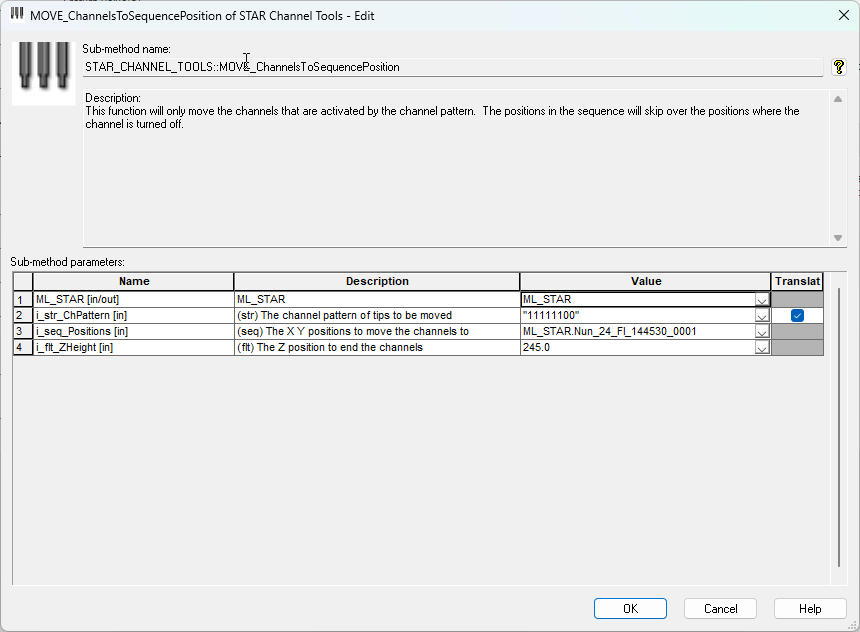
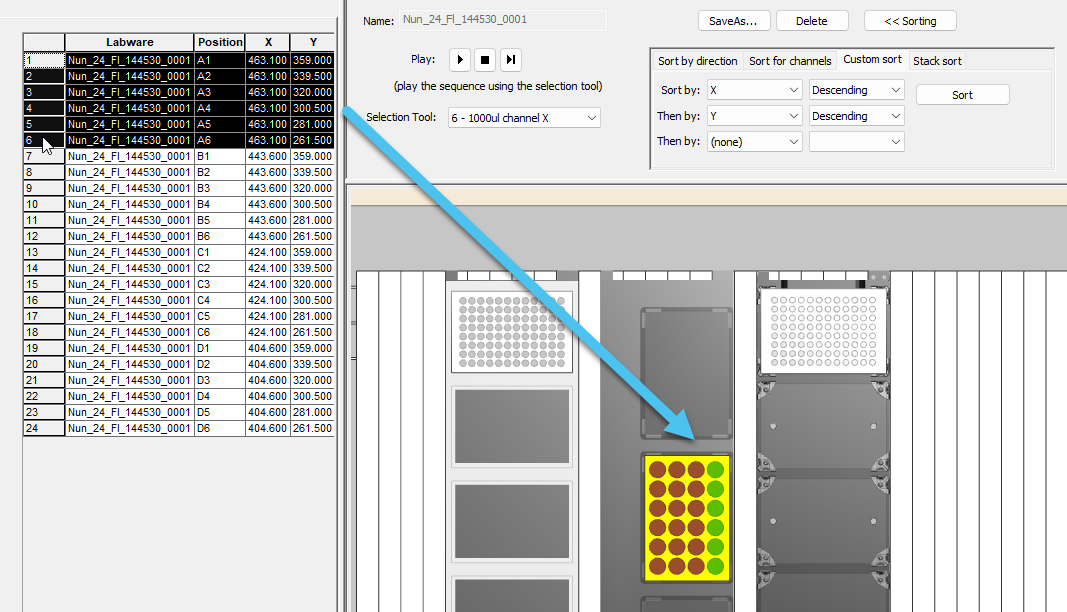
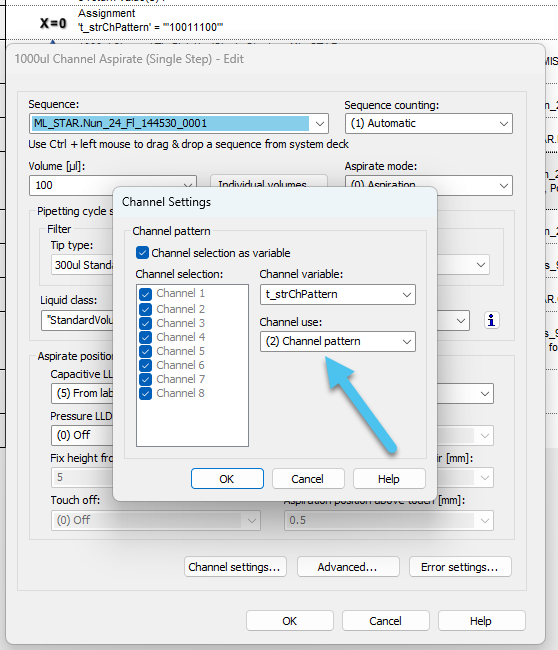
You would want to use the channel pattern that is used for the tip pickup and reference the plate sequence you are about to aspirate from. This requires the full plate sequence to be used so that each channel knows where they need to go to.
The end result is the channels will move to each of the wells first, and then only the channels in use will move down. Since they are already at the appropriate X/Y coords there is no reason for the not used channels to move.
Note: This approach won’t work if a truncated sequence is used as the non-used channels won’t know where to go, leading to the channels being bundled together.