We recently started using a Hamilton Starlet in our lab.
I have managed to create fairly simple methods and volume arrays, etc. from an Excel file. However, I am currently only using 300ul tips, but I would also like to be able to use 50ul tips when the volumes are lower.
Do you have any idea how to code this so that if the requested volume is 30ul, it will automatically take a 50ul tip, and above that, a 300ul tip?
There are some threads and examples on the forum. There are multiple approaches one can take using VENUS. In my opinion, the most straightforward would be to separate transfer volumes into an array for 50uL tip transfers and an array of 300uL tip transfers. The examples posted in the thread below demonstrate one way of accomplishing this:
For something more advanced, you can refer to this thread. This thread provides some examples of how you can pick up different tip types and transfer the volumes together:
Hello, I have a new question. When I sort my volumes by range during dispensing, the volumes are not dispensed according to their original index, which means, for example, A01 → A06 instead of A01. I imagine that I need to use an array with the initial index to control the dispensing?
Thank you in advance for your answers.
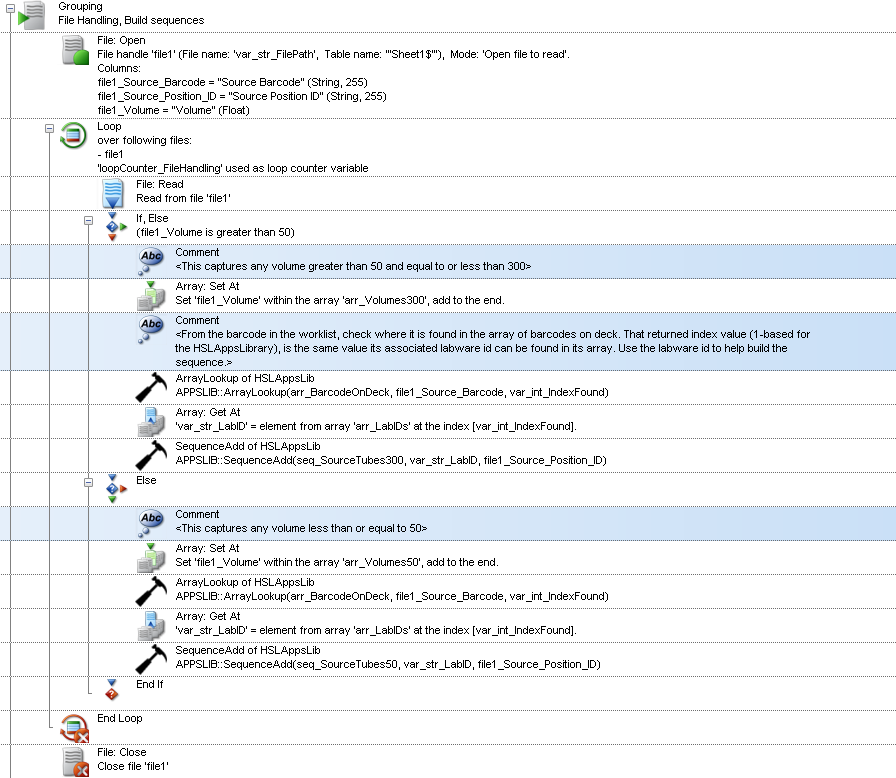
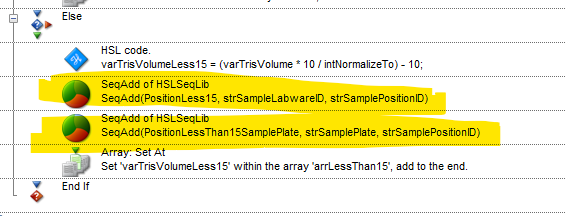
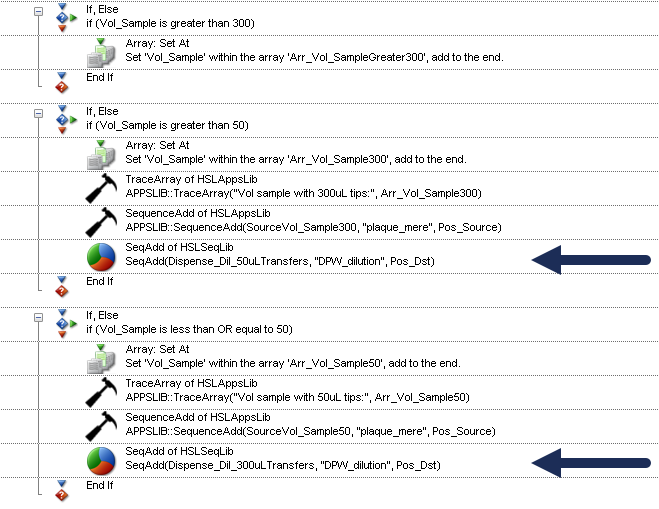
In the VENUS challenges on arrays and barcoding, exercise 4 provides an example of how this can be accomplished. When you add to the array of volumes, you can add to the sequence (labware id and position id). That way the volume that corresponds to the proper position id are in the same order. You can have an If statement to determine if the volume is greater than 50uL, then it adds to the array of volumes and sequence position for 300uL tip transfers. If under, then it would add it for 50uL tips.
See below for an excerpt - please note that this example also incorporates barcode handling so there is a step to confirm and get the labware id associated with barcode.
Hello, first of all, thank you for your reply. I am unable to implement this logic for dispensing in the original order using my method after sorting my samples. We often reuse the scan with this example, but I don’t have one, which changes the code, doesn’t it? I am working on a Starlet system.
Thank you in advance.
I’m not clear on what specific issues you’re running into or what you mean by reusing the scan. The example I provided incorporates barcode handling, but if you aren’t using barcodes, the logic is still similar for this approach - build the array of volumes and the sequence at the same time for 50uL tip transfers and an array of volumes and the sequence for 300uL tip transfers.
Please let us know more details on your setup and application requirements and what you have tried - you can upload a draft of your method and your input worklist file here (Password is: Hamilton2025).
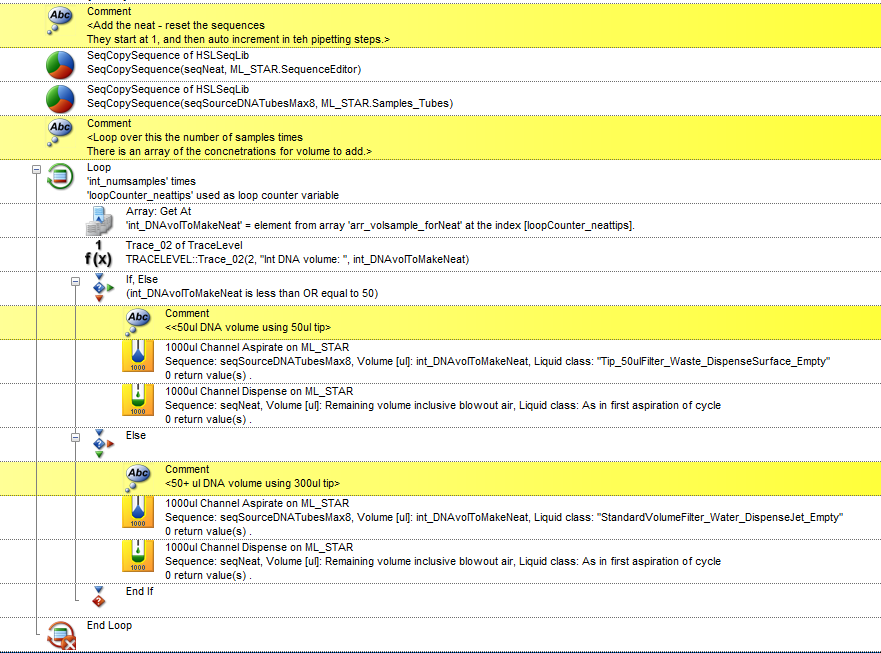
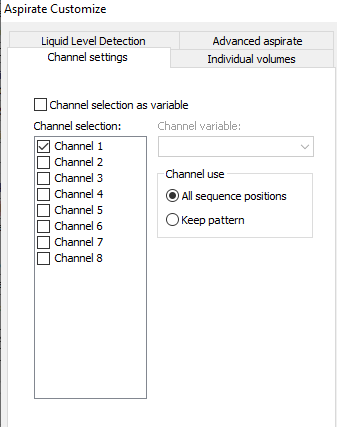
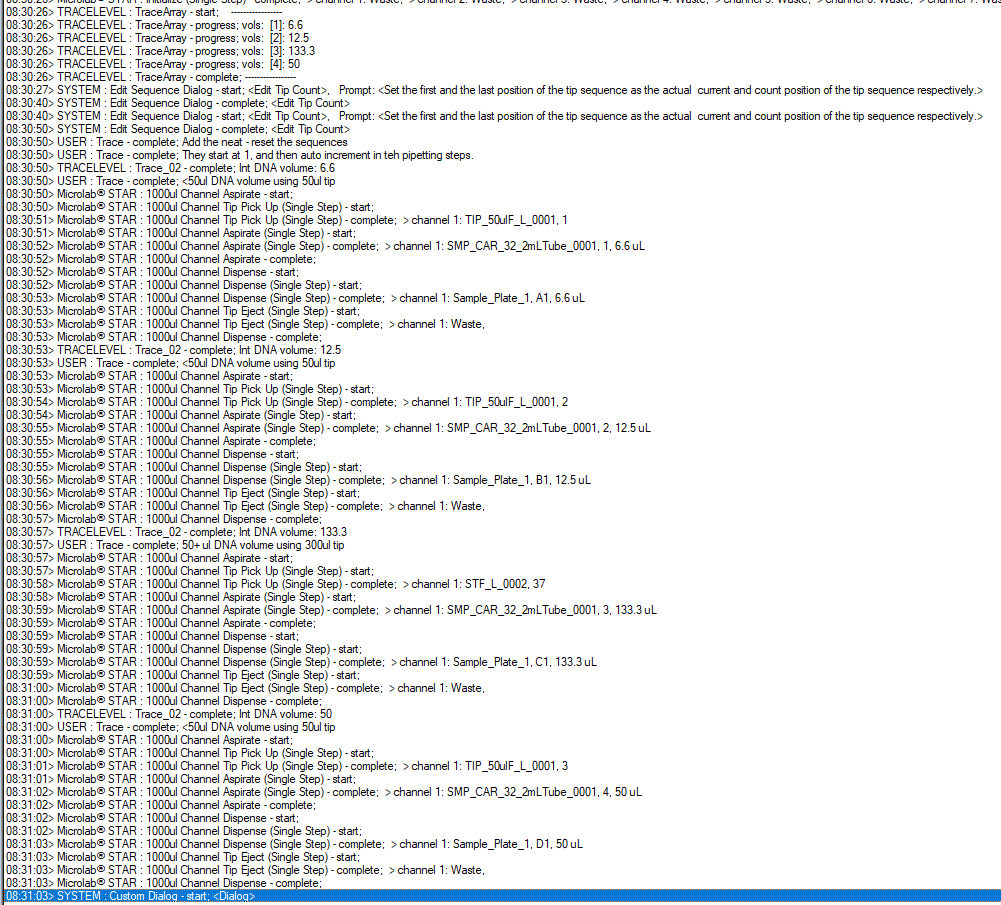
So I had this issue. Since this only happens at a step using max 8 samples, i choose a really inefficient solution as it can be slow since its just 8 samples. I have the volumes in an array, and basically loop through the samples, and just use one channel at a time. Each loop, i draw in the volume from the array, and use an if else for the volume - uses 50ul tips if <50, 300ul tips if > 50. A bit of a hacky approach, but it worked for a method i had to put together quickly
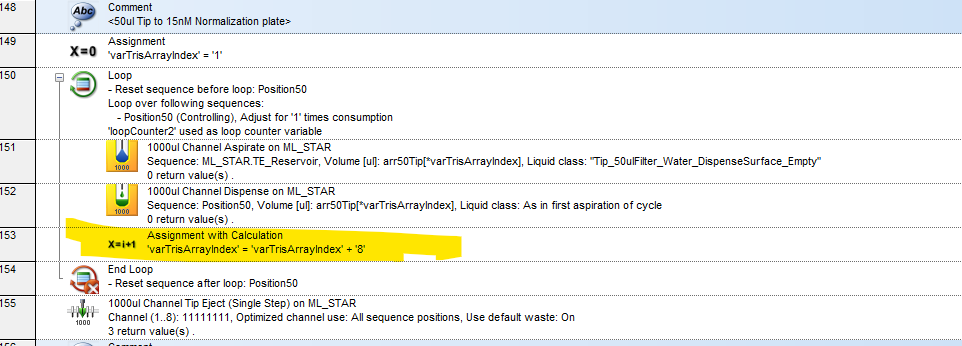
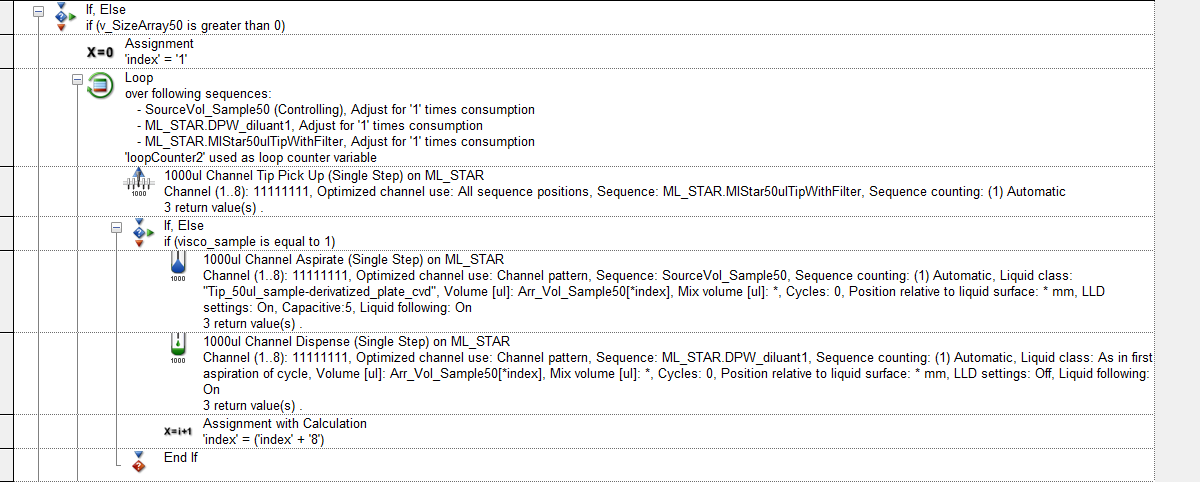
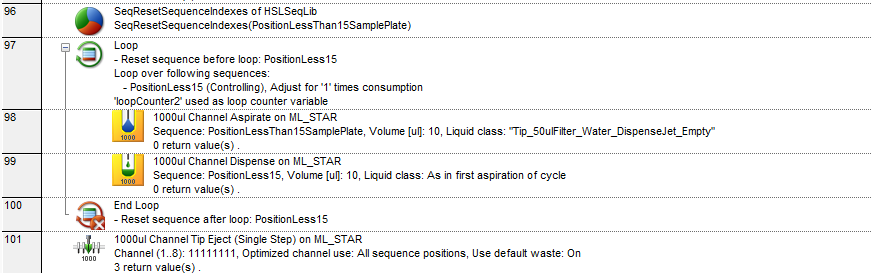
Your “volume” should be the actual array, no need to pull it out and use a variable. You are missing the advancement of the array index which will fix your issue. See line 153.
I have a normalization script that runs the same way, this is how I did it.
Thank you for your help. I have added my method and the Excel file I use for this sequence. Their names are: 260218_amino_acids.pkg and the Excel file is :Template_amino_acid. Actually, I don’t understand how to retrieve the initial volume indexes so that I can put them back in order when dispensing. I saw that you use scans in the exercises, but this gets mixed up with the index blocks. Thank you in advance for your help.
Hey Darren, does my comment above answer that? You use the array as the volume. For example, Array50ulTips is paired with the Position sequence that you generated.
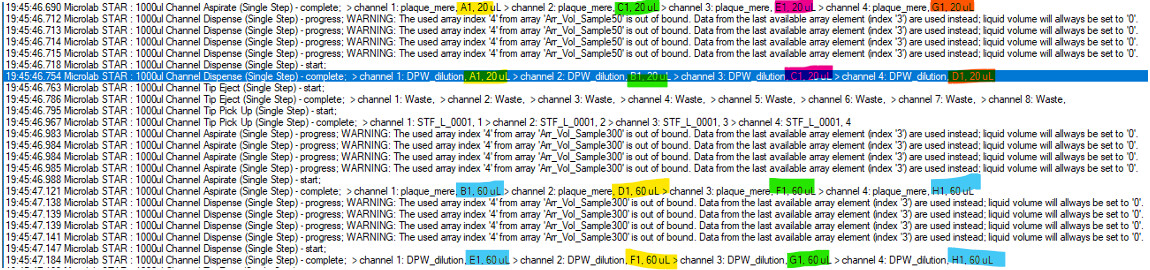
Hello, thank you for your reply. I use this for my sorted arrays. However, as we can see, well C1 of the plate is not dispensed into well C1 of the DPW but into B1.
Thank you for your help.
@Darren Your dispense sequence should have a sequence created during the “Sequence Add” (back when the script was reading through the file). This means depending on where you’re pipetting from (for example, another 96 well plate) you will have 2 Seq Add statements:
Additionally what’s actually happening here is that your loop is progressing DPW_dilutant_1 from A1 to B1, not the sequence. Unclick the DPW_dilutant_1 from the loop.
In your method, it appears that you’re using one sequence “DPW_diluant1” for all the dispense steps. My recommendation would be to build a sequence for the transfers using 50uL tips, and a sequence for the transfers using 300uL tips when you are building the arrays.