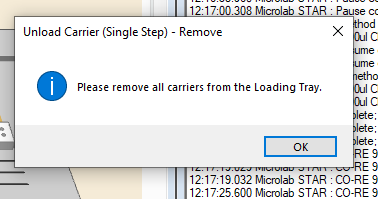
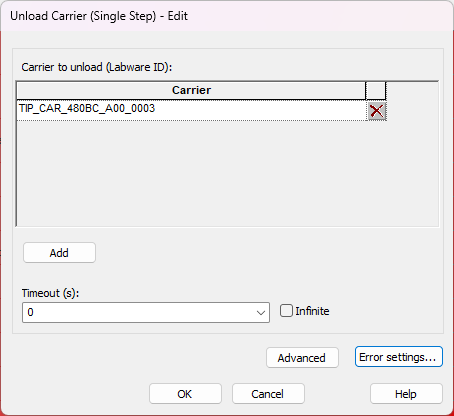
I’m using Hamilton VENUS 6.4.0.1914 and have noticed that whenever I execute an Unload Carrier (Single Step) command, a popup message appears on the screen.
I think I found the cause of the issue. Although the settings were identical to those shown in your screenshot, the protocol had originally been transferred from a VENUS 4 system to VENUS 6.4. To resolve the problem, I had to open each Unload Carrier command, go to the Error Settings, and simply click OK. After doing this for all the Unload Carrier commands, the issue was resolved.
My assumption is that some settings were not fully updated during the protocol migration from VENUS 4 to VENUS 6.4, even though they appeared correct. Opening the command and re-saving it seems to refresh the internal configuration and correct the problem.
This is true and will likely continue to be true for some time. A move of a method from VENUS 4 or earlier directly to VENUS 6.4 (and newer versions soon) is very likely to have a handful of commands that would need to be reopened and confirmed in order to gather all the appropriate parameters you will need. Without doing so newer versions of VENUS still force those new parameters but they are likely going to be set at their default values. While I do not have a list of these commands they are often reserved to the actual ML_STAR commands that involve actual system movement. It would be a good idea to review release notes of new versions of VENUS when they are released so that we can identify what has had new options and parameters added to them.