Hey guys,
Is it possible to create a GUI that permits the user to create sequences by clicking into the labware wells right in the begining of the protocol?
Hey guys,
Is it possible to create a GUI that permits the user to create sequences by clicking into the labware wells right in the begining of the protocol?
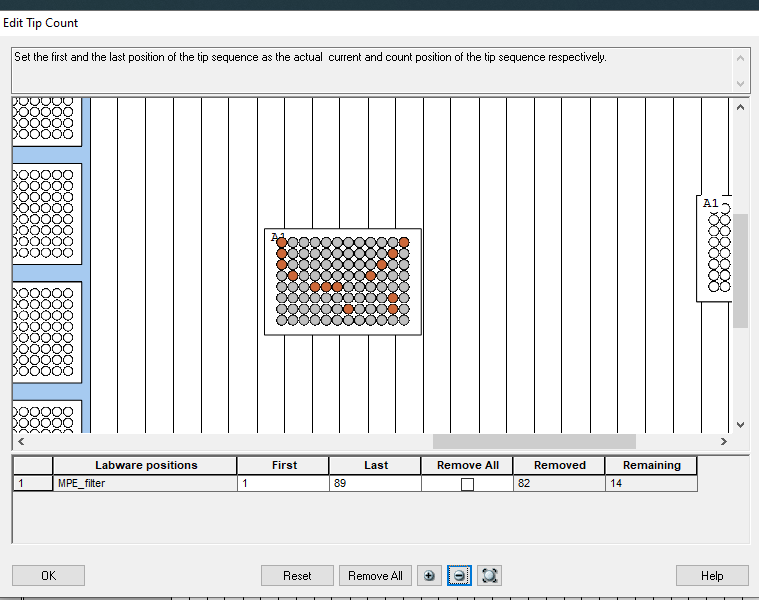
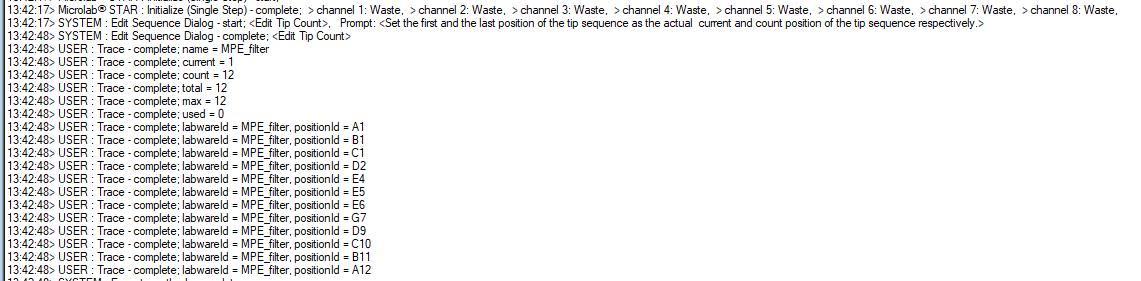
I think you could use the HSLTipCountingLib for this:
Might have to zoom in on the portion of the deck with the sequence to really be able to see it though.
edit: I copied the first and second images at different times so that’s why the seq numbers are different 
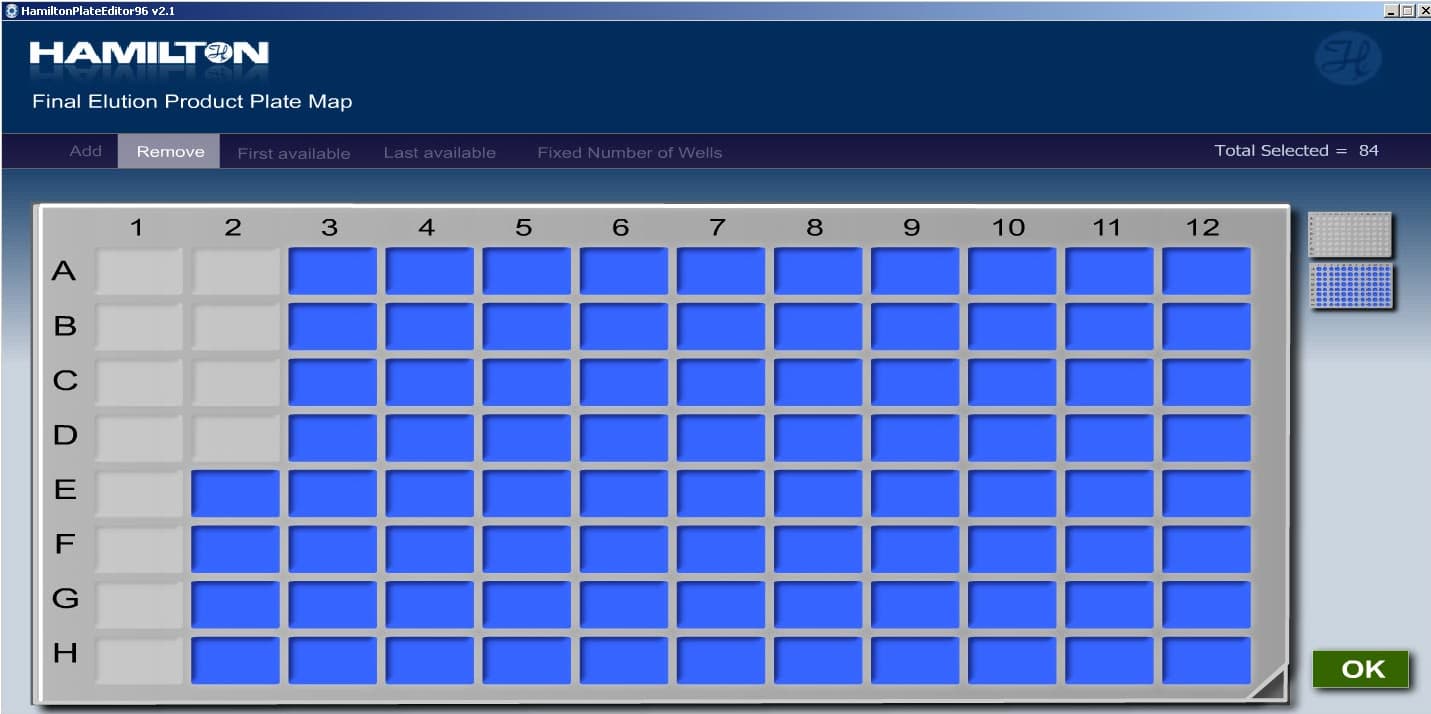
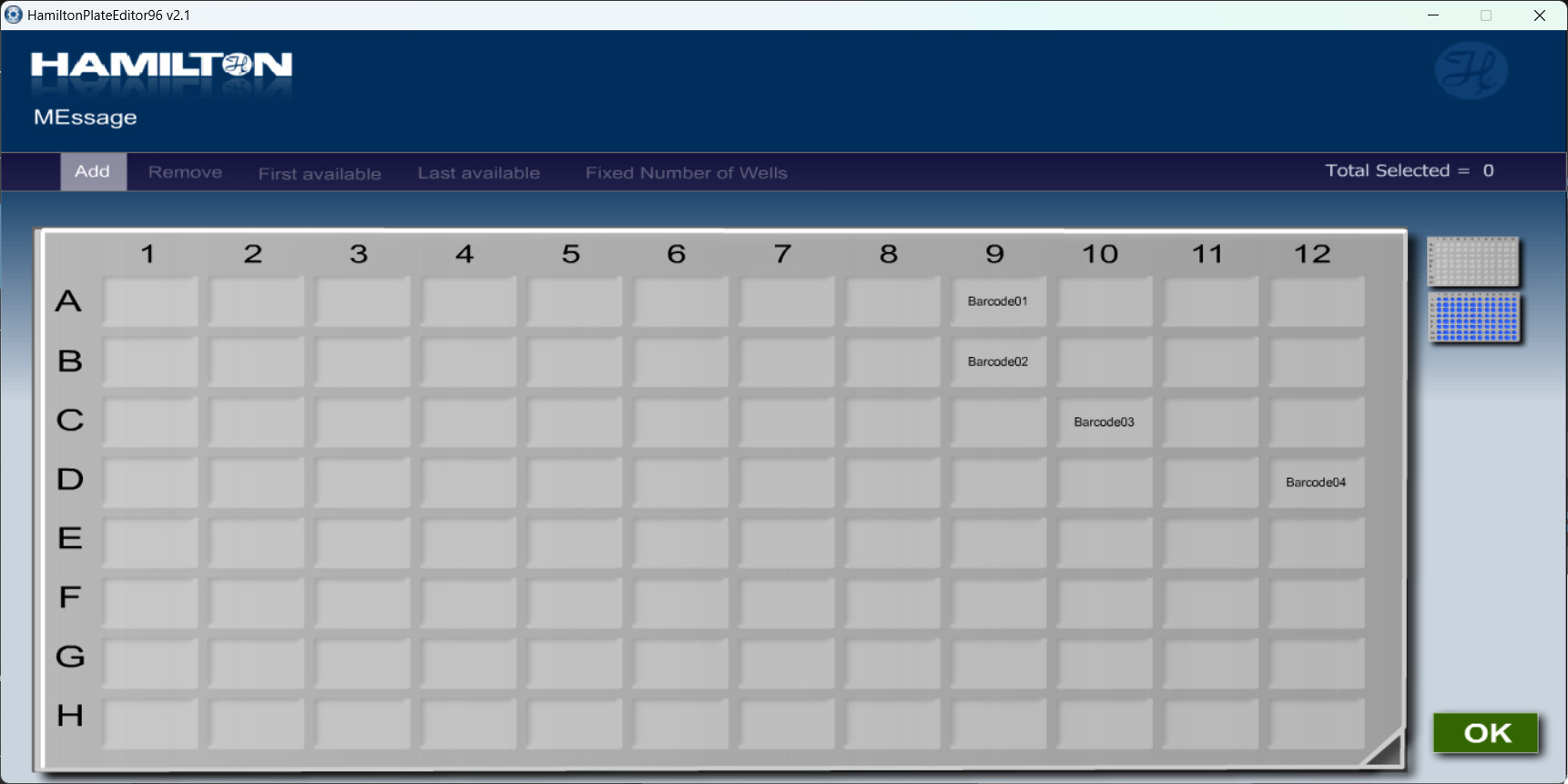
The Plate Editor library provides a nice interface to do what you’re asking! It’s on the Library downloads here.
Plate Editor library Example with files: Anyone out there who could provide an example .txt, .csv or .xlsx file? They were not included in the demo i believe and I cant get this part to work. 
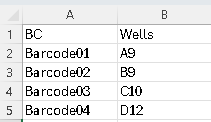
See this link for an example csv. The trick is that column 1 has to have the barcodes and column 2 has to be the well ids.
So for this example file:
You’ll see this in the UI:
Thanks!
Got it working with Excel Right away but couldnt Get the csv to work.
Both working fine now!
Is there an equivalent to the Plate Editor Library, but for tubes?
Is there a way to disable sorting of the output sequence for the selected wells?
The tool works great overall, but we’ve run into a rare use case where a user needs to cherry-pick columns in a specific order. While this could be handled by reading from a CSV, the method was originally built without requiring a LIMS-generated file, and I was hoping to keep it that way.
Sorry for missing this, but no, there is not a visual library for tubes like this. One could use custom dialogs or vector custom dialogs to make something with similar functionality.
No, the sorting is built into the executable unfortunately. Actually, it may not sort, but simply be removing the wells that aren’t selected.
I would recommend adding another dialog that asks for the column numbers in the order they should be processed in. Starting from there you can sort the sequence in many different ways to achieve your desired order of processing. It’s a kot of work to replace something that can easily done via worklist, though.