Hello everyone,
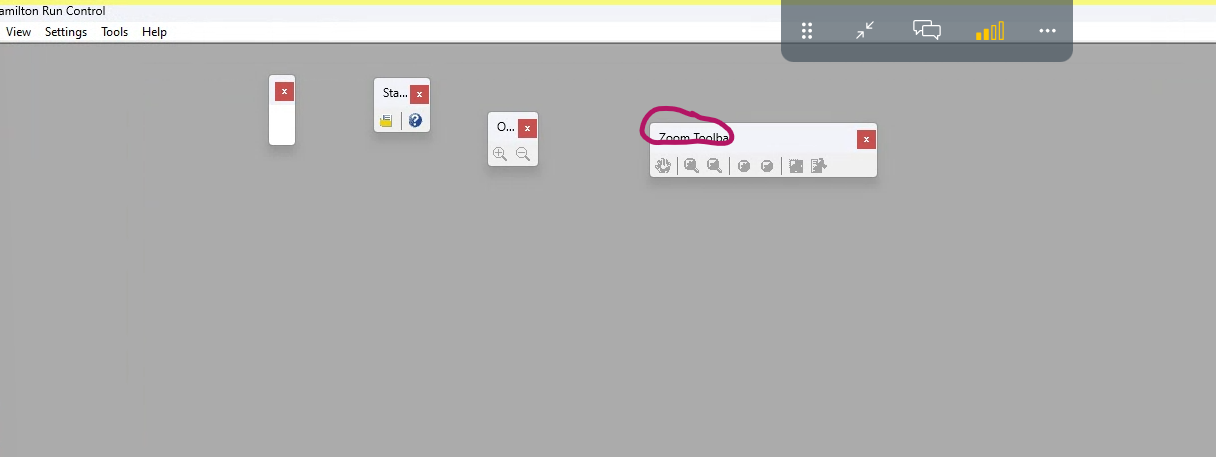
I am having an issue with my Run Control app tool bar floating around and no way to resize or dock it. Dragging it to the tool bar does not dock it, no way to resize by hovering over the edges of the windows, right click provides no options, double clicking the banner does not do anything. View tab in tool bar has status bar checked and all the floating windows checked. I have tried unchecking and rechecking them and they still float about in space. Has anyone had this issue before and been able to resolve it?
Hi @ninjasquad31 ,
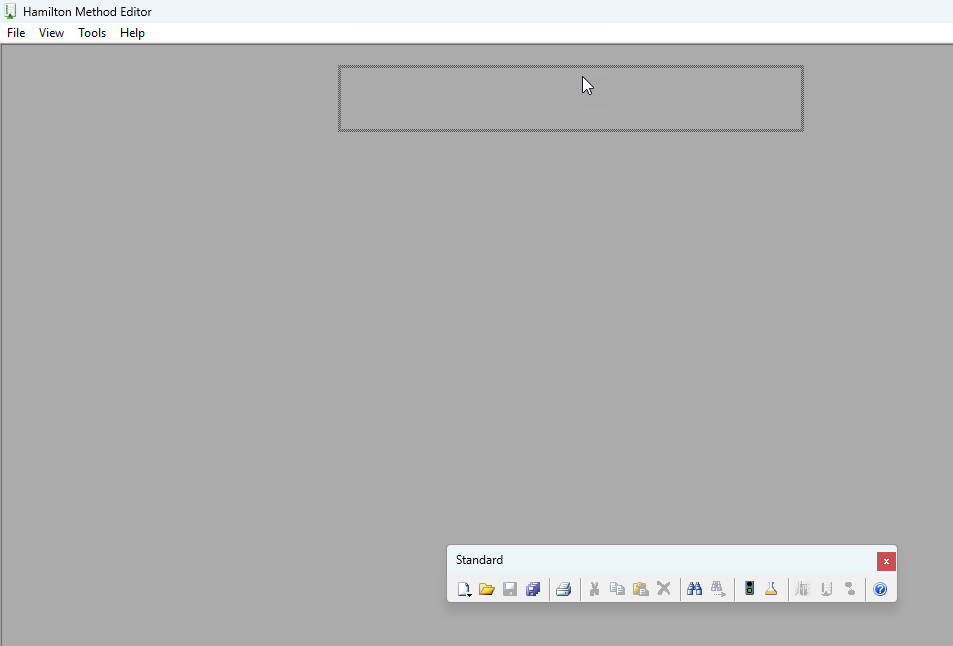
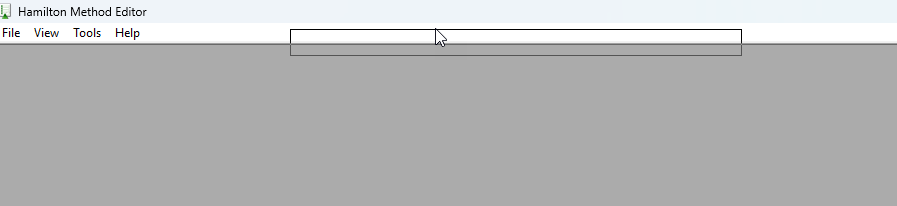
Try dragging them to the top and release when the highlighted box shrinks in size:
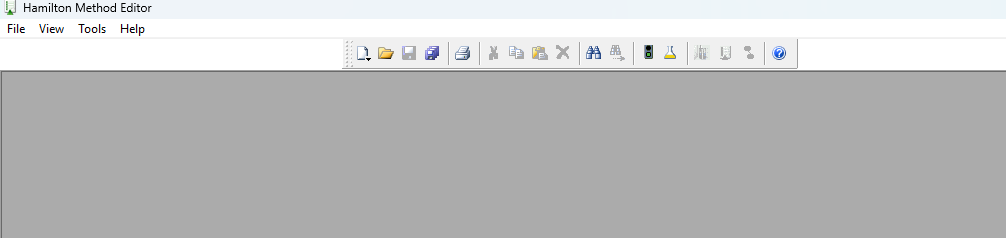
When you are at this point it will add the docking bar back in:
Hi @BrandonBare_Hamilton
I tried that and did not seem to work. No option to drag and drop.
This is very unusual!
What version of VENUS and what OS are you using? Any recent updates to the computer - I presume it was working fine and then this started happening all of a sudden?
I have to ask - have you tried restarting the computer?
Hi @EricSindelar_Hamilton
Yup tried restarting the computer, force quit run control and restarted and nothing. Running Win 11 Venus 6.0.2. No updates that I am aware, maybe just Win security patches. We avoid doing any kind of major OS updates as per our company policy. Very randomly started happening over the weekend on this one computer.
I think there is a bug in the 6.0.2 version where timers won’t show up on the Venus 6 UI, so we have to stick with legacy run control. We have a whole fleet of them, all on the same Win 11 Venus 6.0.2 and this is the only one that had this issue. Very random and strange.
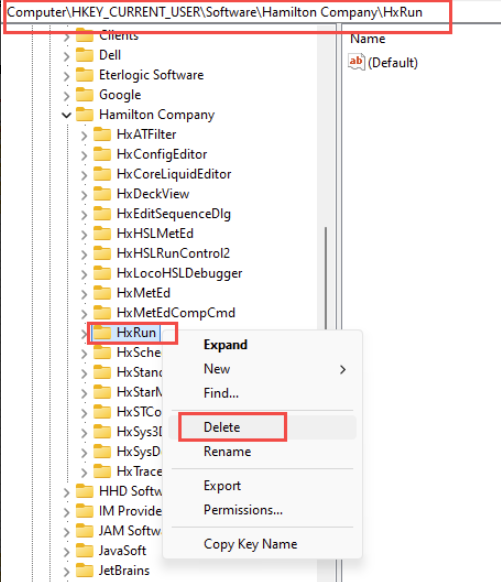
I can give this a shot, but before I do can you explain what this will do? These are qualified clinical systems so I have to be careful on what I can tinker with.
It will erase the saved memory of how the Run Control was last configured when running the method. Deleting it forces the software to rebuild that key with the default values next time it runs.
I checked our internal forum and found a similar instance when this happened. Following these steps resolved the issue.
@EricSindelar_Hamilton
Worked like a charm! Thank you so much! Really appreciate it!
3 Likes