Hi Lab Automation members, posting my very first post here. I wanted to reach out because I’m recently looking to integrate the CSV files and document controls from our Vantage liquid handlers into SQL or AWS. I wanted to ask what the best references would be to learn this, or if there’s a process or path you would recommend.
There are many different tiers to this. It would help to know what data you are trying to store, is this mostly worklists? Do you want to store a worklist for every run?
AWS is almost certainly overkill if the only thing you are doing in the cloud is worklist data. Theres a ton of overhead for setting up security roles, a ton of options that you don’t need, and no billing limits.
We use digital ocean in my lab for light database work (and for hosting this forum!). $4 a month and you get a server that you can install MySQL onto. Realistically if you know the data scheme you want ahead of time you can set everything up in 1 hour with chatgpt instructions and never think about it again.
If you’ve literally never worked with hosting servers or databases before id mess around with it on a locally hosted server just to get a feel for how it all works. Remote hosting like on digital ocean adds some complexity because you have to do SSH credentials. Its really easy overall but take some time to actually learn it, it’s very useful.
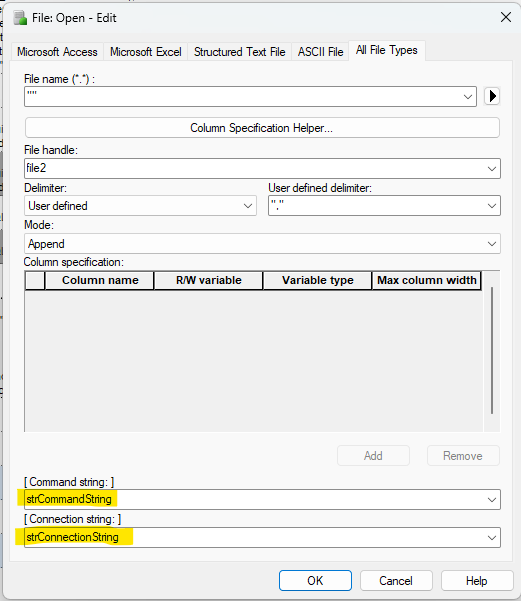
We use Hamilton’s Open File command to communicate with the database. If you are using SQL database, this is one approach that might work for you also.
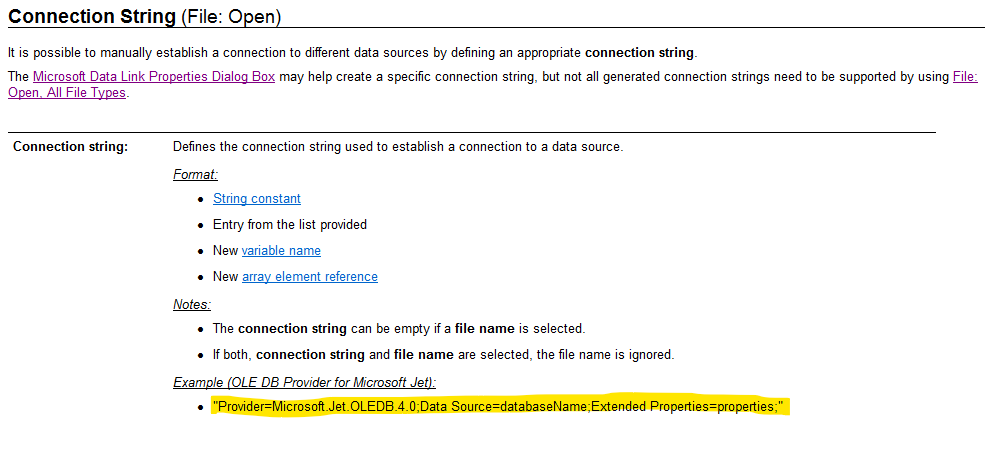
Get connection string - this will allow you to connect to your SQL database (it will look something like the highlighted yellow line in the image below - your LIMS Admin should be able to give it to you)
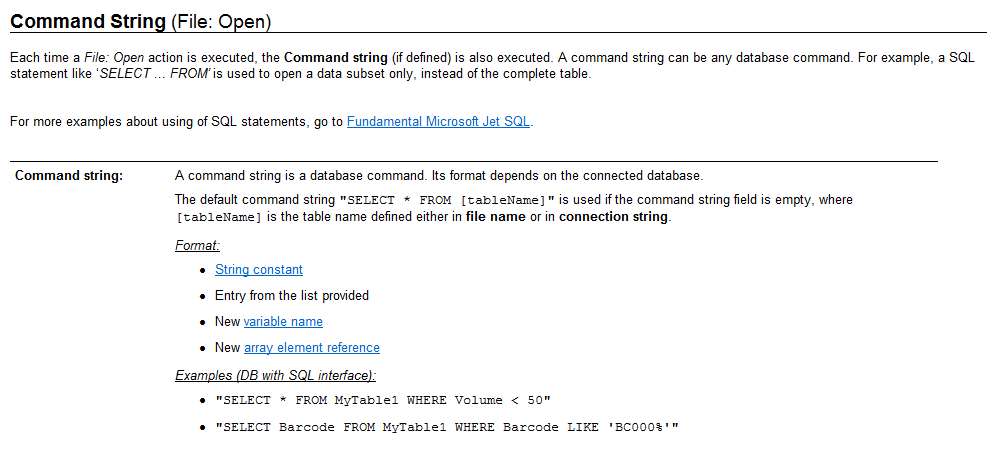
strCommandString - DB job that will run and write x,y,z variables (this needs to be established first on the DB side and this is where my expertise runs out, but the variable will look something like this:
strCommandString = “EXECUTE WriteToDatabase “var1”, “var2”, “var3”;” - this might need the use of HSLCode to clearly define this step, but very simply put, this job will run on the DB and write the information you’ve collected during the runtime.
You can put it inside of a sub-method and then have it loop in your main method based off whatever number of samples, or however you’ve defined your index.
That’s how we do it but there’s probably many ways like Stefan said. Also, I was able to make a local DB at home and make this work for a simple worklist using GPT to help me set up the DB using SSMS (SQL server management studio).