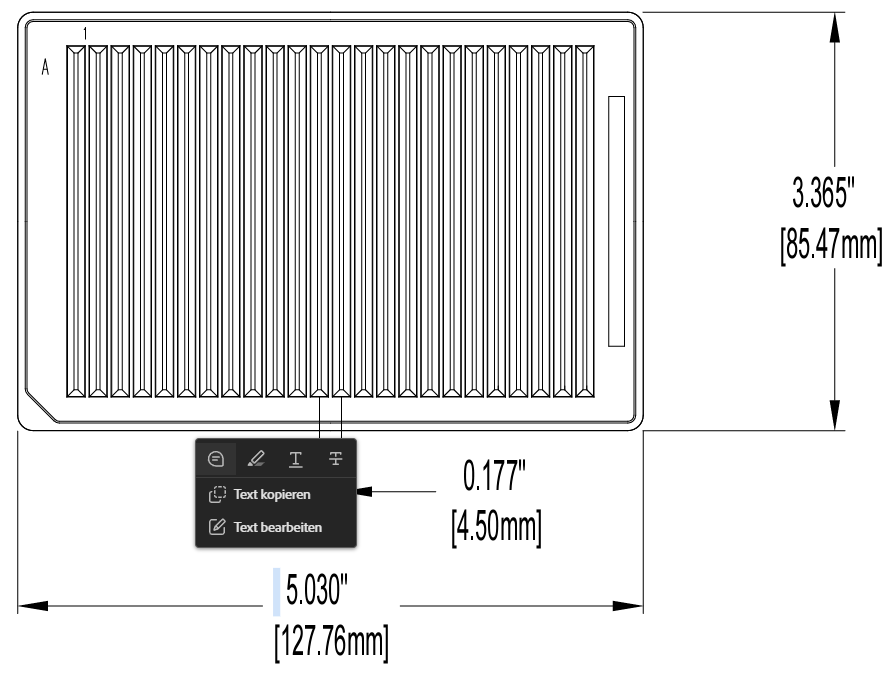
The plan is to prepare PCR mastermix in it. So far I prepare the mastermix in tubes, but this makes pipetting longer, since I can only access the tube with one tip at a time. From what I see in the labware editor I probably have to define this reservoir as a 384 well plate, and then somehow connect specific containers. However, there’s only the option to connect all containers or keep them seperate. Or do I just define it as a 384-well plate with overlapping containers?
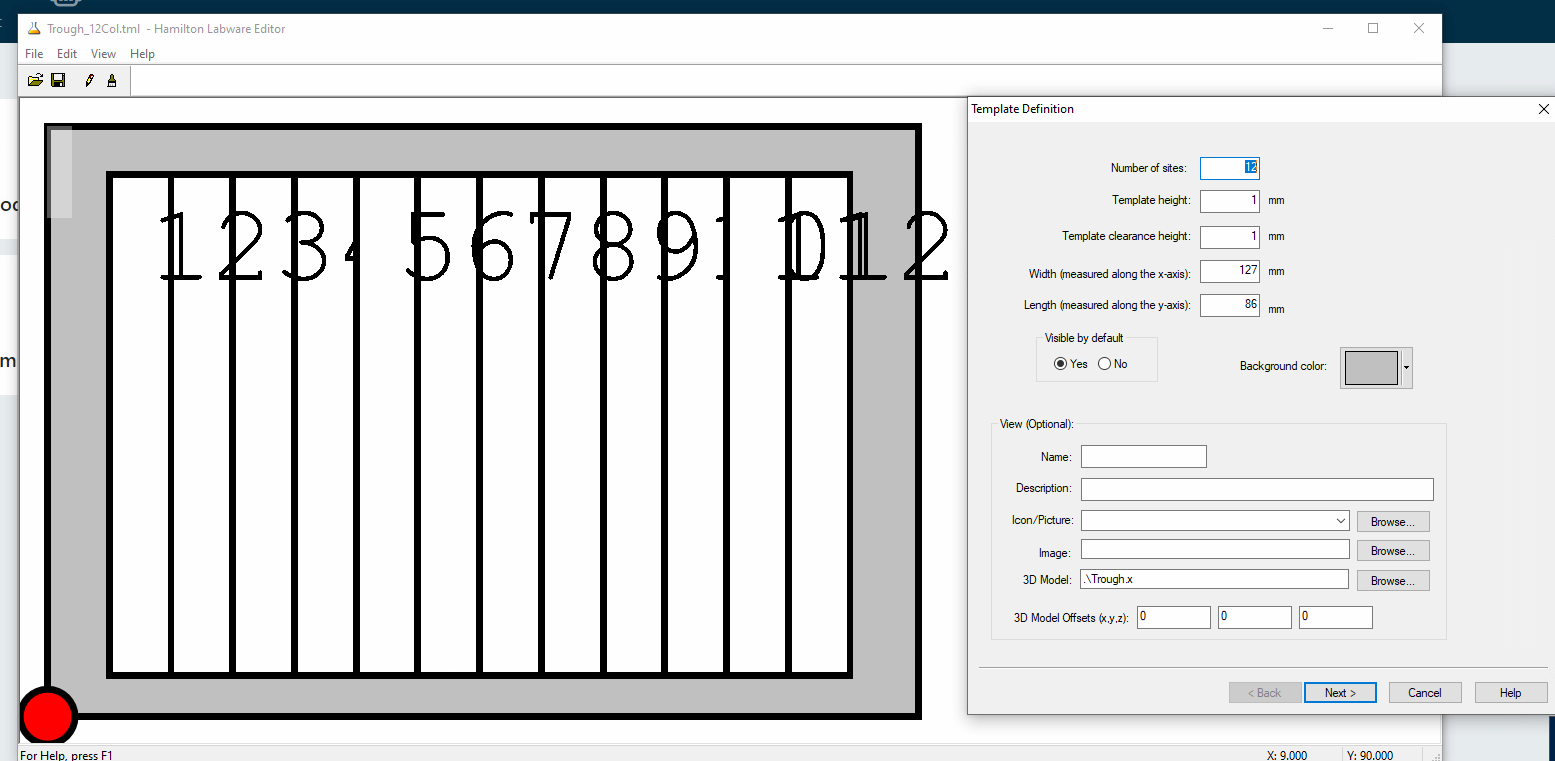
I’ll try my hand at this - do you have a standard 12 column trough anywhere? If so, could you update those sites to be “24” instead of “12” and change the dimensions shown in the screenshot as needed?
Let me know if you don’t have this definition - it’s an off-the-shelf not proprietary one.
@Kastronaut has the right approach. Check out this thread for a 12-column example which could be further modified for 24-column. I’ll also follow up internally to see if anyone on the Hamilton team has authored this labware - I see one example but it doesn’t use this approach that has connected wells per trough.
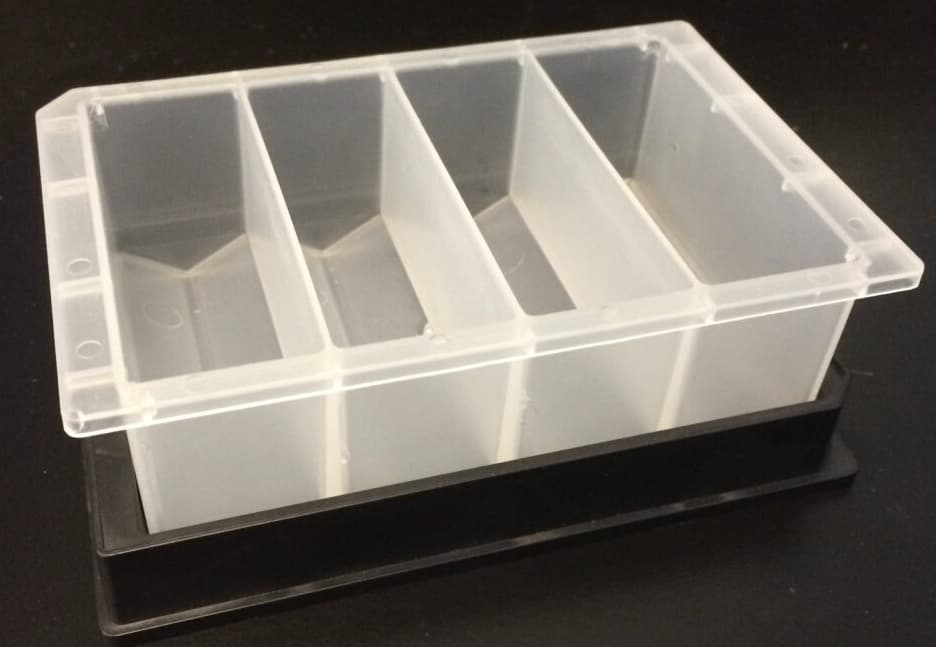
Apologies for bumping this up as this is relevant. On that note, is it possible to modify the 12 column to a 4 column reservoir like these ones. I tried modifying the container, rack, and template files to account for the differences in the number of site and width of each site (as it’s quite wider), but VENUS did not like my modification when I tried placing it on the deck (or off the deck before moving it to the deck). There is a good chance that I am missing something or maybe edit something that I should not modify, but I am out of ideas right now.
For some reason, I can’t find a specific Axygen labware definition in my database, but I have uploaded a similar-ish E&K 4-column reservoir that you could modify.
I’ll check to see if anyone on the Hamilton team may have defined the Axygen one and will upload it if available!
FYI, for racks or templates to snap onto a site on a plate carrier, the outer dimensions must be the same as the site. By default, this is 127mm x 86mm.
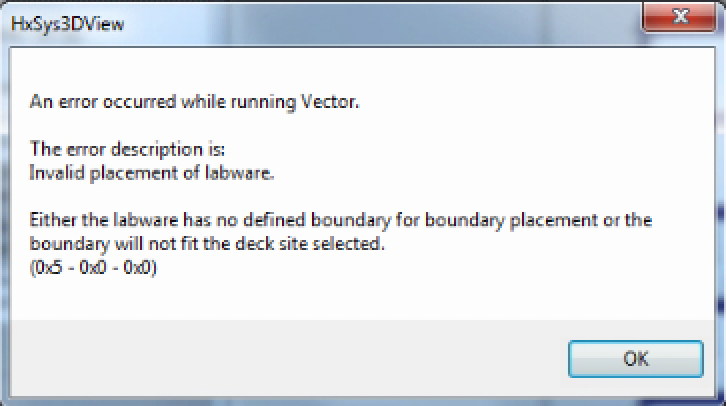
I’m trying to snap the .tml on the deck. Of course, I followed the trick of placing the .tml outside the deck before dragging it in, but I get this error when I first place it outside the deck:
Even when I then drag the .tml to a deck position, it snaps but I cannot select any position as the .tml is completely blank on screen. I tried snapping a .ctr onto that template on the deck, thinking it needed some, but it was not snapping at all, and the well position in the container is selectable. So, I figure I modified something wrong to make it act like this. I can troubleshoot further when I have time.