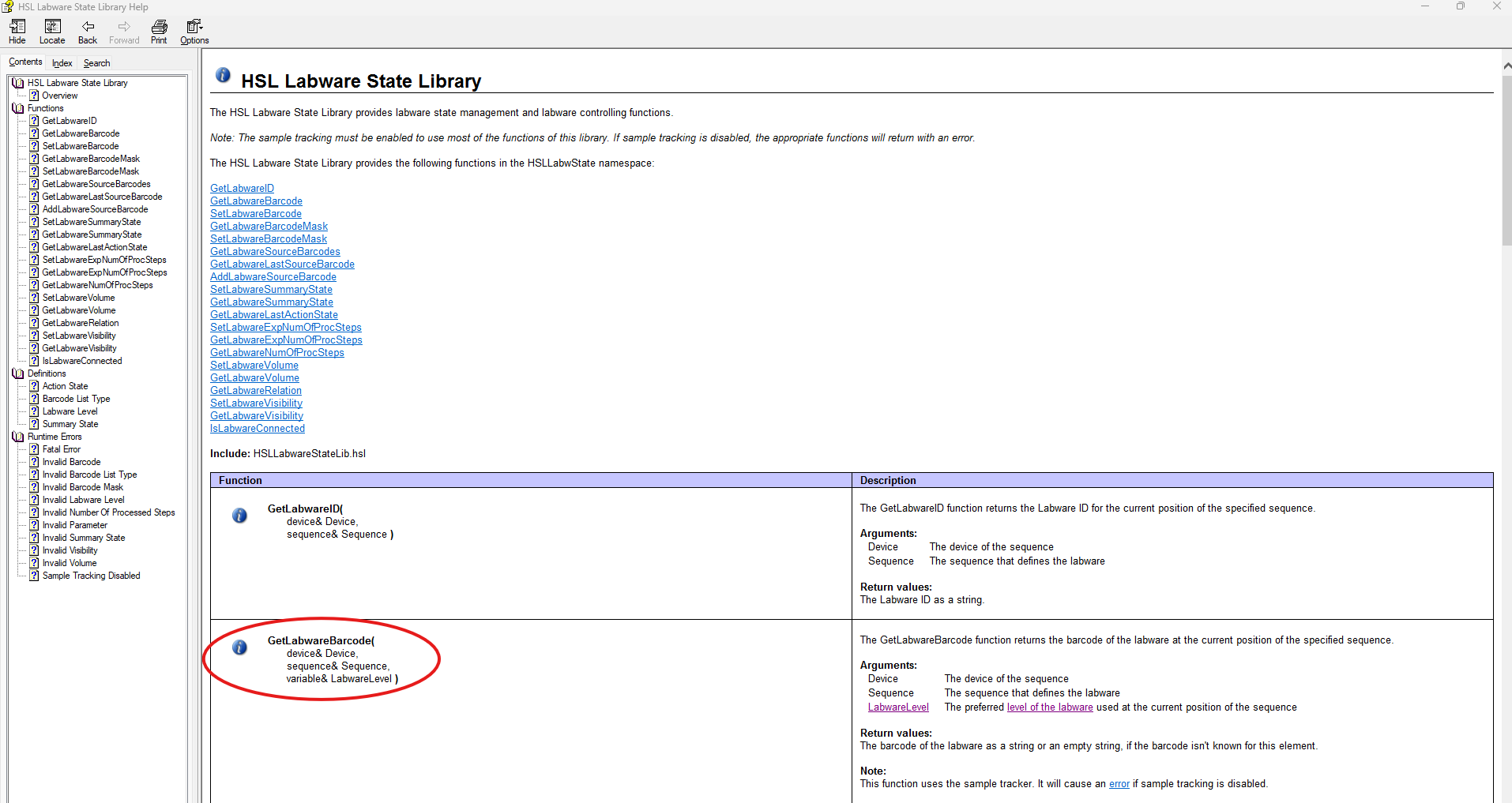
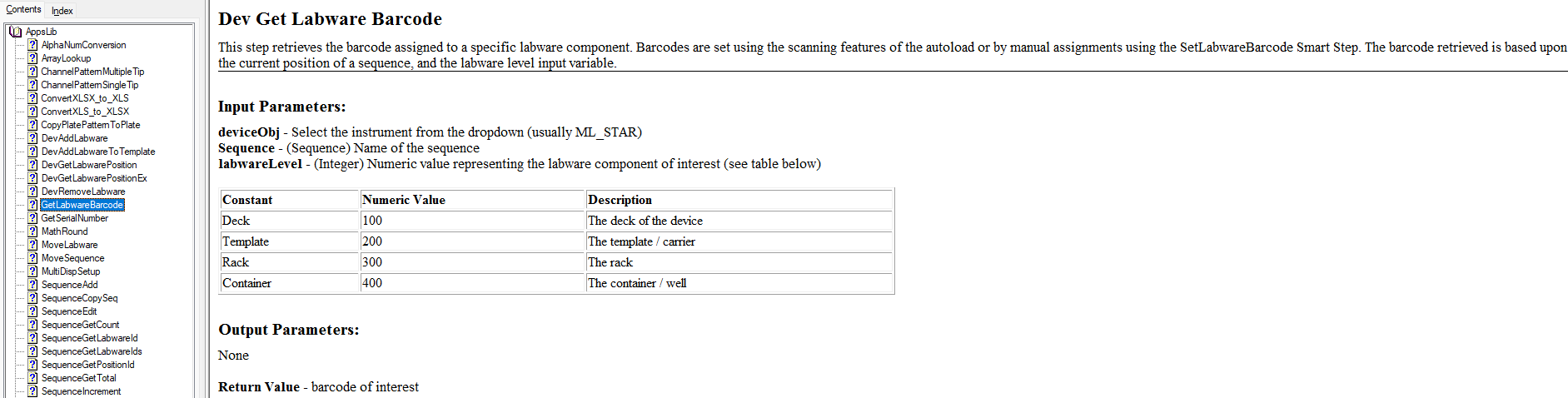
I would like to read back out the tube barcode into a variable and into an array after they have been scanned by the Autoloader. I can do the loops and the array, and norrmally get the barcode, but it is the reading of the barcode that is probelmatic today. I am familiar with the GetLabwareBarcode command in the Apps library, which would be my normal go-to for this, however, I have encountered cross-compatiblity issues with this library and others, a namespace compatbility issue that isn’t readily resolved by simply removing the library once it has been added…the undo (removal of the library) aspect seems to leave some baggage behind once the Apps library has been added and therefore leaves the script with issues at runtime that become difficult to undo and I don’t want to brick my script - fortunately I know to do a Save As first before adding the library!
So therefore I am attemptiing to accomplish this without having to rely upon this library (also happy to use this library if can get the cross-compatbility aspects with the namespace ironed out). The cross-compatibility issue has been discussed elsewhere on the forums and as to do wiith shared names across library, particularly related to the GetSerialNum function used by these libraries.
If I want to read it out directly from the sample tracking database, how do I go about that? I’ve gone on a bit of a hunt through the various libraries and tried a number of things today - looked at the Return code library but so far I have not found something that achieves what I normally do with the GetLabwareBarcode function of the Apps library.
I am using the single-step Loading command to read the barcode with the Autoloader.
To deal with the namespace issue, you would need to look in all other libraries you have in the method for whatever “has already been defined” function error you see in your trace. Can you let us know what the offending function/library is, so that we can all keep an eye out for it in the future, if it’s not the Nordic Tools “GetSerialNumber” function?
As @DanHartman_Hamilton indicates, the way to make the HSLApps Library work if you want to use it is to find the other library where a function that is in HSLApps library is not found in a namespace, and modify that library so that it will be inside a namespace (or remove the function entirely), so that the issue does not come up again. Depending on how often you use the other library, you might want to consider making a custom HSL library at that point, rather than just updating the other library, given that you may have issues with other methods that use that library/will need to be very careful when importing other methods to not overwrite your modifications. The custom HSL library would allow you to continue to use the default HSLApps library along with whatever other offending library you have.
@UCantBcereus is correct. the Apps library is and always has been a collection of functions that are identical on the hsl level to commonly used functions in other default libraries. I think it was just made for ease of use and finding some of the most common functions all within a single library. Another benefit of using it is that you can get the one function you need from a handful of libraries without having to include all of those libraries and thus add to the size of the entire method otherwise.
Have you considered just using the step return library? Check out this thread where I showed how to use that library to retrieve barcodes from a load step:
When parsing the bound return variable you can then just place each read barcode into an array as a variable.