I was wondering if it is possible to change carrier properties on the fly. I am interested in changing the barcode reading height for one carrier during a run and then change it back to default setting when the method is completed. It needs to be changed back because multiple different plate types will be used by the carrier with different barcode heights associated with each plate type.
So that I could help you better would you mind answering a few questions for me:
- Are you working on a STAR or is it a STARV/VANTAGE?
- If you are working on a STAR do you have a 1D autoload or a 2D autoload?
- Regardless of the system type, what version of VENUS are you running?
Based on what you have, changing the location that you try and read barcodes could go down different paths.
Have you taken a look at this thread: Tip Scanning with Autoloader ? It has a lot of information about barcode reading. But if changing a labware property on-the-fly is what you really need then you can do so with the ValueForKey Set and Get Commands in the HSLLabwrAccess library.
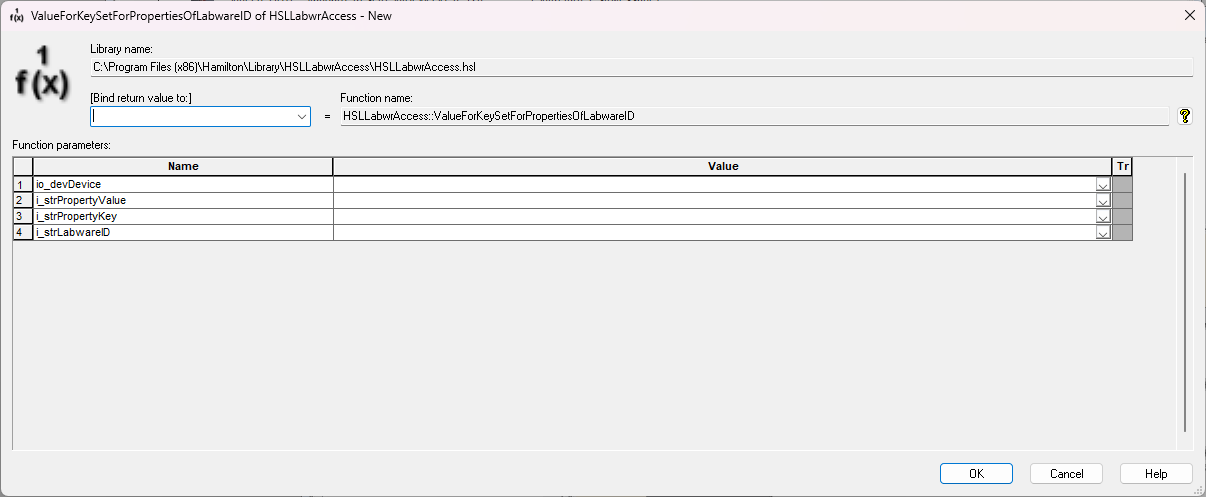
You also don’t need to set the labware property back to what it was at the end of the method unless you also use the SaveChangesToDeckLayout command in the same library.
Matt
1 Like
Sorry for the delay @MatthewSmith_Hamilton. I am currently working on a STARV/Vantage instrument that is running Venus 6.2. I will investigate using the Labware access library that you suggested for this need.
Thanks!
1 Like
I can confirm this works like a charm. I am using it for tip pickups on a tip isolator. Sometimes I want these tips to be blown out on pickup and sometimes I don’t want that. With this trick it works perfect everytime.
Dear @Pascal ,
Can you tell me how to blow out tips on pick up?
I have tried the specialtip command on the carrier properties but it doesn’t work. Is there anything else to make it work? Any pdf available to read? Thank you in advance
Sure!
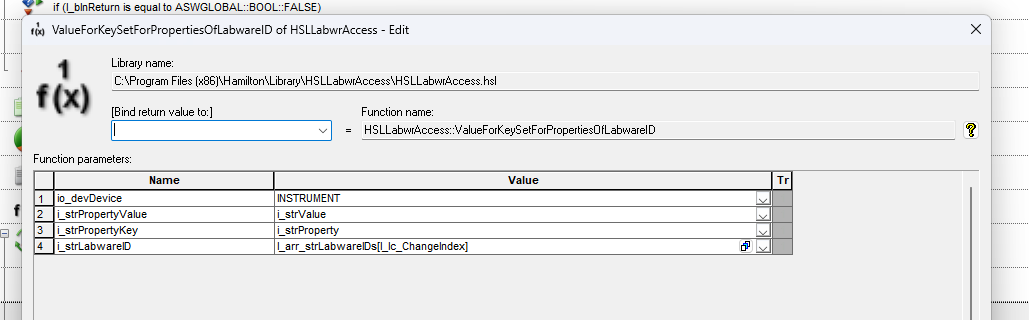
In abov screenshot you see :
The instrument (Mostly ML_STAR) , the propery value, key and labware ID
So if you want this to work on a tip pickup, all you need to do is really to obtain the labware ID of the current position (assuming it’s a complete rack, which would be for an MPH all the time)
Then you need the PropertyValue : MlStarIsCoreHeadSpecialTipPickup (exact copy)
The property value :

I would select 1 here.
And if you are done with the blowout (for example after a pickup, you could do the exact step, but set the propery key to 0 rather than 1.
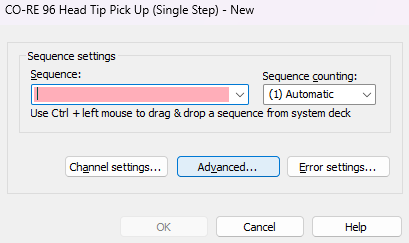
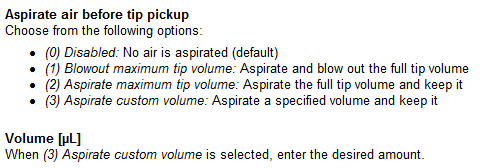
Additionally, if VENUS 6.2 or higher is installed, this is incorporated into the tip pickup step.
Under Advanced… you will find the options.
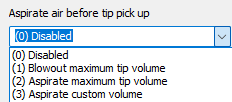
The description of each option:
4 Likes