I’m trying to do this while also specifying a low pipette.flow_rate.aspirate to minimize the chances of aspirating away any cells. However, when I run the code on the OT Flex, it appears to perform this step at full speed every time! Has anyone encountered this before?
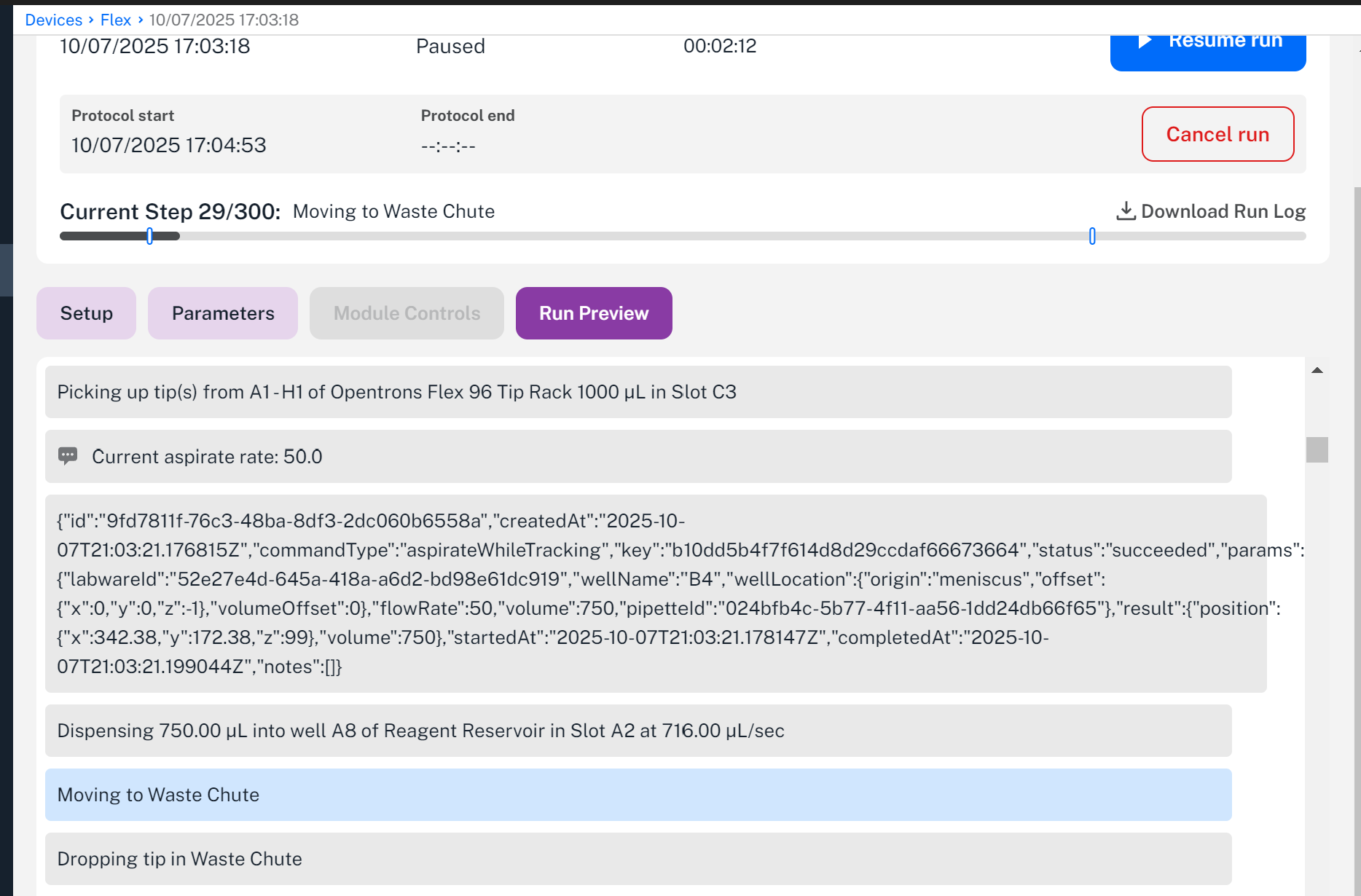
My run log shows that the aspiration rate is correctly set to 50, and the meniscus step seems to be set to 50 as well (but it looks quite strange in the run log)
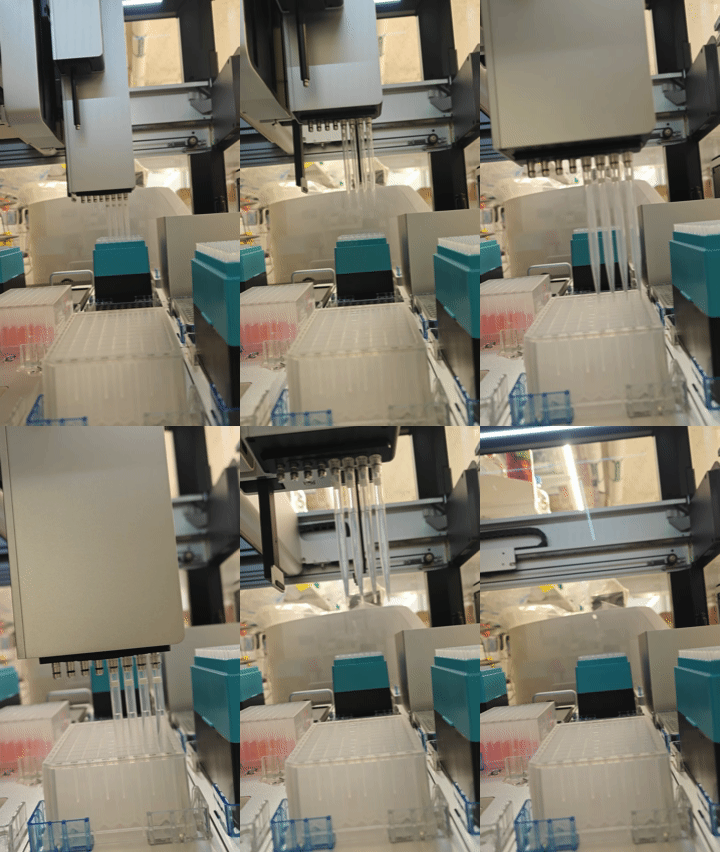
Here you can see that it’s aspirating rather quickly. With an aspiration volume of 750, this step should take 15 seconds, but it happens in ~1 second!
Silver lining: it’s possible that running this step at full speed didn’t affect the cells much, but I’d probably want to do an AB test or something to confirm this.
My alternate strategy for the time being is to use .meniscus() at full speed to aspirate the majority of the liquid, then switch to aspirate() at a defined Z position and then aspirate normally at a low rate. Still having a blast with the OT Flex nonetheless!
Have you tried the argument rate = 0.2 or something in the .aspirate command? I’ve always done that.
Maybe try troubleshooting by putting in a silly low aspiration rate right next to a fast one to see if it changes at all?
You could also try splitting up the movement and the aspirate commands, so move first and then aspirate (I think this works on the flex, it certainly works on the ot2)
I also gave this a shot for the first time yesterday (using rate=0.1) and am seeing the same behavior, also on 8.6.0. ChatGPT suggested trying to use the relatively new Liquid Class feature to slow down the aspiration / z travel rate but I haven’t had a chance to test that yet. It would be great if someone from Opentrons had a definitive answer though - liquid following is a huge QoL upgrade.
We played with some commands only in simulation. Here’s some additional info:
load_liquid() or load_empty() can enable both the liquid level (volume) and liquid height tracking for the standard labware. Technically, it is more powerful when using the standard labware.
Meniscus only works well within aspirate() or dispense(), together with either “start” or “end” position
We cannot directly call well.meniscus() similar to well.bottom(). Instead, it will refer to the coordinates that you named as x/y/z values. For instance, if you call well.meniscus(x=0,y=0,z=5), it will be the very left front corner of the whole deck rather than 5 mm above the meniscus.
Measure_liquid_height() works for both standard and custom labware. It will return a relative z height from the bottom of the well. This command must work in conjunction with pick_up_tip().
Current_liquid_height() and current_liquid_volume() can return the dynamically tracked z-height and volume numbers within a specific well when load_liquid() or load_empty() is set up at the very beginning of the script for standard labware. In some cases, it may be easier to just call current_liquid_height() instead of well.meniscus(z=-2, "start"), especially when you want to add relative offsets on the x or y axis.
We’re double checking some additional code and will expand on this shortly!
flow_rate (float) – The absolute flow rate in µL/s. If flow_rate is specified, rate must not be set.
I haven’t used this argument before and only used ‘rate’. I suspect that the flow rate was initially defined outside the ‘aspiration()’ commands and then unexpectedly reset to the default, although this reset wasn’t documented in the run logs.
Can they try an aspirate() without the flow_rate argument and see if the robot will aspirate liquids at 50 ul/s?
Thank you for looking into this! I suppose for now I could use meniscus with the end argument instead of dynamic. (I tried the work around I mentioned in the original post but it didn’t go too well sadly, but meniscus+end should work better than the other thing I was going to try!)
I am currently trying this with a USA Scientific 2.2 ml deep well plate! (From the Labware Library)
Interesting about current_liquid_height()! I didn’t know about that option, thank you.