Hey all,
When I tried to set up a computer as a Hamilton instrument computer, I ran into issues. To be more specific, I am trying to replace a Hamilton computer (that is able to run scripts) with a company computer. The new company computer is causing the issues. Anybody have solution(s)? I found this other post https://labautomation.io/t/venus-on-vantage-firmware-check-failed/2011 which suggested taking this Hamilton\Config\VStar.cfg from the original installation and replacing it on the new computer. However, I don’t see that file in my old computer which worked.
Thanks all!
-David
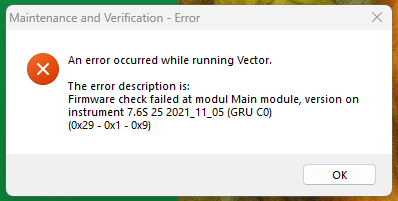
Maintenance and Verification - Error:
An error occurred while running Vector.

The error description is:
Firmware check failed at modul Main module, version on instrument is 7.6S 25 2021_11_05 (GRU C0)
(0x29 - 0x1 - 0x9)
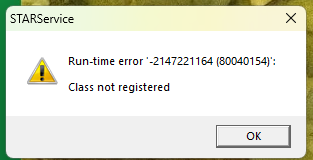
STARService - Error:
Run-time error '-2147221164 (80040154)':

Class not registered