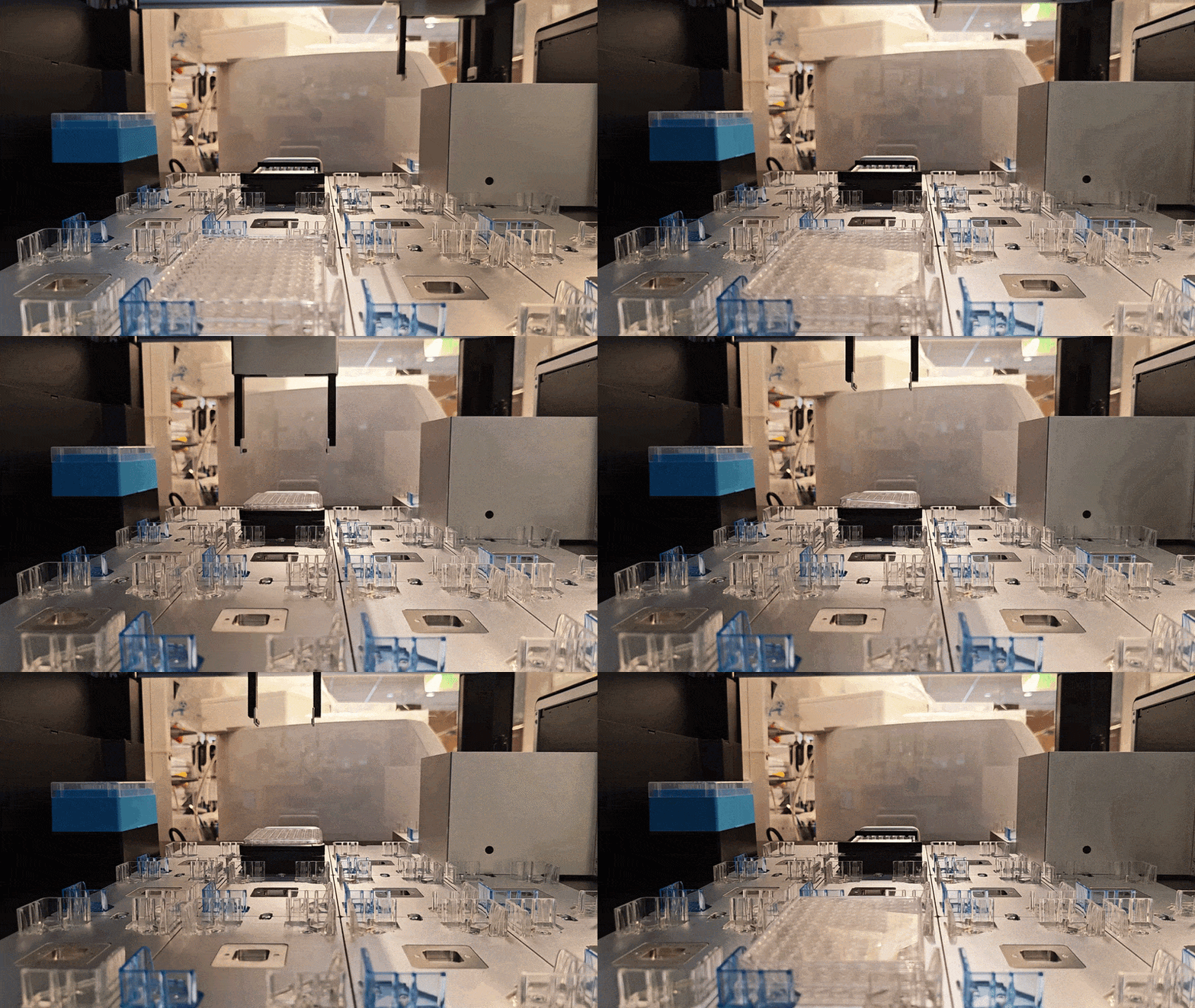
Hello @kostrouc
I literally just threw this code together yesterday for a quick test of what you asked here since our machine got delivered a few days ago. I used the labware height of my wellplates as a reference and just kind of had to adjust it with a little bit of trial and error, but it ended up working just fine!
If you have any questions around it let me know! The key is to just only have one labware loaded on the deck at a time, and this requires deleting the labware periodically so you don’t get errors that it already exists or that the slot is occupied
        temp_plate_source = protocol.load_labware(
        "corning_384_wellplate_50ul", location="D4"
    )
        pickup_offset_for_plate_2 = {'x':0,'y':0,'z': z_height_corning-1.5}
        dropoff_offset_for_plate_2 = {'x':0,'y':0,'z': z_height_corning+1.2}

        protocol.move_labware(temp_plate_source, "D2", use_gripper=True, pick_up_offset=pickup_offset_for_plate_2, drop_offset = z_height_default)

        ### plate now on D2

        ## Remove lid

        protocol.move_labware(temp_plate_source, "D3", use_gripper=True, pick_up_offset=lid_offset, drop_offset = z_height_default)
        del protocol.deck["D3"]
        temp_plate_source = protocol.load_labware(
        "corning_384_wellplate_50ul", location="D2"
    )
        # Do pipetting Actions here


        # Delete plate and reload lid
        del protocol.deck["D3"]
        temp_plate_source = protocol.load_labware(
        "corning_384_wellplate_50ul", location="D3"
    )
        # Put lid back on labware
        protocol.move_labware(temp_plate_source, "D2", use_gripper=True, pick_up_offset=z_height_default, drop_offset = lid_offset_drop)

        # Put labware into "done" stack
        protocol.move_labware(temp_plate_source, "C4", use_gripper=True, pick_up_offset=z_height_default, drop_offset = z_height_default)
        del protocol.deck["C4"]

        # Move next plate to pip loc


        temp_plate_source = protocol.load_labware(
        "corning_384_wellplate_50ul", location="D4"
    )
        protocol.move_labware(temp_plate_source, "D2", use_gripper=True, pick_up_offset=z_height_default, drop_offset = z_height_default)

        ### plate 2 now on D2 #####################3

        ## Remove lid

        protocol.move_labware(temp_plate_source, "D3", use_gripper=True, pick_up_offset=lid_offset, drop_offset = z_height_default)
        del protocol.deck["D3"]
        temp_plate_source = protocol.load_labware(
        "corning_384_wellplate_50ul", location="D2"
    )
        # Do pipetting Actions here


        # Delete plate and reload lid
        del protocol.deck["D2"]
        temp_plate_source = protocol.load_labware(
        "corning_384_wellplate_50ul", location="D3"
    )
        # Put lid back on labware
        protocol.move_labware(temp_plate_source, "D2", use_gripper=True, pick_up_offset=z_height_default, drop_offset = lid_offset_drop)

        # Put labware into "done" stack
        protocol.move_labware(temp_plate_source, "C4", use_gripper=True, pick_up_offset=z_height_default, drop_offset = dropoff_offset_for_plate_2)


        ## Purely curious, can we move the stack alltogether?
        protocol.move_labware(temp_plate_source, "D4", use_gripper=True, pick_up_offset=z_height_default, drop_offset = z_height_default)
        ##A:  Yes we can :)))
 del protocol.deck() doesn’t let me do it when it’s on a module!)