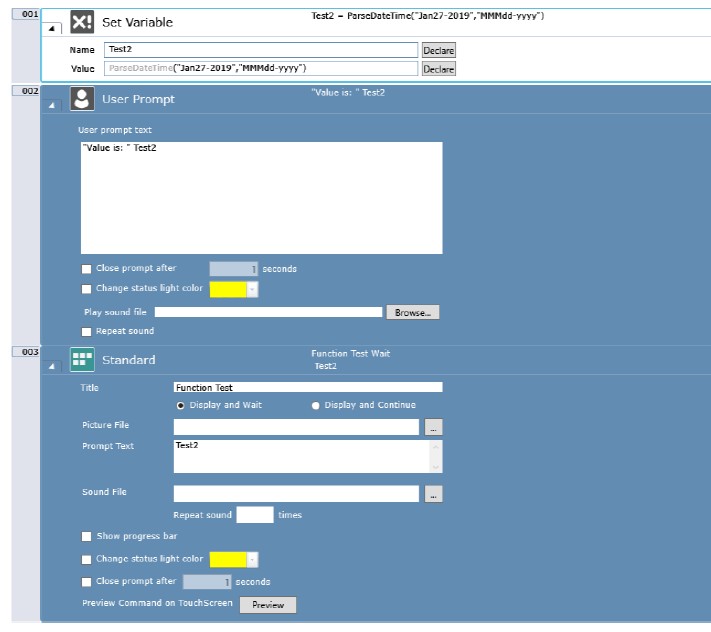
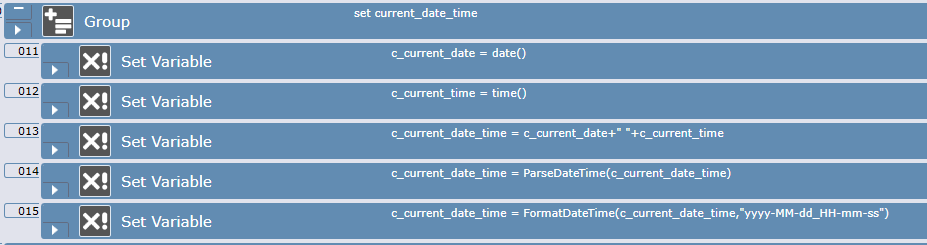
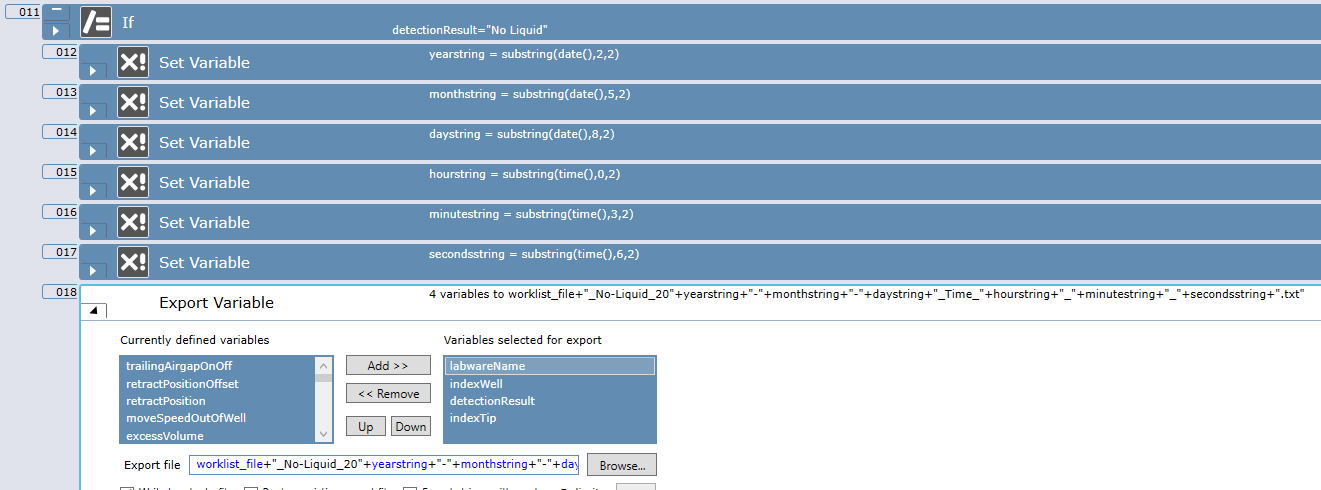
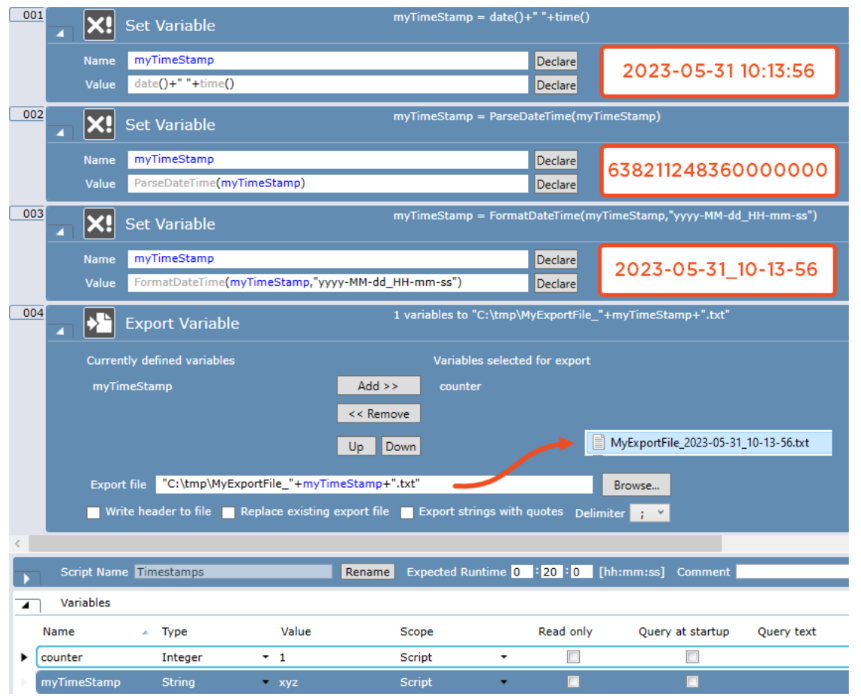
Seems silly, but I have to ask why this isn’t working. I have tried to generate the long integer output, yet Touch Tools preview isn’t generating the expected output. I have tried many formats (see below, I won’t bore you with all of them). Ultimately I want the date() + time() values to be output for naming a CSV file automatically. However the time() output uses colons (:), and a filename cannot have colons. Any help with the syntax here would be appreciated. I can’t get the Help documentation example to work!
ParseDateTime(“Jan27-2019”,“MMMdd-yyyy”)
ParseDateTime(“Jan27-2019”,“MMMDD-yyyy”)
ParseDateTime(“Jan27-2019”,“MMMdd-YYYY”)
ParseDateTime(Jan27-2019,“MMMdd-yyyy”)
ParseDateTime(Jan27-2019,“MMMDD-yyyy”)
ParseDateTime(Jan27-2019,“MMMdd-YYYY”)
Parsedatetime(“Jan27-2019”,“MMMdd-yyyy”)
Parsedatetime(“Jan27-2019”,“MMMDD-yyyy”)
Parsedatetime(“Jan27-2019”,“MMMdd-YYYY”)
Parsedatetime(Jan27-2019,“MMMdd-yyyy”)
Parsedatetime(Jan27-2019,“MMMDD-yyyy”)
Parsedatetime(Jan27-2019,“MMMdd-YYYY”)
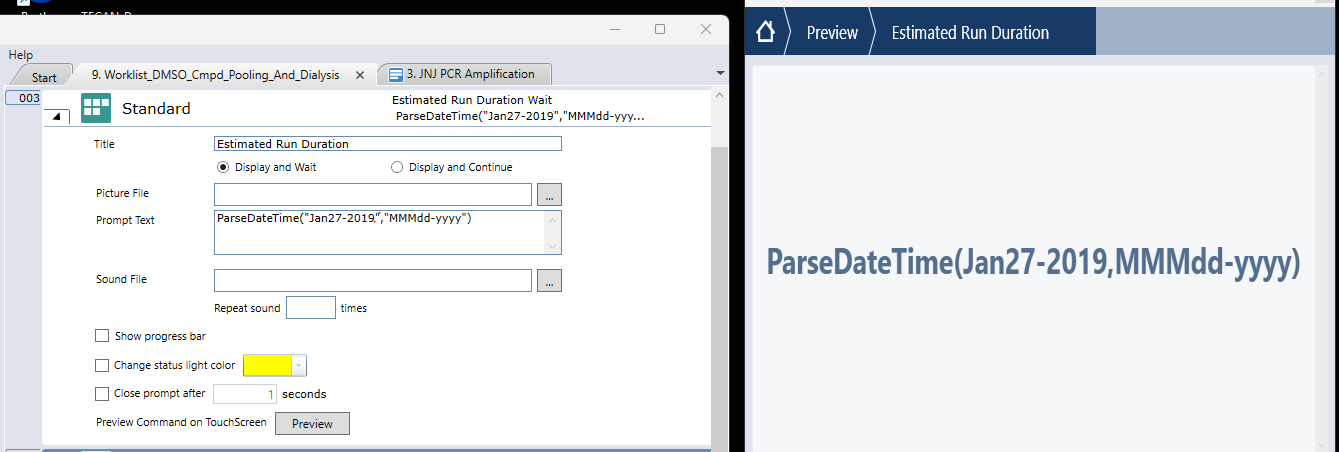
Image screenshot below from the F1 Help documentation, Fluent Control Ver 3.7

And what does “double” denote here. I also see “MM” in the place of minutes, which should be “mm”, so now I’m loosing faith in the help documentation.