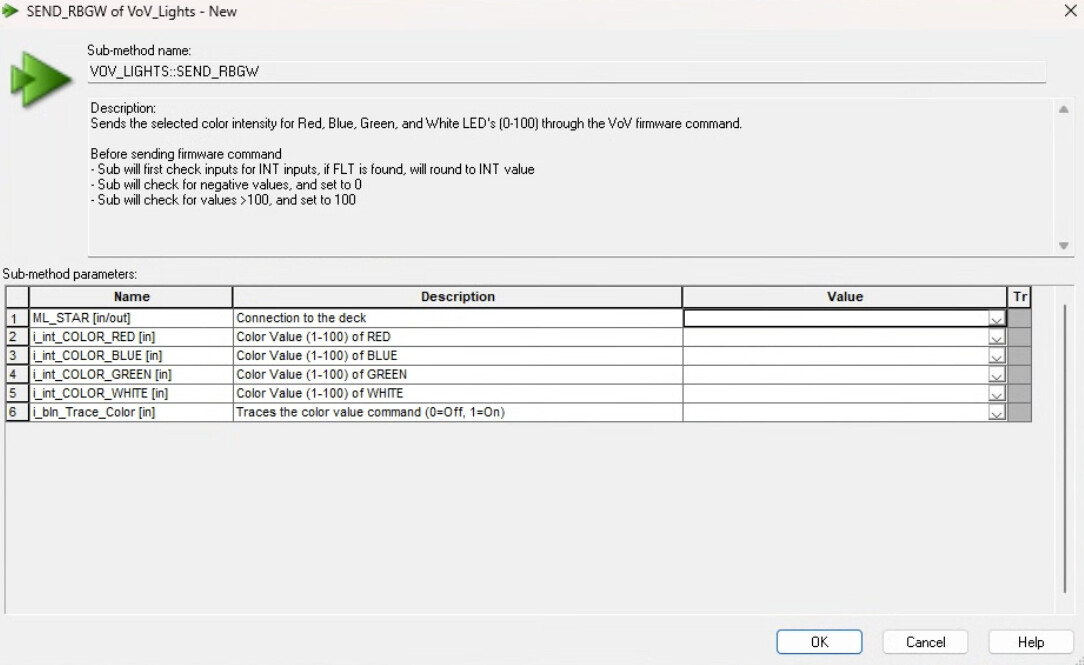
During development it is very hard to see the deck and how the pipetting is working while the deck is green. Is there a way to change this to the white light while I am still developing the method and then switch back when the method is in production?
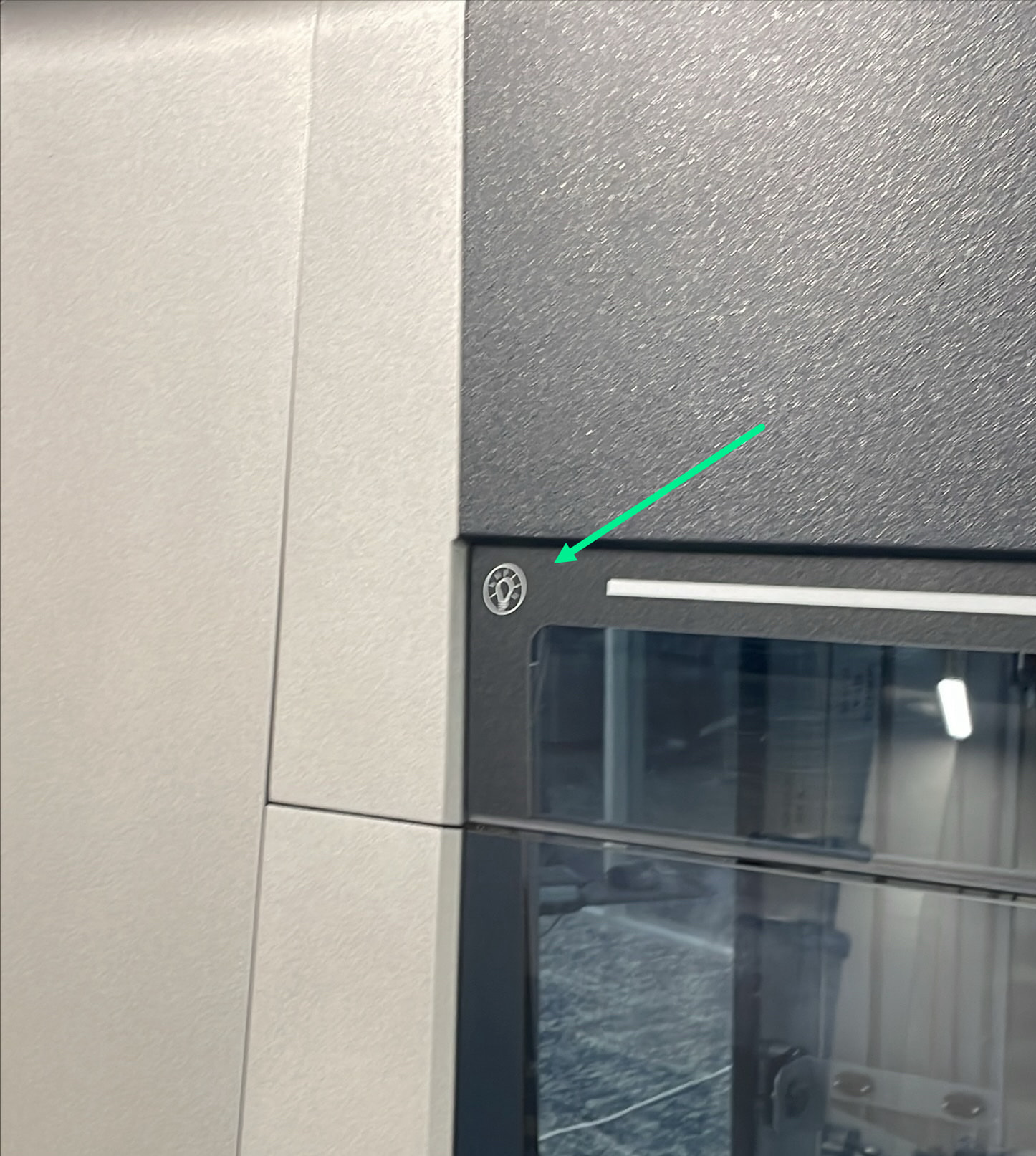
If your system has the newer cosmetics there is a touch enabled button that will change the lights to white light after pressed during runs.
1 Like
Can this also be done programatically? Would be highly interested!
Thanks! I had no idea that was a functional “button”.
Yes @dominik.b , it can be done programmatically. I believe the sub-method is hosted within this forum (Search for Library Downloads). What you are looking for is Vantage lights sub-method. With this you can change the lights to white as one of the first steps in a method and you can even change the progress bar as the method progresses. Very simple but effective sub-method to use.
3 Likes
@EricSindelar_Hamilton @BrandonBare_Hamilton can you help me out with the lighting package?
Please check out the thread below - there are a couple options!
1 Like
It can be done and it is easy to do so!
I share a screenshot of my SMT here. But in general the idea here is that you create a command such as : “C0AMLIid0304os100ol100 0 0 0 0li1ok750”
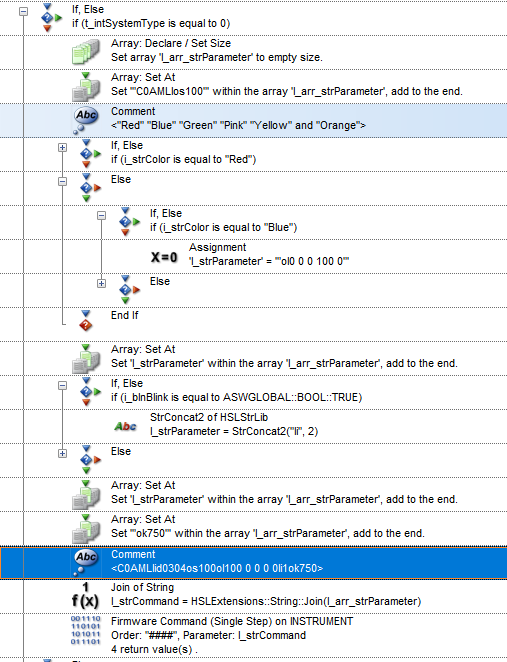
This command has been retrieved from the firmware reference guides and I use it based upon my experience and comfort with these kind of firmware commands. If you’ve never used them ask your Hamilton rep for the library to obtain. If you do not know what a firmware command is…skip my post and ask for the library.
“C0AMLIos100” = Light intensity
ol = colours! Each digit represents a percentage of color. So for Blue it’s 0 0 0 100 0 (because the fourth digit is 100% BLUE leds)
li = 0 / 1 / 2 / 3 (0 = off | 1 = On)
ok750 = Blink Interval
And you can go bananas with colors!
2 Likes