Hi @MSMDG and @WictorGummesson,
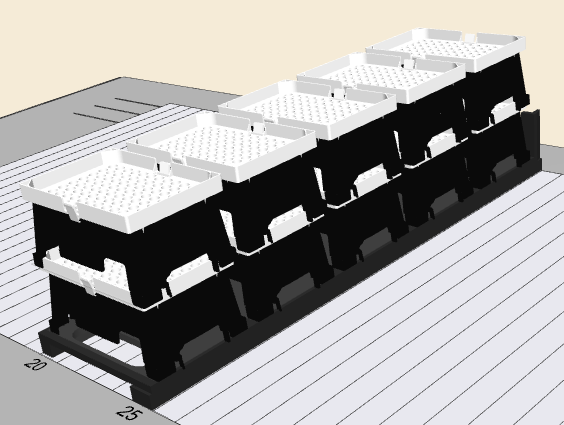
Unfortunately the SkyFrames are not supported in the United States, but thankfully I do have some on hand to test with. We can use it as an example for similar labware situations where labware are stacked like Hamilton Tip Boxes. So let’s consider what the carrier’s default definition looks like first: it’s a standard MFX carrier with 5 sites and on each of those sites is a SkyFrame rack snapped to it as a stack of 2.
There is one very simple approach which would be to load and scan the carrier twice with labware properties added to just the carrier based on my first post:
- MlStar2DReaderRoiYCenterOffset = 0
- MlStar2DReaderRoiZCenterOffset = 760
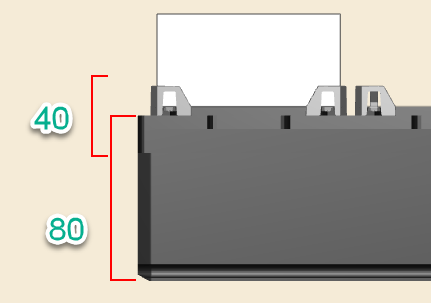
- MlStar2DReaderRoiYWidth = 860
- MlStar2DReaderRoiZHeight = 80
- MlStar2DReaderIlluminationSettings = “2;1;2;1;1;3;200"
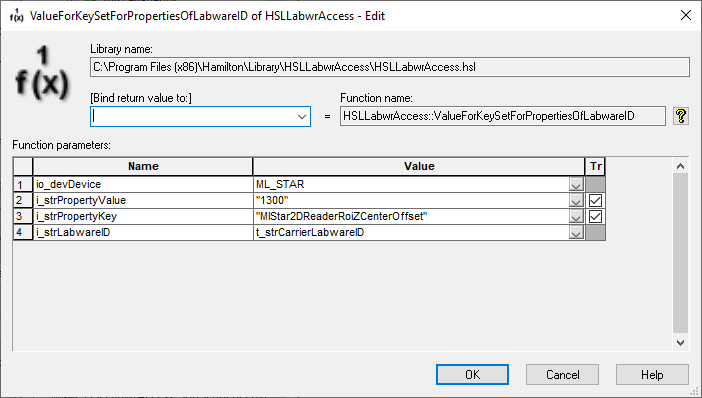
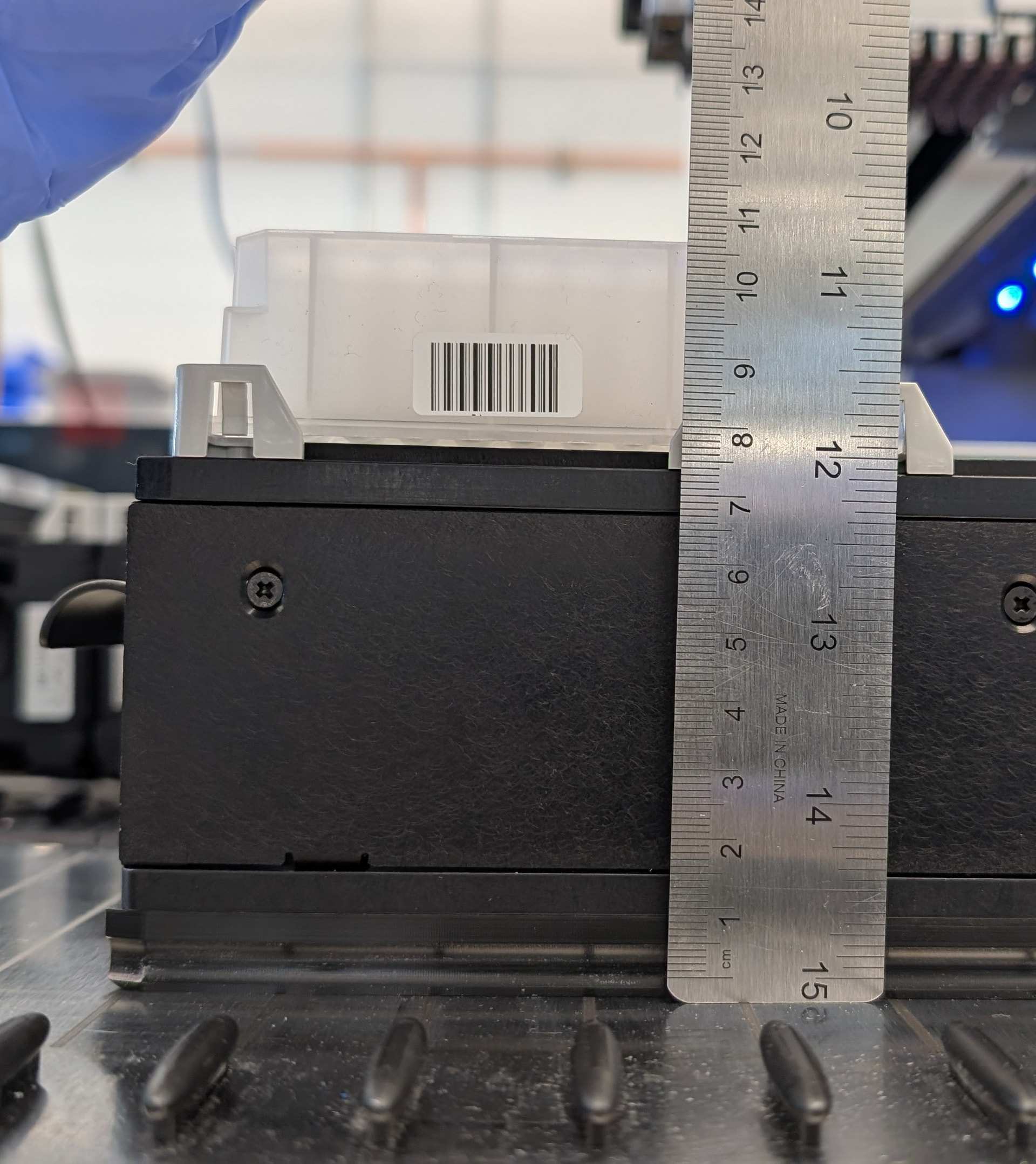
The first load of the carrier will read all of the bottom tier barcodes at each of the 5 sites. Prior to the second load of the carrier you use a command like ValueForKeySetForPropertiesOfLabwareID from the HSLLabwrAccess library to set the Z Center Offset to 1300 (from 760) to position the ROI for the top tier of stacked SkyFrames.
With 2 load commands you will have all 10 of your barcodes read and accounted for.
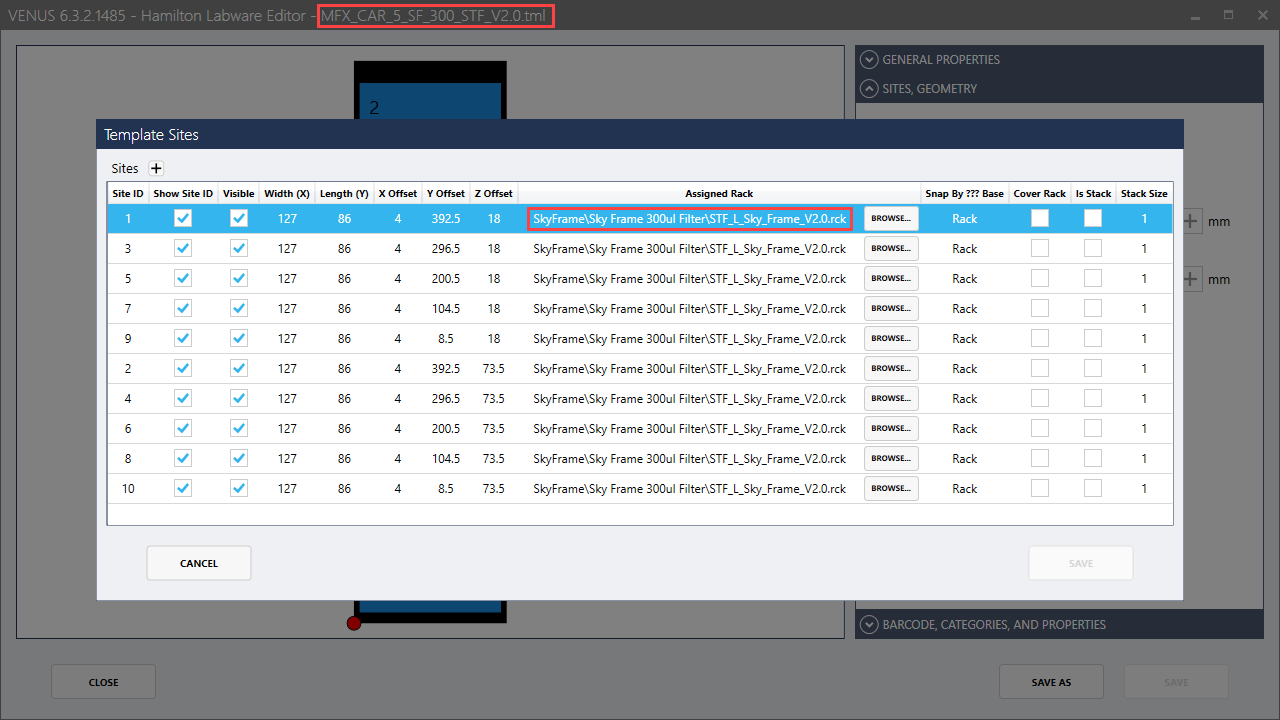
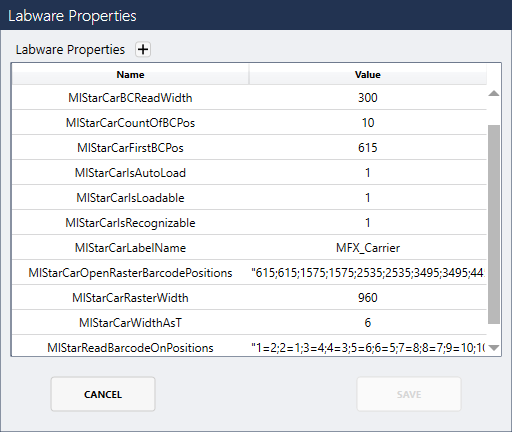
An alternative approach is quite a bit more complex but can scan all 10 barcodes in one single load command. The first thing to consider is that you will need a total of 10 positions specified for scanning so on the carrier MlStarCarCountOfBCPos will be 10 and MlStarCarOpenRasterBarcodePositions will have 10 values: “615;615;1575;1575;2535;2535;3495;3495;4455;4455”. However, MlStarCarOpenRasterBarcodePositions cannot have more values than the number of sites on the actual carrier labware definition - and since the default labware definition of the carrier only has 5 sites this will error at runtime. So the carrier must have 5 positions added to it. On top of that when you have one SkyFrame stacked on another they technically both occupy the same site of the carrier - so the stacks will have to go away as well. The result is a new carrier definition with 10 total sites where each site has a SkyFrame added to it:
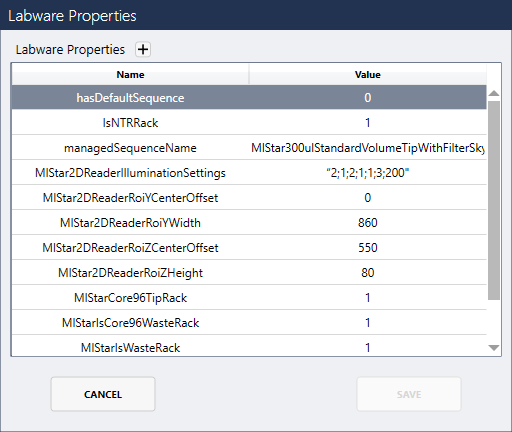
Note how in the above image I have created a new carrier and rack definition and just named them version 2.0 when the default definitions have version 1.X. I have also set that carrier’s labware properties as follows:
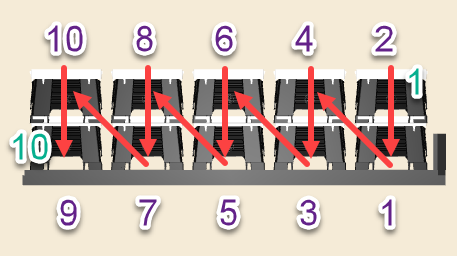
Setting MlStarReadBarcodeOnPositions to “1=2;2=1;3=4;4=3;5=6;6=5;7=8;8=7;9=10;10=9” is a very important part of getting the right barcodes to be assigned to the correct position. The left side of each expression is the position return (or rather the index of the barcode read as defined by how the reader functions) and the right side is the respective site string that that position points to. The image below shows red arrows that show the sequence that the barcode scanner will scan from 1 to 10 (in green text). The purple text shows the site labels as shown above in the new labware definition.
And the last things I set were each rack’s labware properties via the labware definition. This way I don’t have to add them to each labware via the deck layout editor. Note how the Z Center Offset is 550 (55mm) as this parameter is in reference to the base of the labware that this property is applied to (the rack in this case and no longer the carrier).
Calling a load command for the carrier will then scan each of the 10 SkyFrames or Tip Boxes in one single step. You can even go to the advanced section of the load command and specify any particular load string (ie “1,2,5,7,9,10”) and only those sites will be scanned.
There may be a downside to this though which would be that since the stacks are now no longer true stacks (where a labware on the deck layout is right clicked and “Add to Stack” is utilized), this may break the tip management library’s (ATML) tip counting logic for stacks of tips. So perhaps dummy labware and sequences can be utilized for loading the carrier and getting the barcodes and then an overlapping carrier of the original definition can be what is fed into the ATML for tip counting purposes and liquid handling commands.
Matt